Stella - Manifest Anything · PM UI 研究板
AI 个性化显化叙事订阅 App(Perl Productions LLC · 健康健身类)|订阅制 $6.99/周(7 天免费试用)|月收入约 $250K · 月下载约 55K · 评分 4.70(2026-09 数据)
✔ 图源质量:帧 0–13 为 ScreensDesign Pro 页面 avs-pp 原图(2160×4670);帧 14–78 为 Pro 页无模糊 1080p 录屏(888×1920)原帧升采样至 1242×2688(页面画廊未暴露的尾部帧,已逐卡如实标注);零模糊预览源。✔ 视频:Pro 页面实际嵌入的 Bunny uuid(2cc3c161)play_1080p.mp4 直接下载 · 原生竖屏 888×1920 · 无二次转码。全部 84 图 Laplacian 锐度最低 133(阈值 8),视频采样帧全部通过。⚠ 商店截图展示的是更新的 2.x Hero 版本首页,与录屏(v2.0.5,2026-04)略有版本差异,对照时注意。
核心用户流程
App Store 获客(#1 显化 App · 30 万用户 · 每日肯定语)→启动 + 通知权限预热 + 评分引导 + 邀请码→36 题拟人问卷(背景 → 内心创伤 → 显化目标)→AI 生成个人故事歌单(等待仪式)→付费墙「Note from the team」$6.99/周 7 天试用→个性化主页 TODAY'S MOMENT(24h 倒计时)→故事消费:听 / 读 / 改写 / 环境音→On Demand 点单生成(24h 刷新)→每日肯定语(每日一张 · 分享裂变)→感恩打卡 + 显化成就墙→档案 AI 记忆(人物/生活方式/排除项)→设置 + 声线选择 + 订阅/账号管理
🎬 App 操作录屏回放(Apr 2026 · 竖屏 1080p · 9分05秒)
录屏来源: ScreensDesign · 2026-04-03 · 545 秒 · Pro 无模糊源直接下载(888×1920),无二次转码、无模糊
模块目录
01 · App Store 获客卖点5 屏02 · 启动与权限预引导8 屏03 · 个性化问卷 · 个人背景11 屏04 · 个性化问卷 · 内心与关系8 屏05 · 个性化问卷 · 显化目标10 屏06 · 付费墙与订阅转化3 屏07 · 主页与故事播放6 屏08 · 歌单与 On Demand 生成7 屏09 · 每日肯定语5 屏10 · 感恩日记与显化墙8 屏11 · 个人档案与 AI 记忆7 屏12 · 设置、语音与账号管理6 屏
01 · App Store 获客卖点
5 屏
#SS1商店截图 1/5
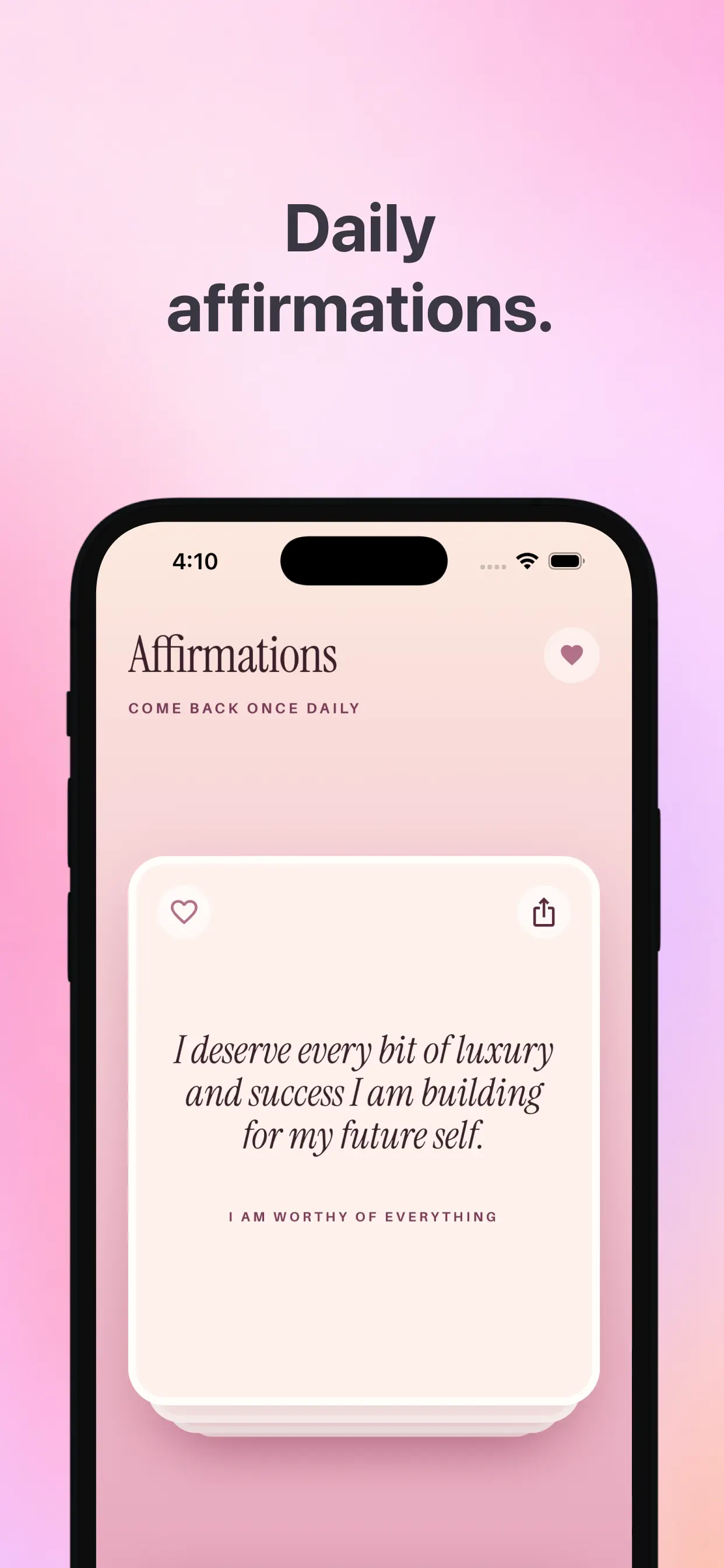
商店首图主打「Daily affirmations.」:粉紫渐变 + iPhone 样机展示 Affirmations 页(COME BACK ONCE DAILY),卡片金句 I deserve every bit of luxury and success I am building for my future self. / I AM WORTHY OF EVERYTHING——把『每日一句』的低门槛习惯作为商店第一眼卖点。
来源:App Store 商店截图原图 · 1242×2688|商店截图 1/5打开高清原图
→
#SS2商店截图 2/5
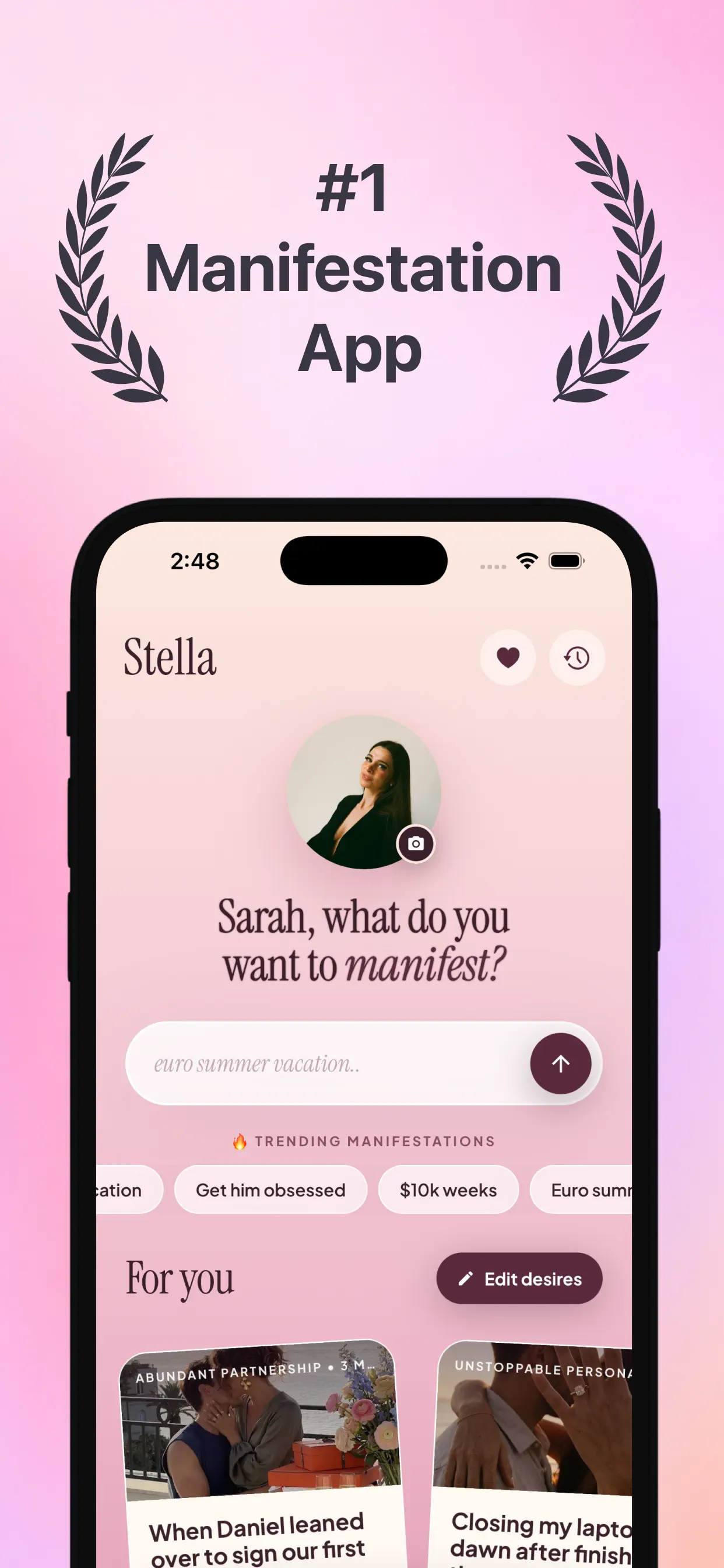
第二张主打「#1 Manifestation App」月桂冠背书。展示 2.x 新版首页 Hero:用户头像 + 「Sarah, what do you want to manifest?」直接输入显化意图(占位 euro summer vacation…),下方 🔥 TRENDING MANIFESTATIONS 热门标签(Get him obsessed / $10k weeks / Euro summer…)与 For you 个性化故事卡——打开即引导『说出你想要什么』。
来源:App Store 商店截图原图 · 1242×2688|商店截图 2/5打开高清原图
→
#SS3商店截图 3/5
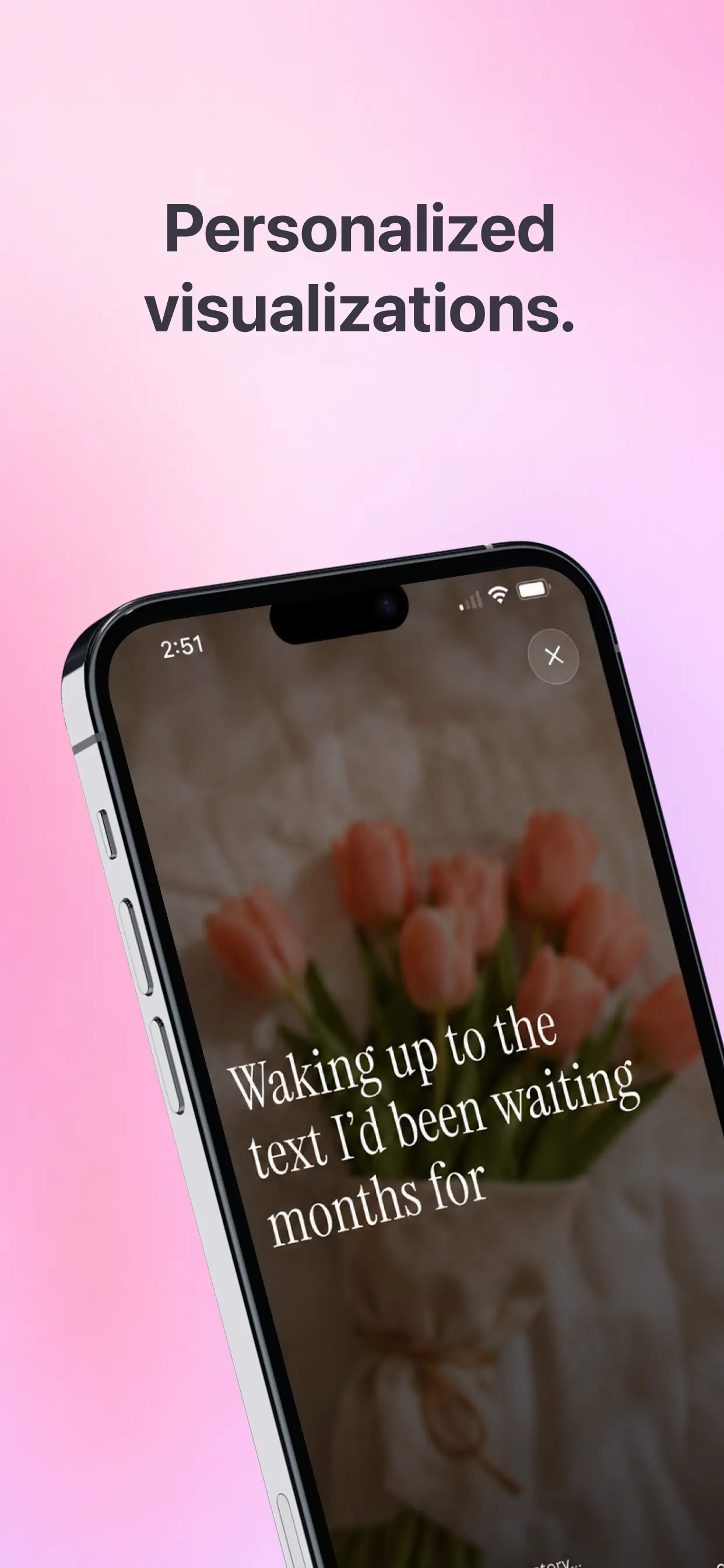
第三张主打「Personalized visualizations.」:沉浸式全屏可视化——整屏郁金香实拍画面叠衬线白字『Waking up to the text I'd been waiting months for』,强调每个故事都是为你定制的电影化画面而非通用冥想音频。
来源:App Store 商店截图原图 · 1242×2688|商店截图 3/5打开高清原图
→
#SS4商店截图 4/5
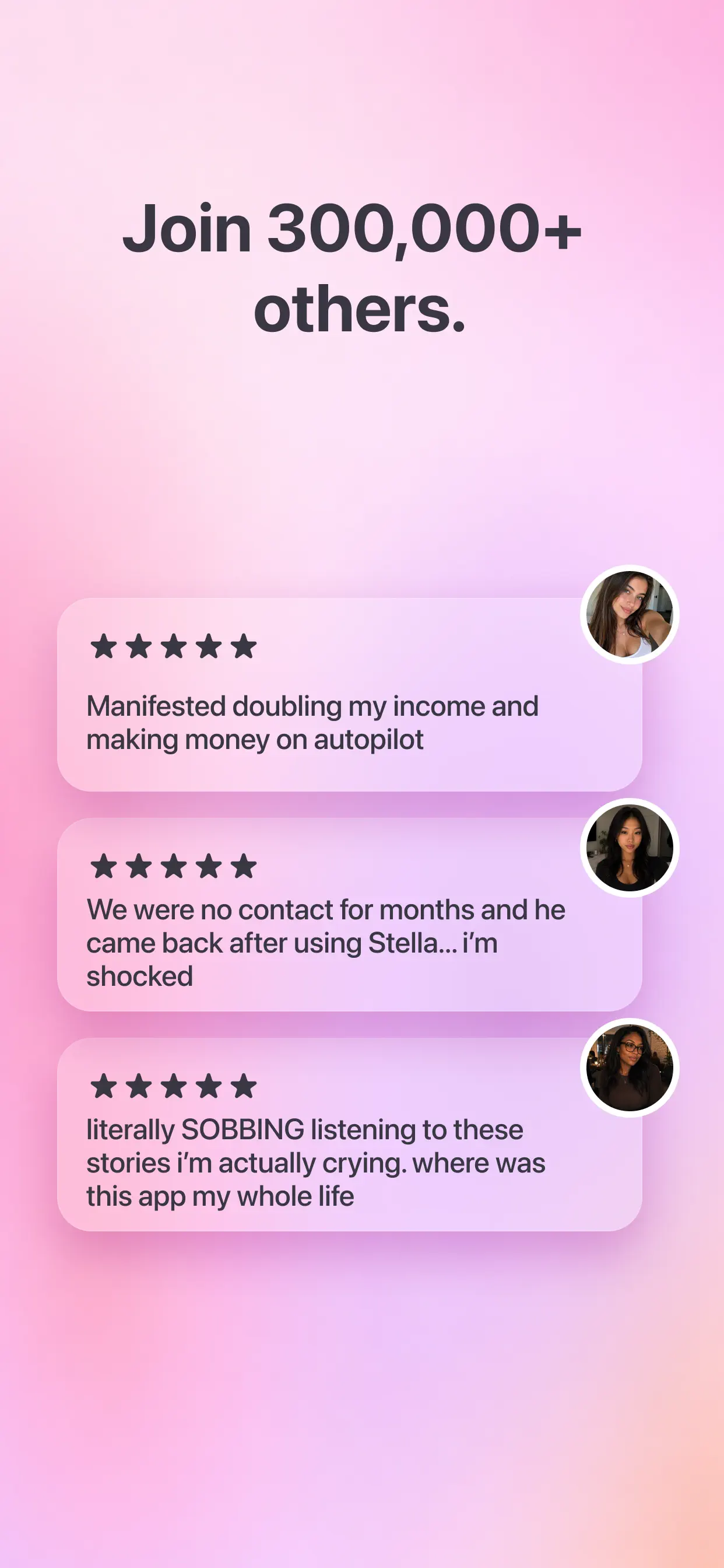
社会证明页「Join 300,000+ others.」:三条五星证言——收入翻倍进入自动化、断联数月的前任回来、听故事听到大哭『where was this app my whole life』。用真实用户结果直接打消『显化有用吗』的怀疑。
来源:App Store 商店截图原图 · 1242×2688|商店截图 4/5打开高清原图
→
#SS5商店截图 5/5
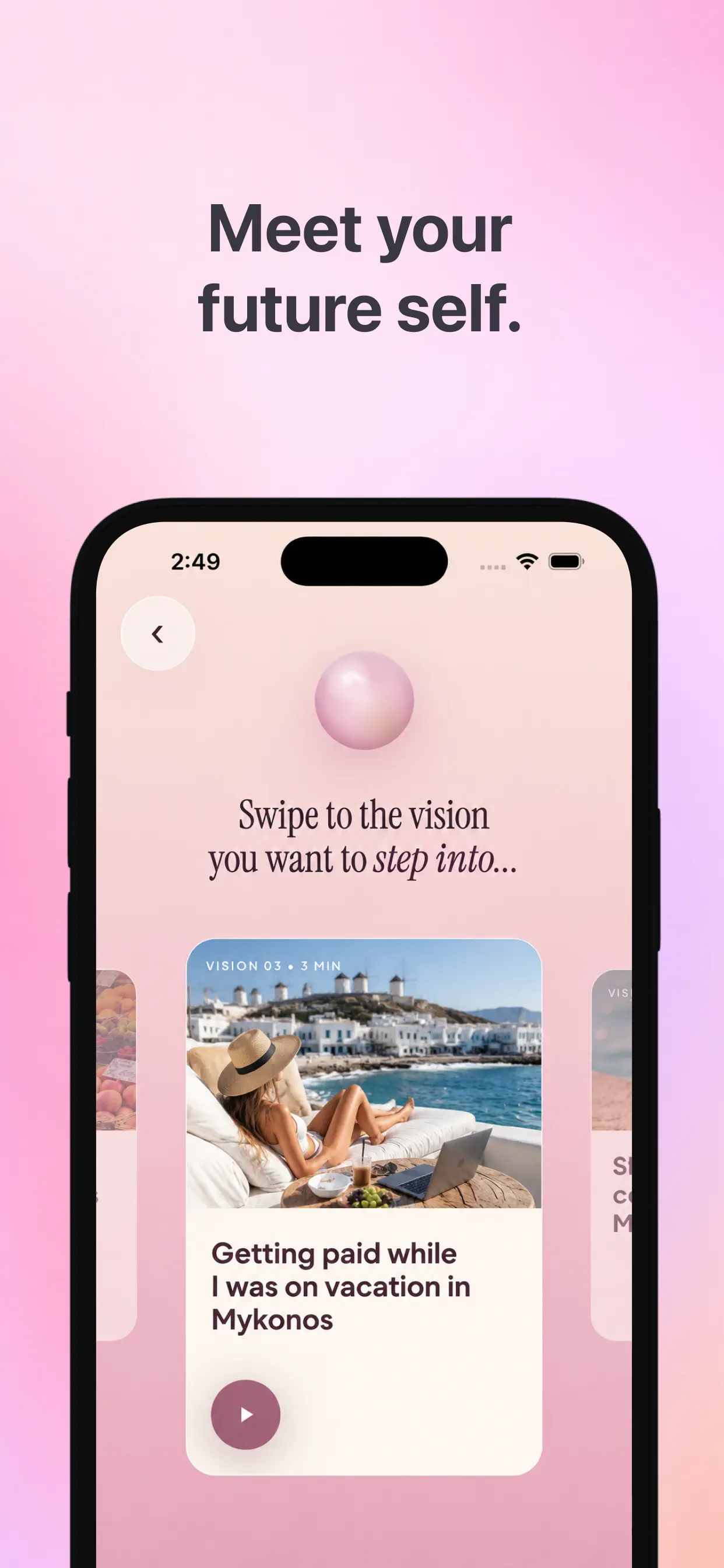
收尾主打「Meet your future self.」:愿景轮播 Swipe to the vision you want to step into…,卡片标注 VISION 03 · 3 MIN,示例『在米科诺斯度假时也在赚钱』——把抽象显化具象成可『走进去』的场景短片,3 分钟时长暗示低门槛。
来源:App Store 商店截图原图 · 1242×2688|商店截图 5/5打开高清原图
02 · 启动与权限预引导
8 屏
#000:00
冷启动页:白底居中紫色衬线 Logo「Stella」,无任何按钮与文案,纯品牌曝光约 5 秒后自动进入欢迎页。
来源:ScreensDesign Pro 页面原图 avs-pp · 2160×4670|00:00打开高清原图
→
#100:05
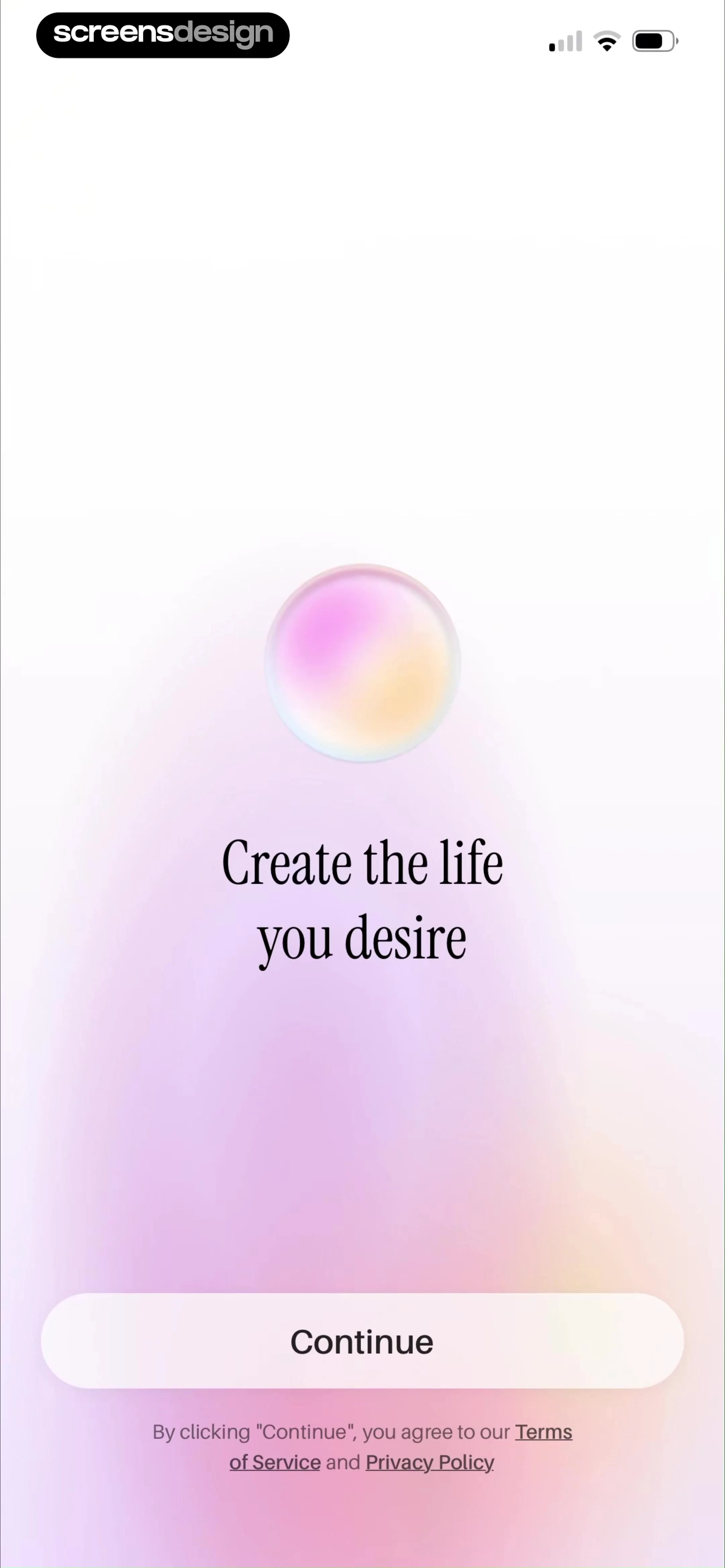
欢迎页「Create the life you desire」:粉紫渐变 + 水晶球 orb,仅一个 Continue 按钮;底部小字『点击继续即同意 Terms of Service 与 Privacy Policy』。无注册无登录,先用价值承诺降低进入成本。
来源:ScreensDesign Pro 页面原图 avs-pp · 2160×4670|00:05打开高清原图
→
#200:07
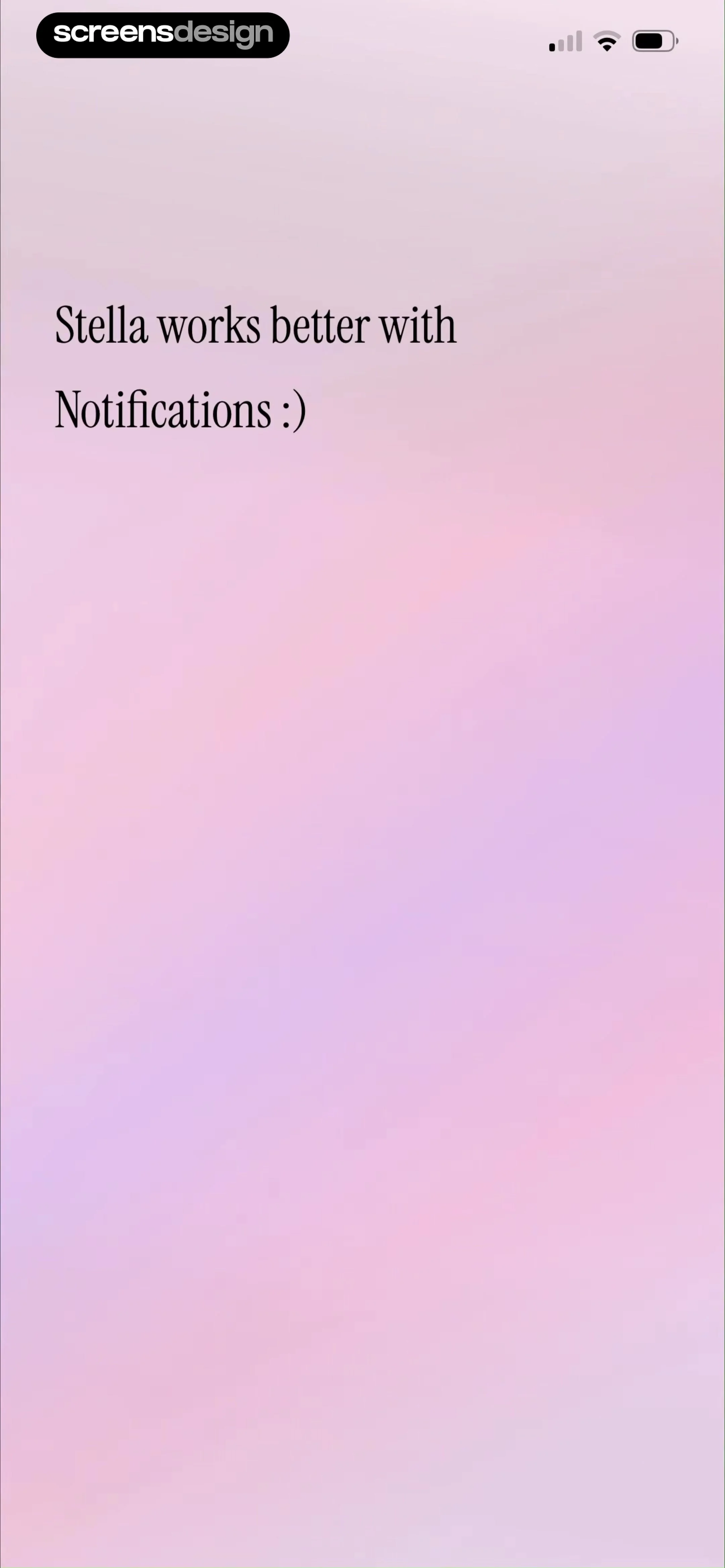
通知预引导「Stella works better with Notifications :)」:在系统权限弹窗出现前先用一句轻话术讲理由,是典型的权限预热(pre-permission)模式,可显著提高 Allow 率。
来源:ScreensDesign Pro 页面原图 avs-pp · 2160×4670|00:07打开高清原图
→
#300:09
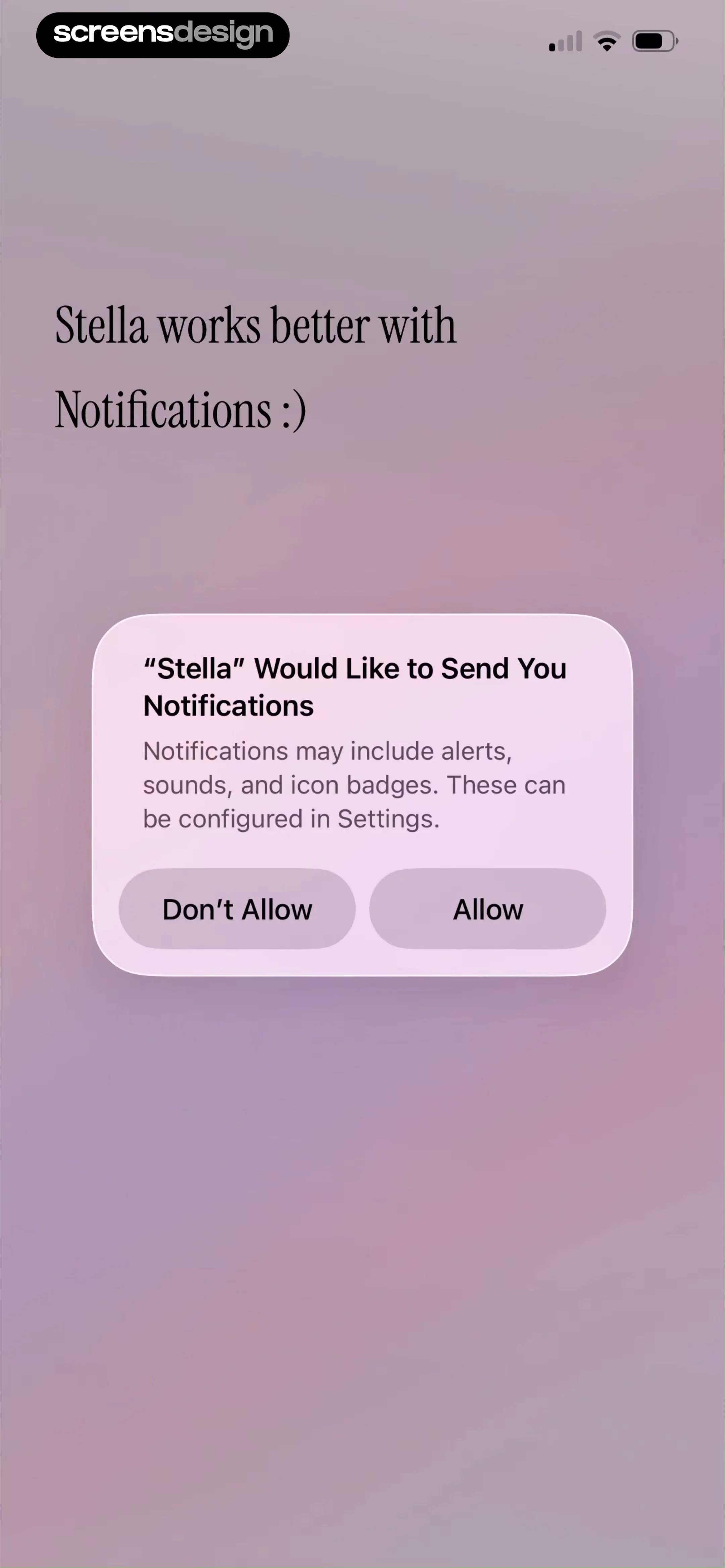
系统通知权限弹窗:标准 iOS 样式「「Stella」Would Like to Send You Notifications — Notifications may include alerts, sounds, and icon badges.」,Don't Allow / Allow 二选一。
来源:ScreensDesign Pro 页面原图 avs-pp · 2160×4670|00:09打开高清原图
→
#400:13
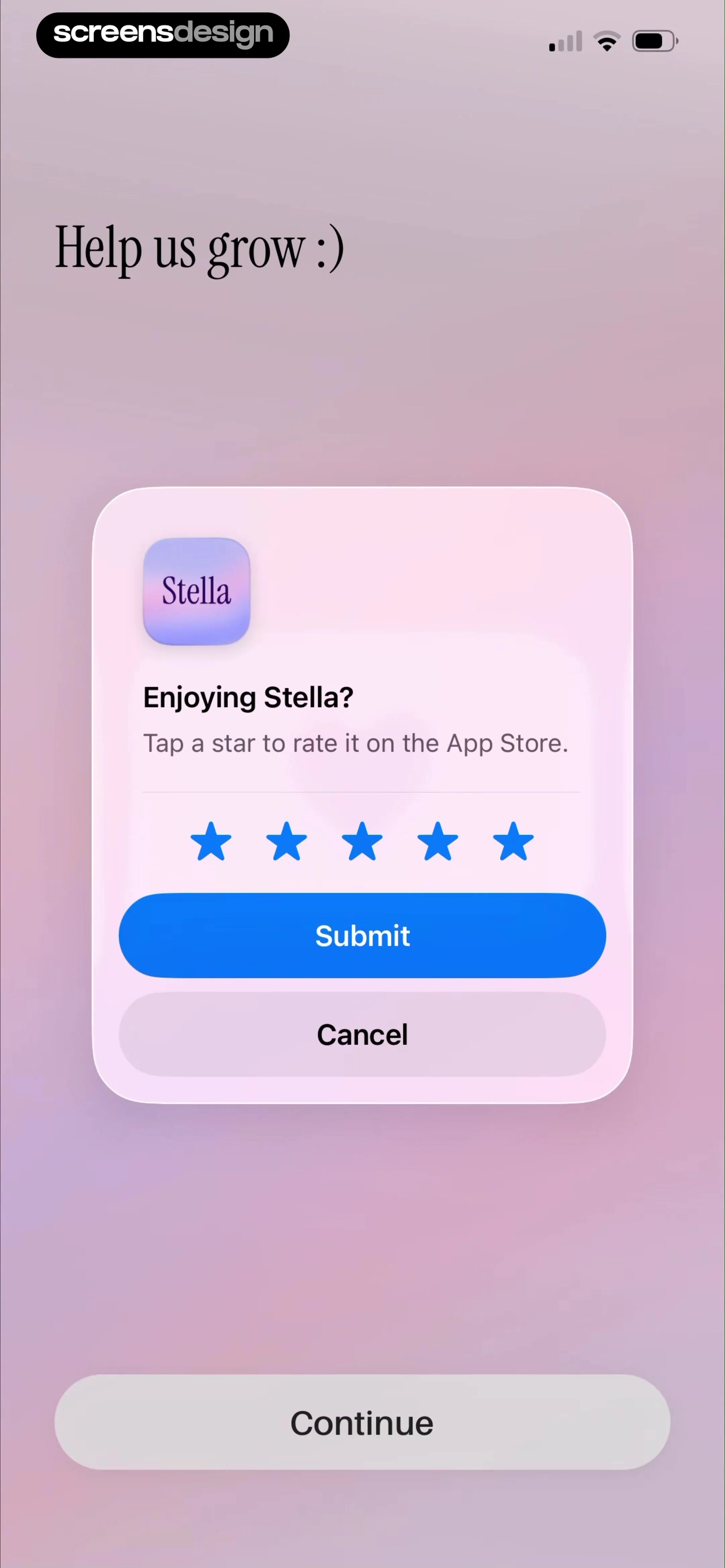
评分引导「Help us grow :)」:onboarding 中段直接调起 iOS 原生评分弹窗 Enjoying Stella? Tap a star to rate it on the App Store.,五颗蓝星 + Submit / Cancel,底部 Continue——把『刚下载的新鲜感』直接兑换成商店评分。
来源:ScreensDesign Pro 页面原图 avs-pp · 2160×4670|00:13打开高清原图
→
#500:37
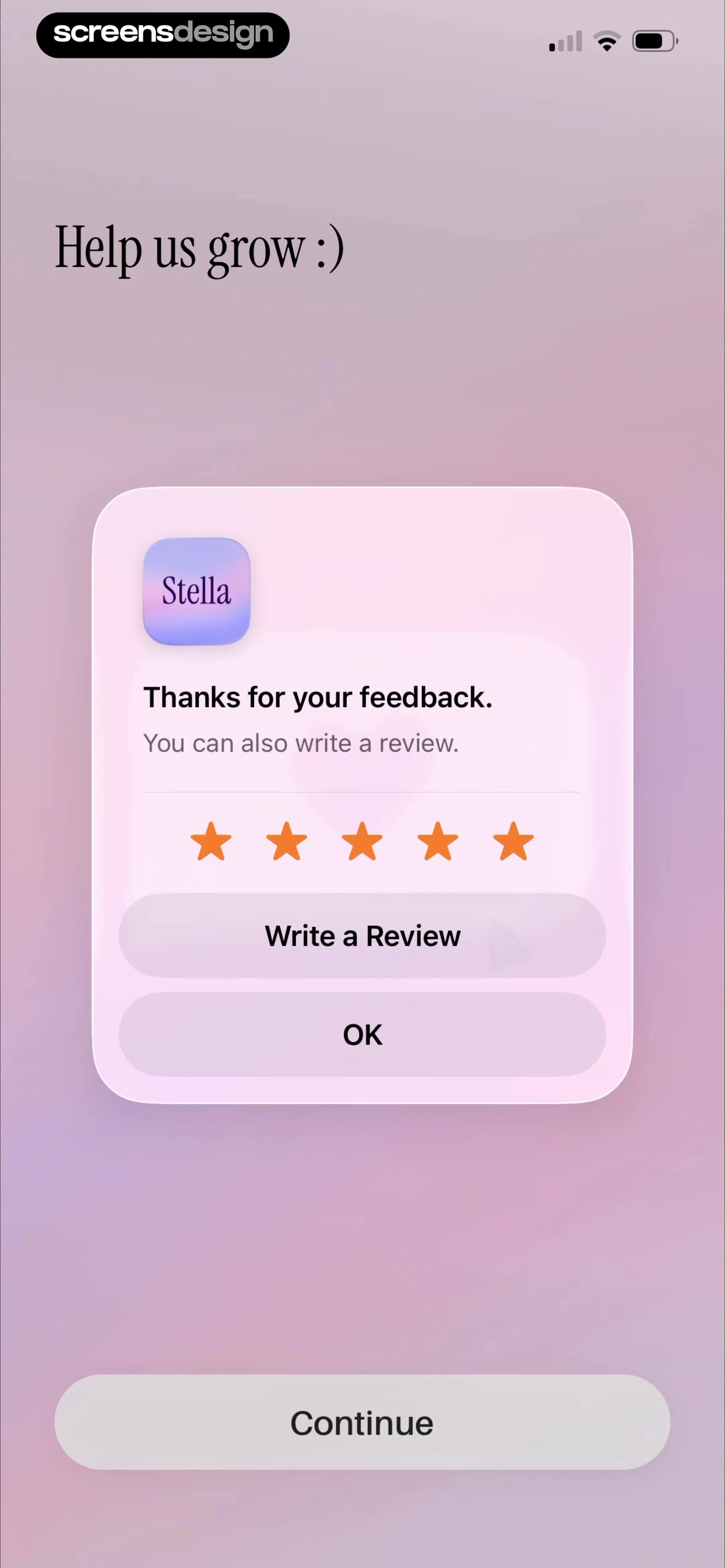
评分完成反馈「Thanks for your feedback. You can also write a review.」:星星变橙、按钮升级为 Write a Review / OK——评分成功后顺势引导更重的文字评论。
来源:ScreensDesign Pro 页面原图 avs-pp · 2160×4670|00:37打开高清原图
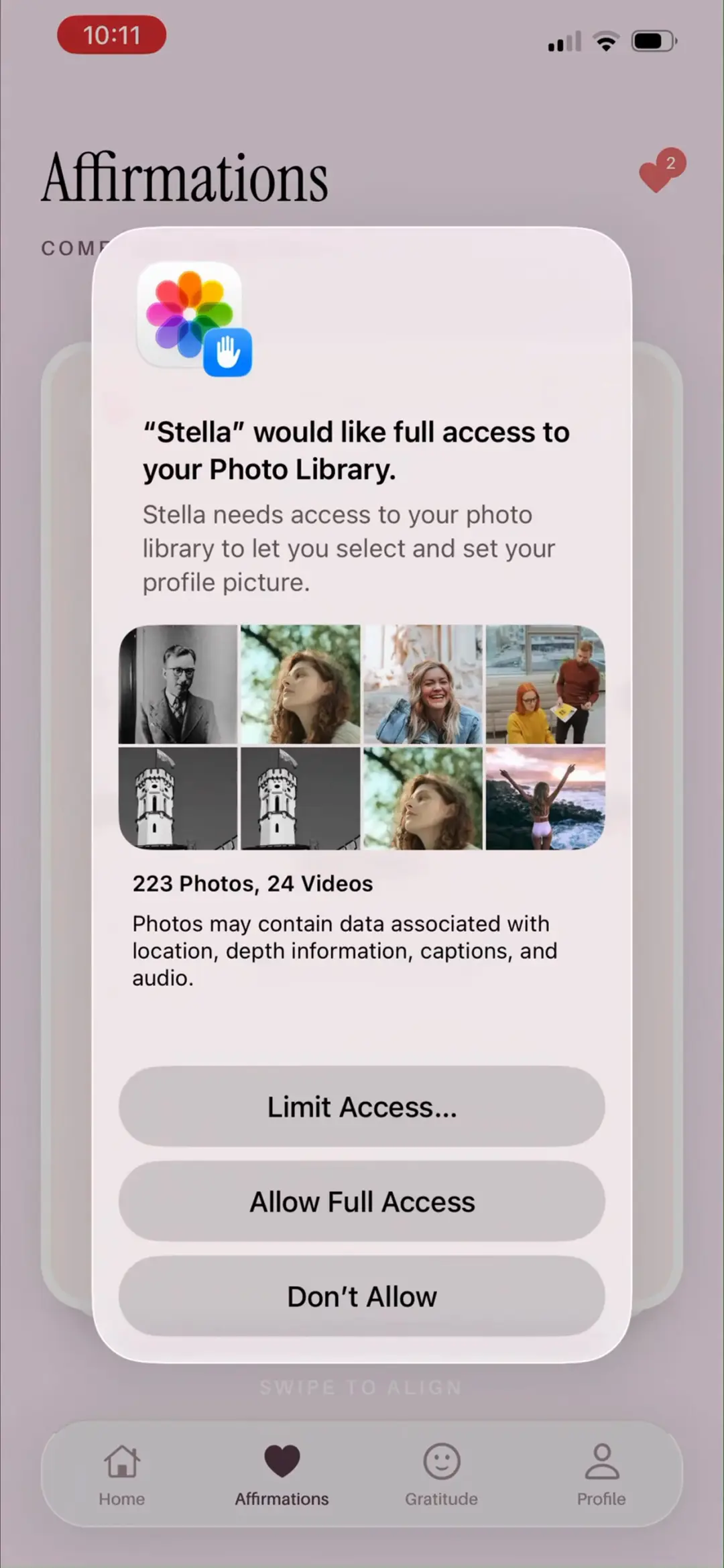
→
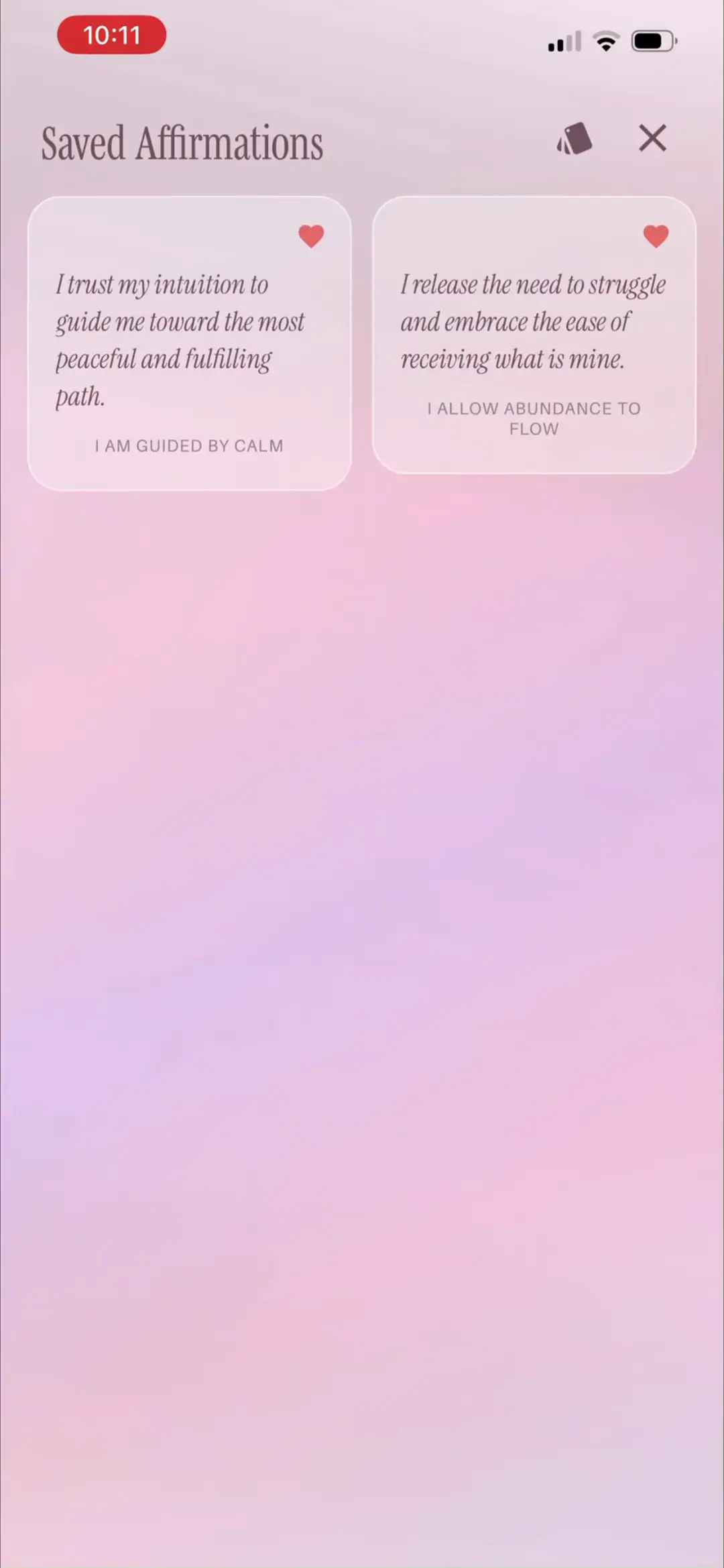
#600:44
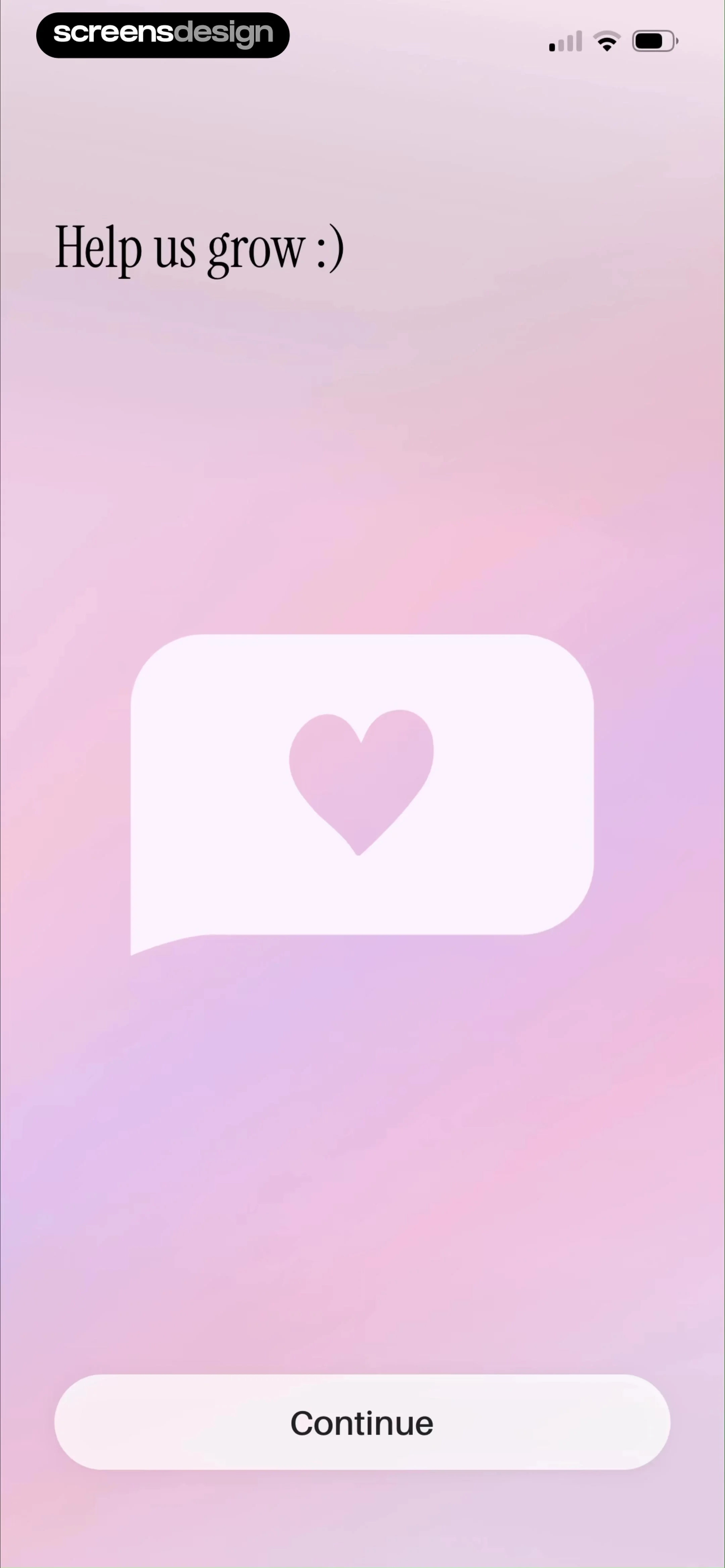
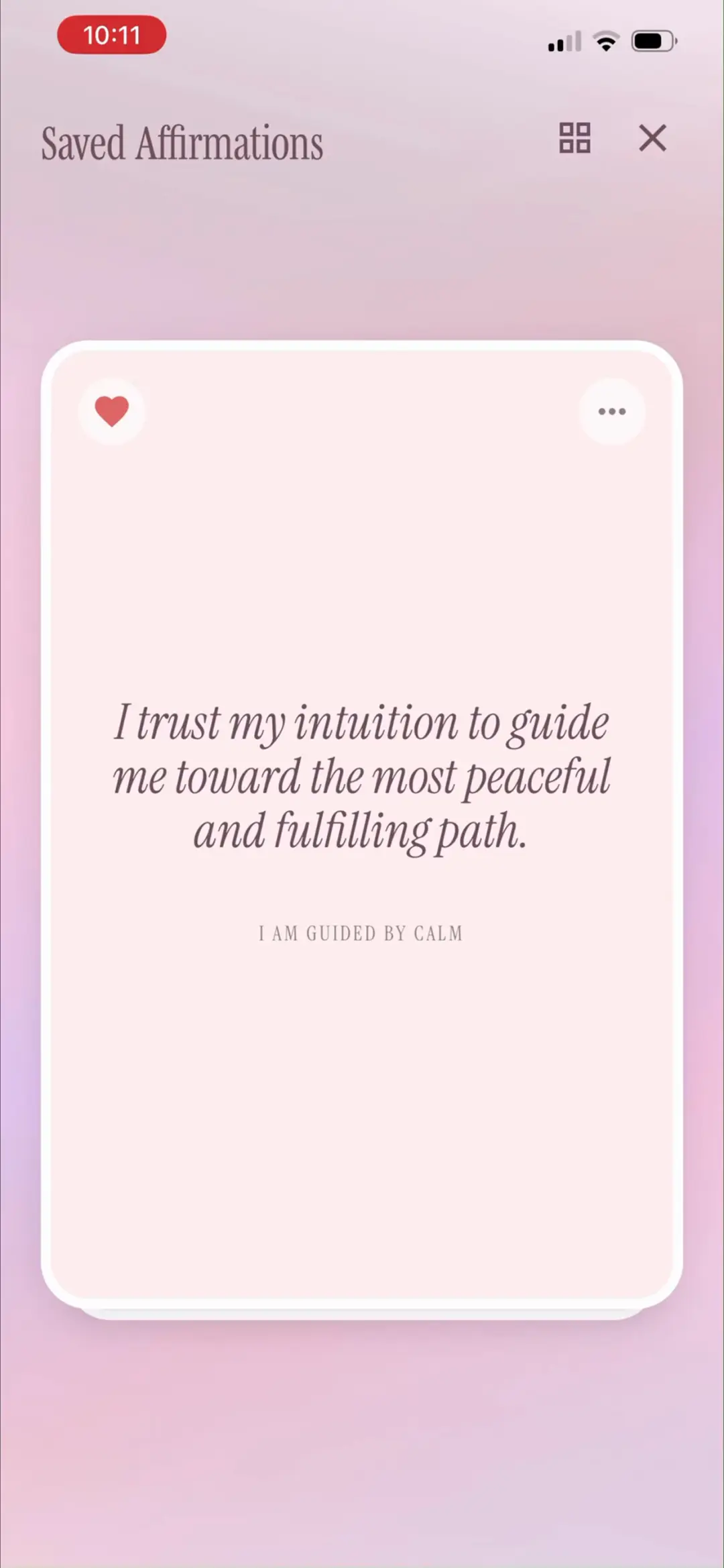
评分弹窗关闭后的过渡画面:同一「Help us grow :)」标题下露出爱心对话气泡插画,Continue 继续流程——把增长诉求包装成情感化插画而非打断。
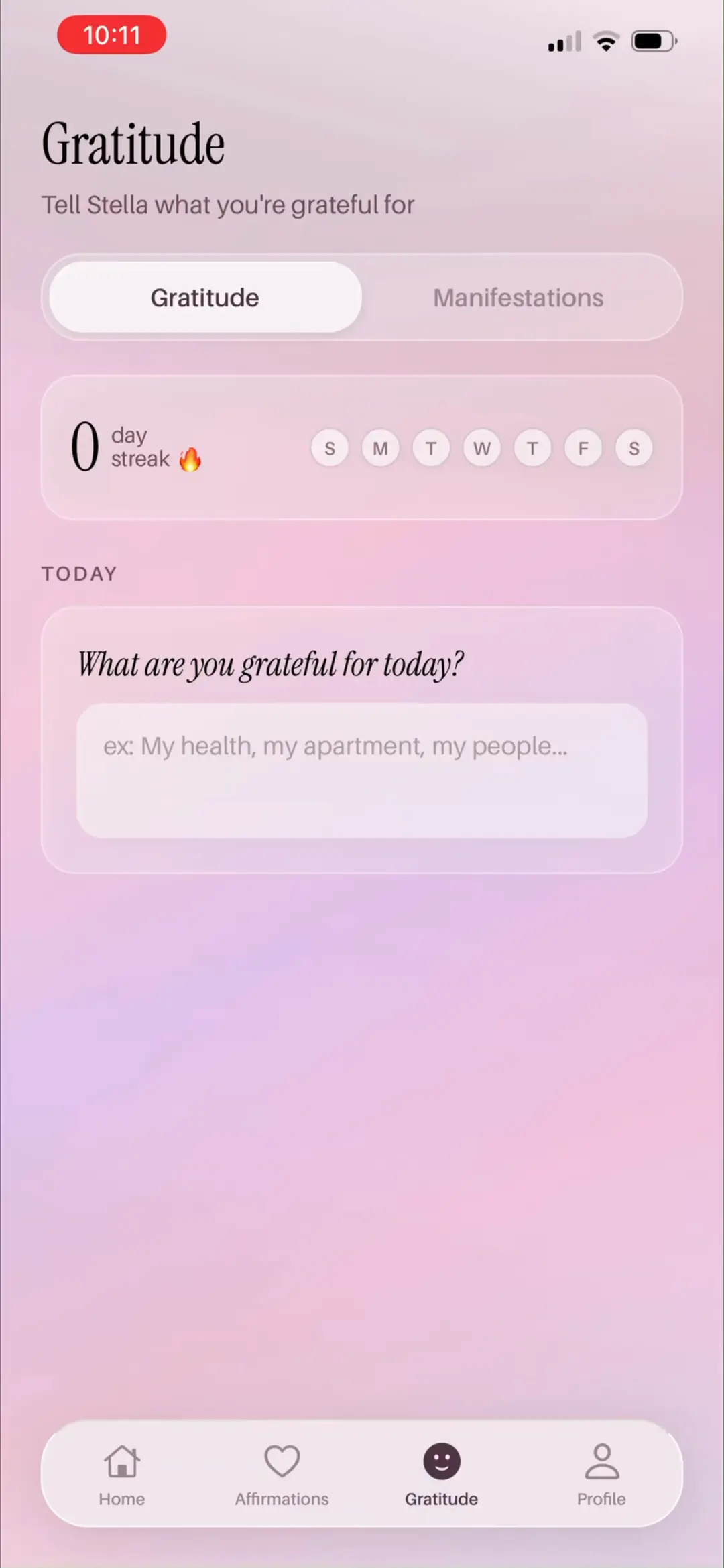
来源:ScreensDesign Pro 页面原图 avs-pp · 2160×4670|00:44打开高清原图
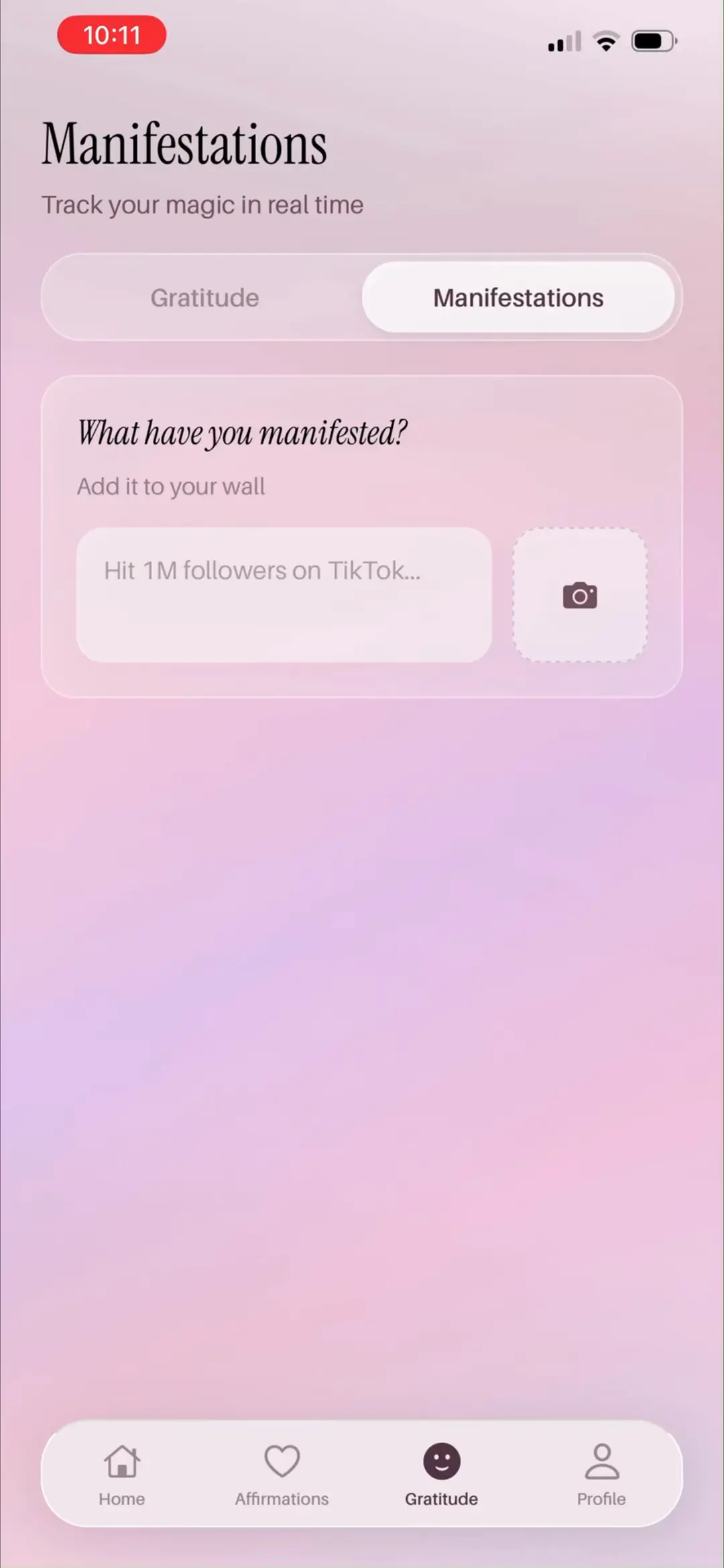
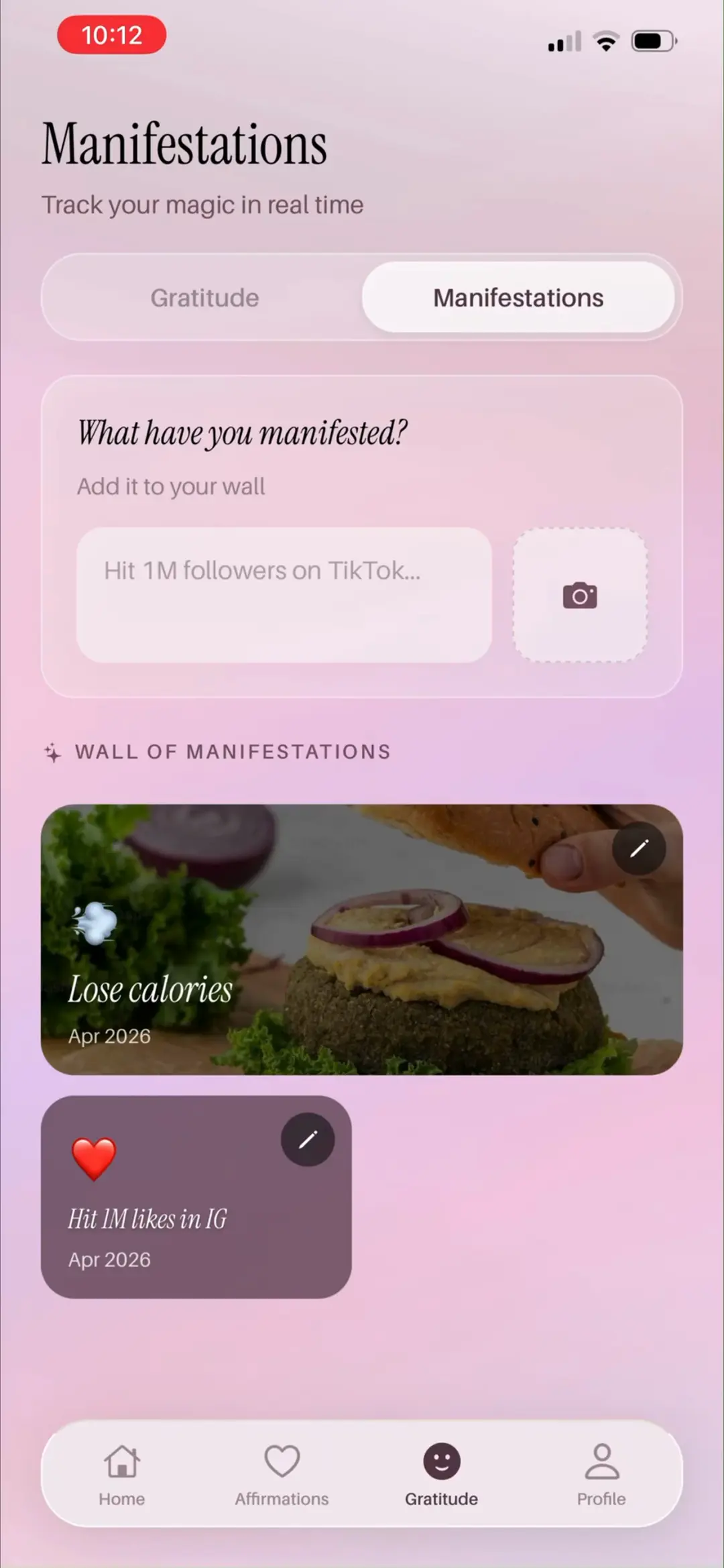
→
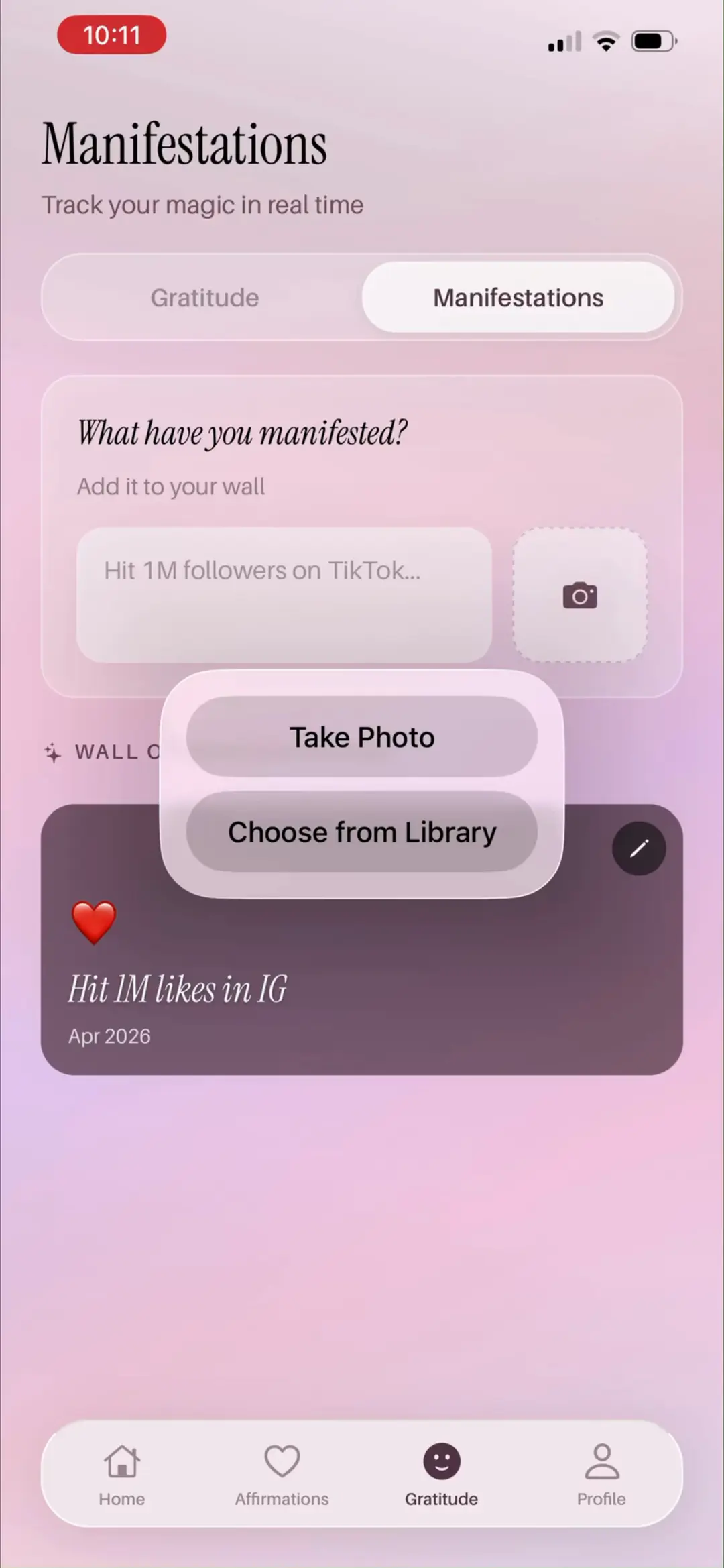
#700:50
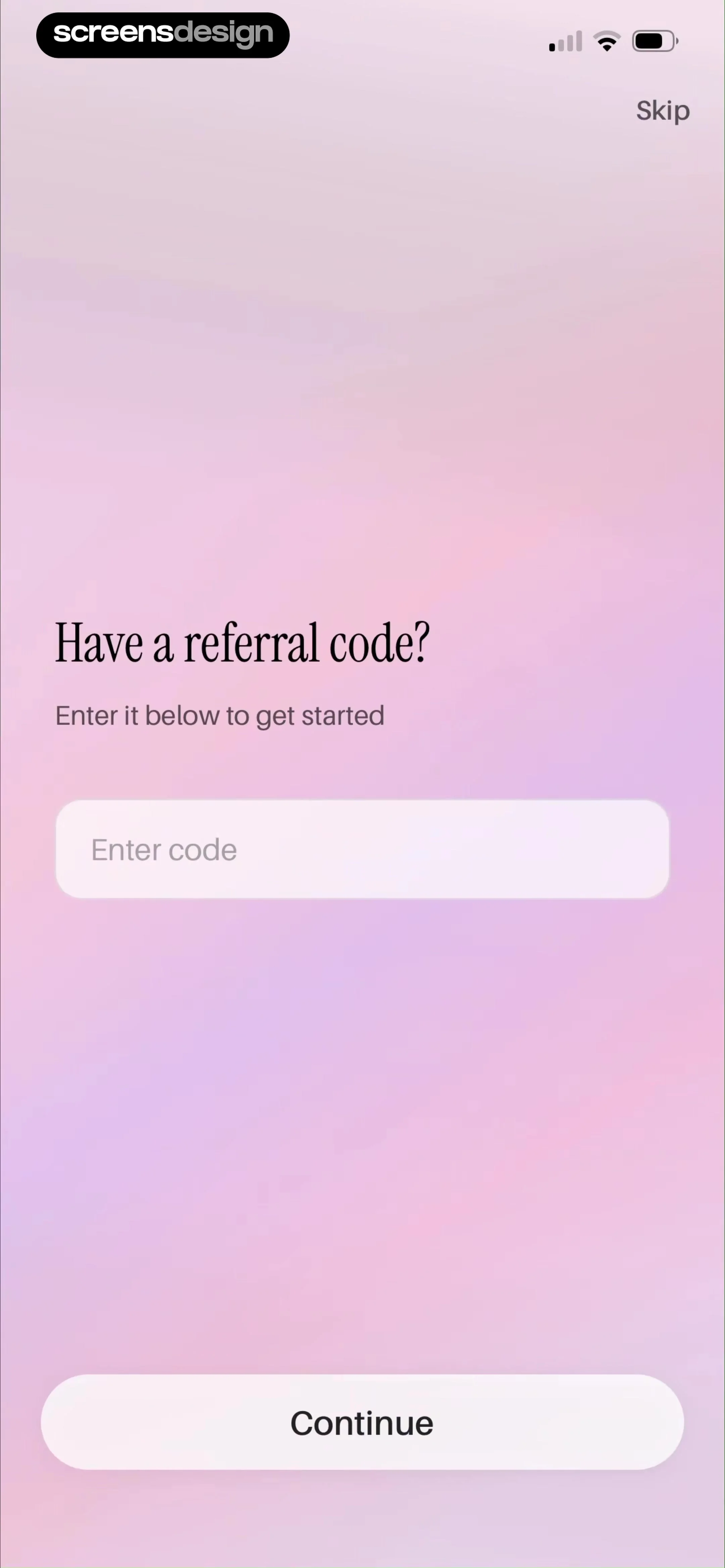
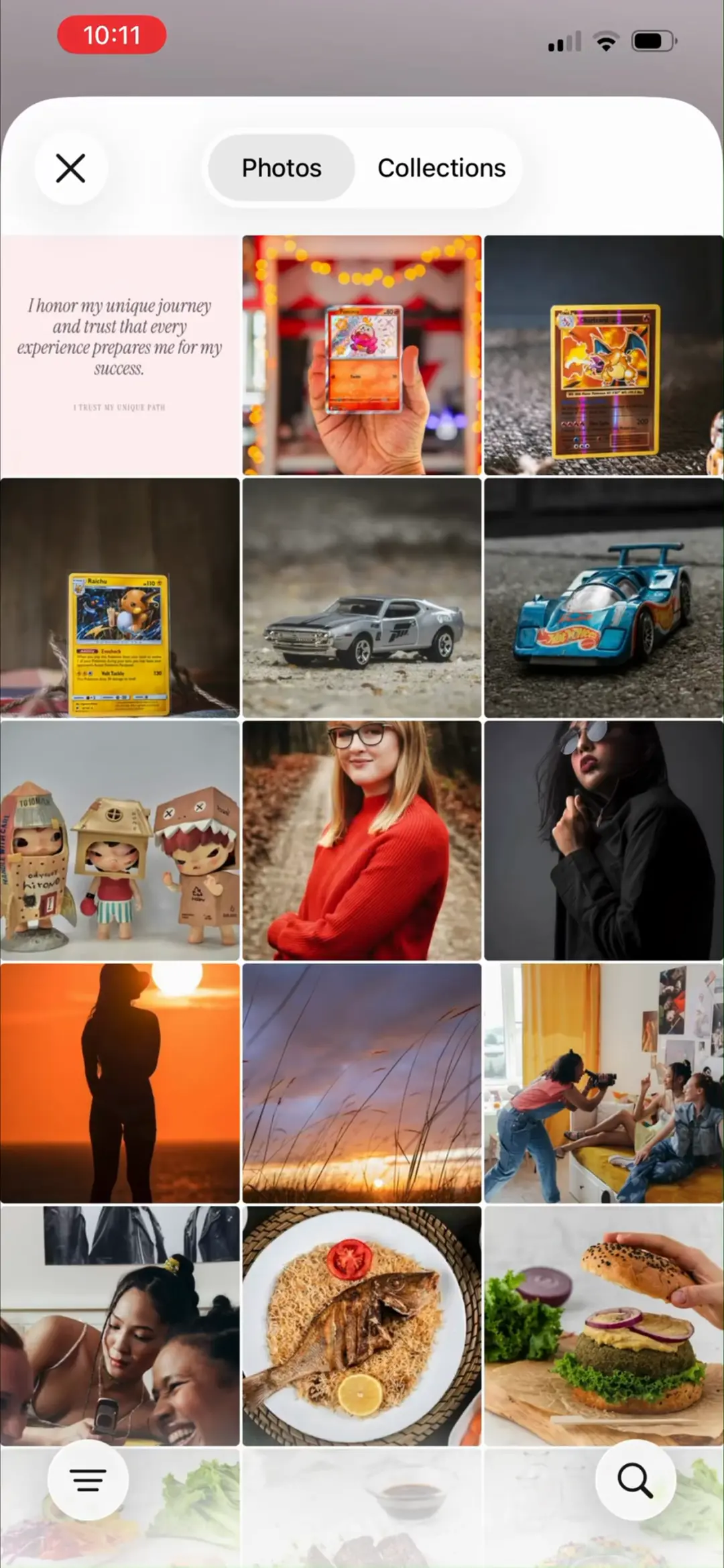
邀请码页「Have a referral code? Enter it below to get started」:输入框 + Continue,右上角 Skip 可跳过——裂变入口放在问卷之前但不阻断主流程,说明邀请机制是获客侧重点。
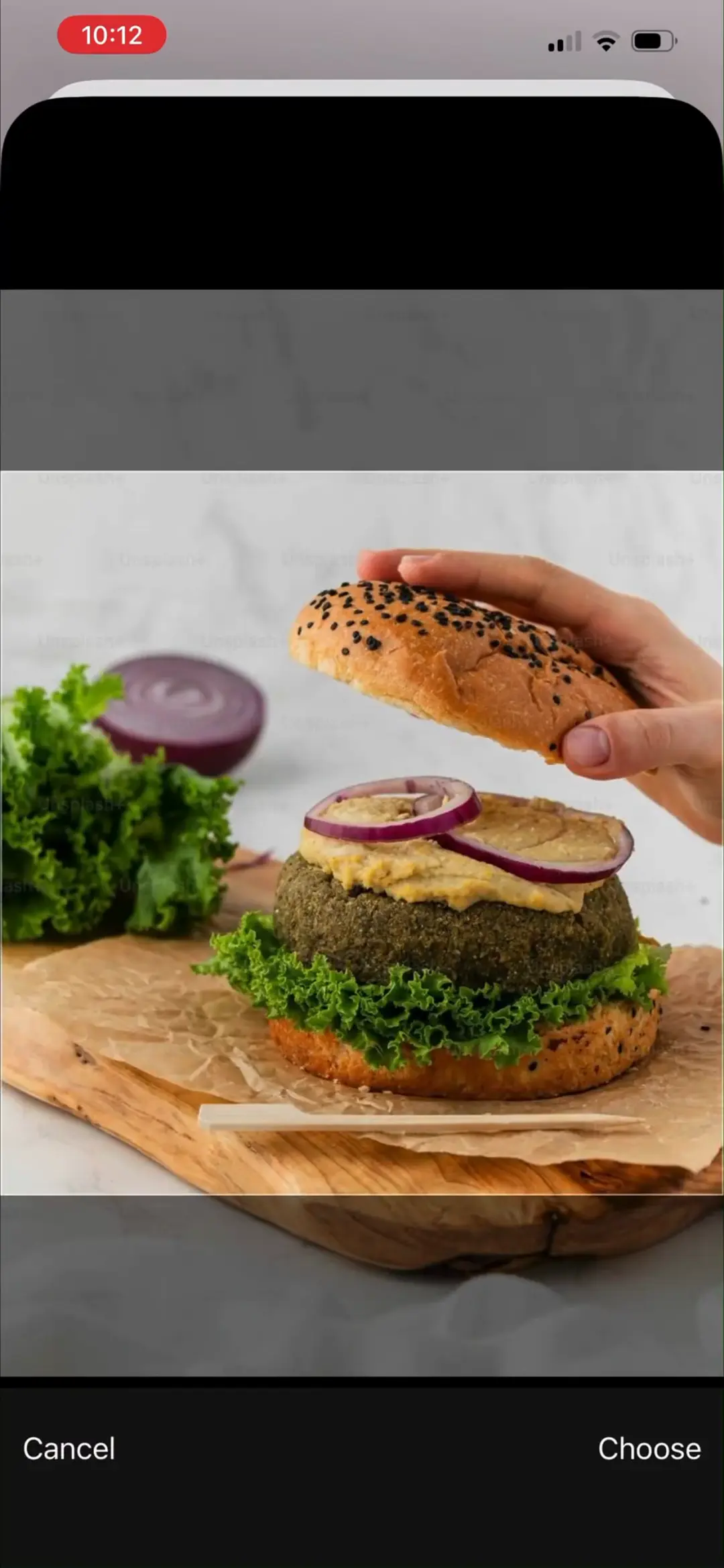
来源:ScreensDesign Pro 页面原图 avs-pp · 2160×4670|00:50打开高清原图
03 · 个性化问卷 · 个人背景
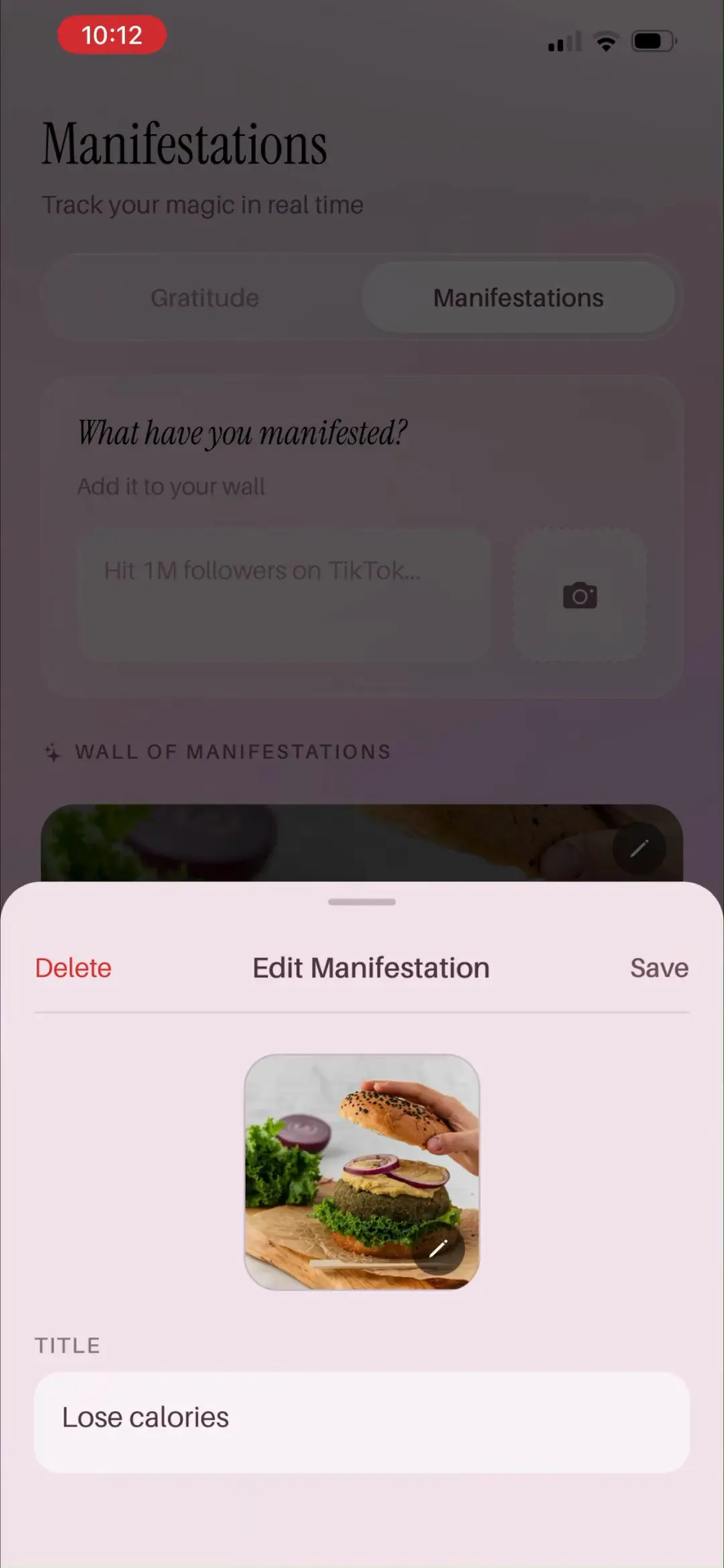
11 屏
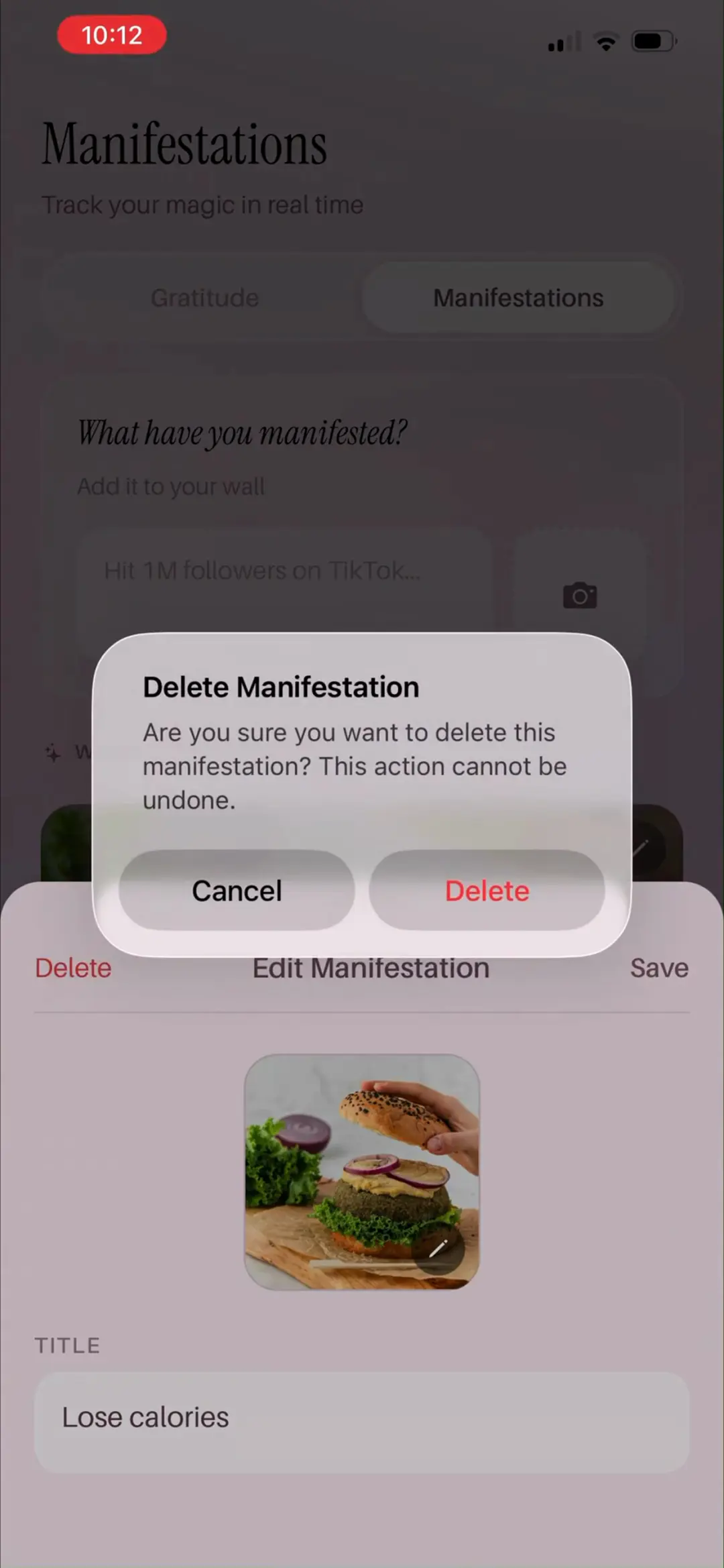
#800:58
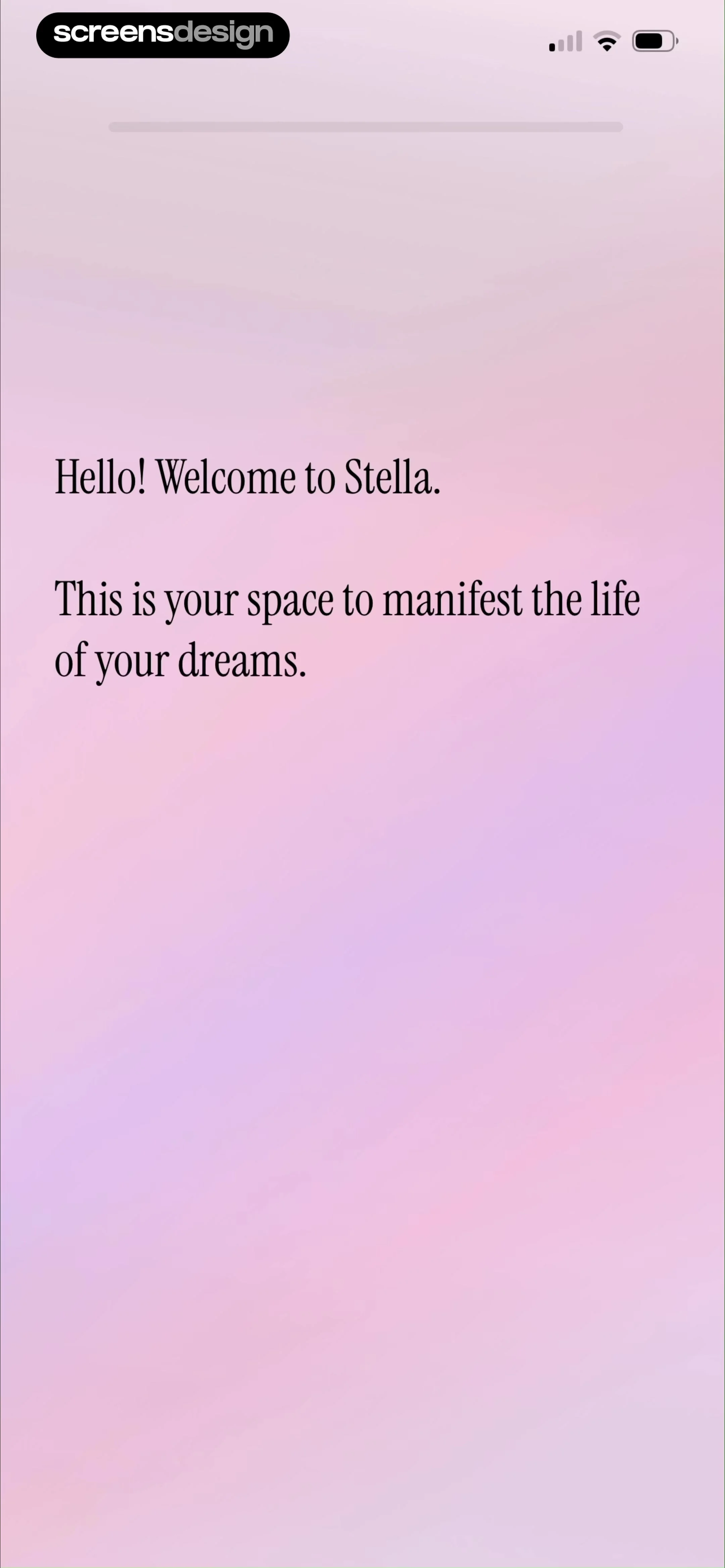
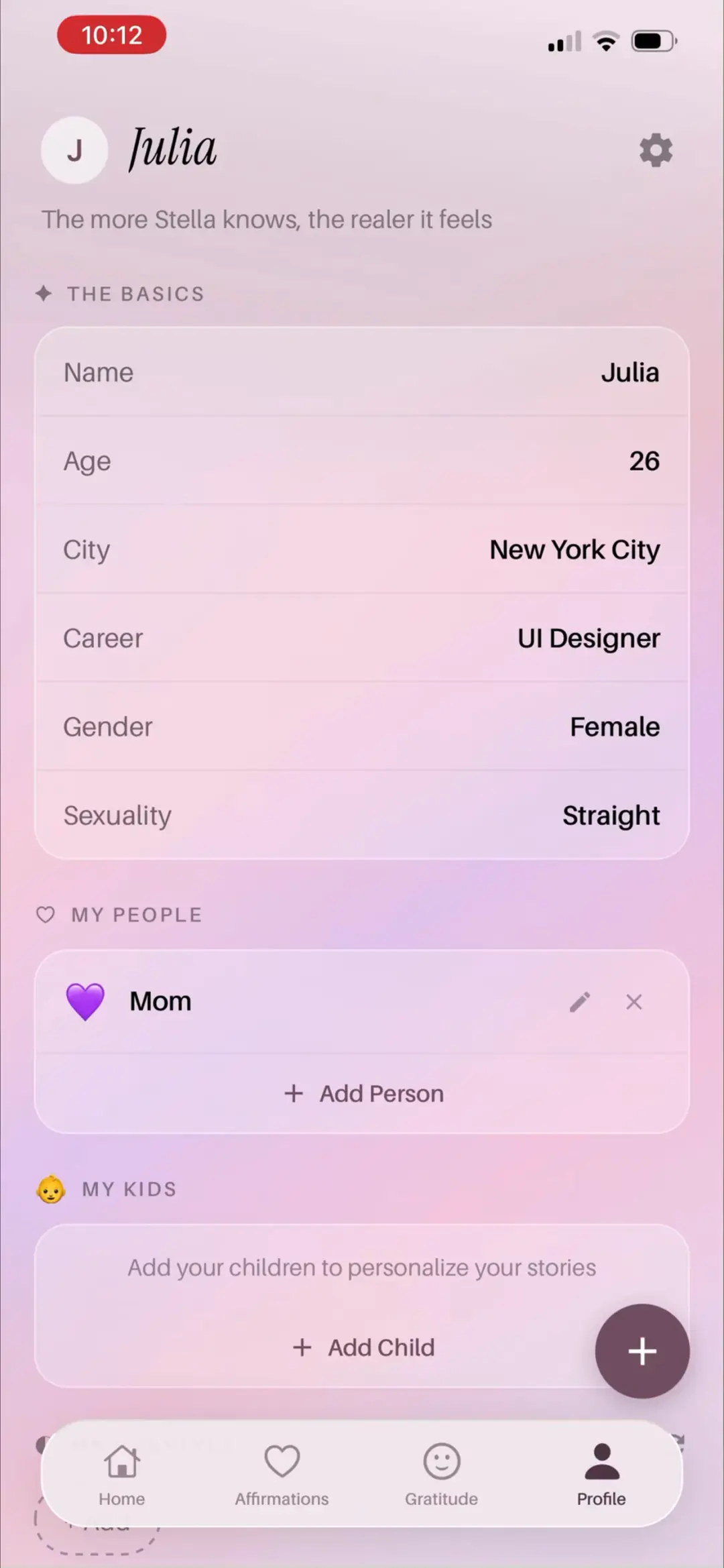
问卷开场白「Hello! Welcome to Stella. This is your space to manifest the life of your dreams.」纯文字页,用第一人称制造与 AI 对话的语境。
来源:ScreensDesign Pro 页面原图 avs-pp · 2160×4670|00:58打开高清原图
→
#901:02
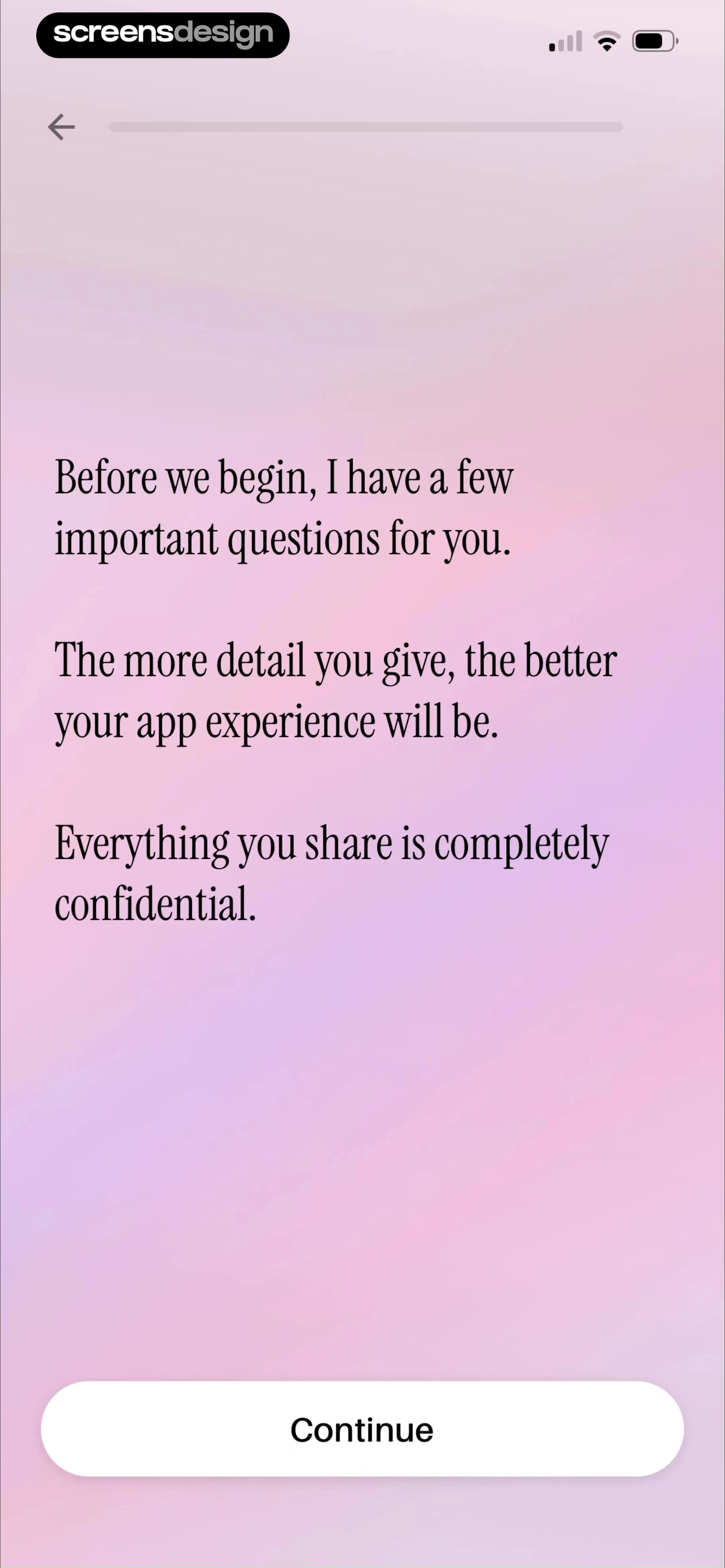
问卷说明页:「Before we begin, I have a few important questions for you. The more detail you give, the better your app experience will be. Everything you share is completely confidential.」——预告问卷很长、给出『答得越细体验越好』的动机,并承诺完全保密。
来源:ScreensDesign Pro 页面原图 avs-pp · 2160×4670|01:02打开高清原图
→
#1001:08
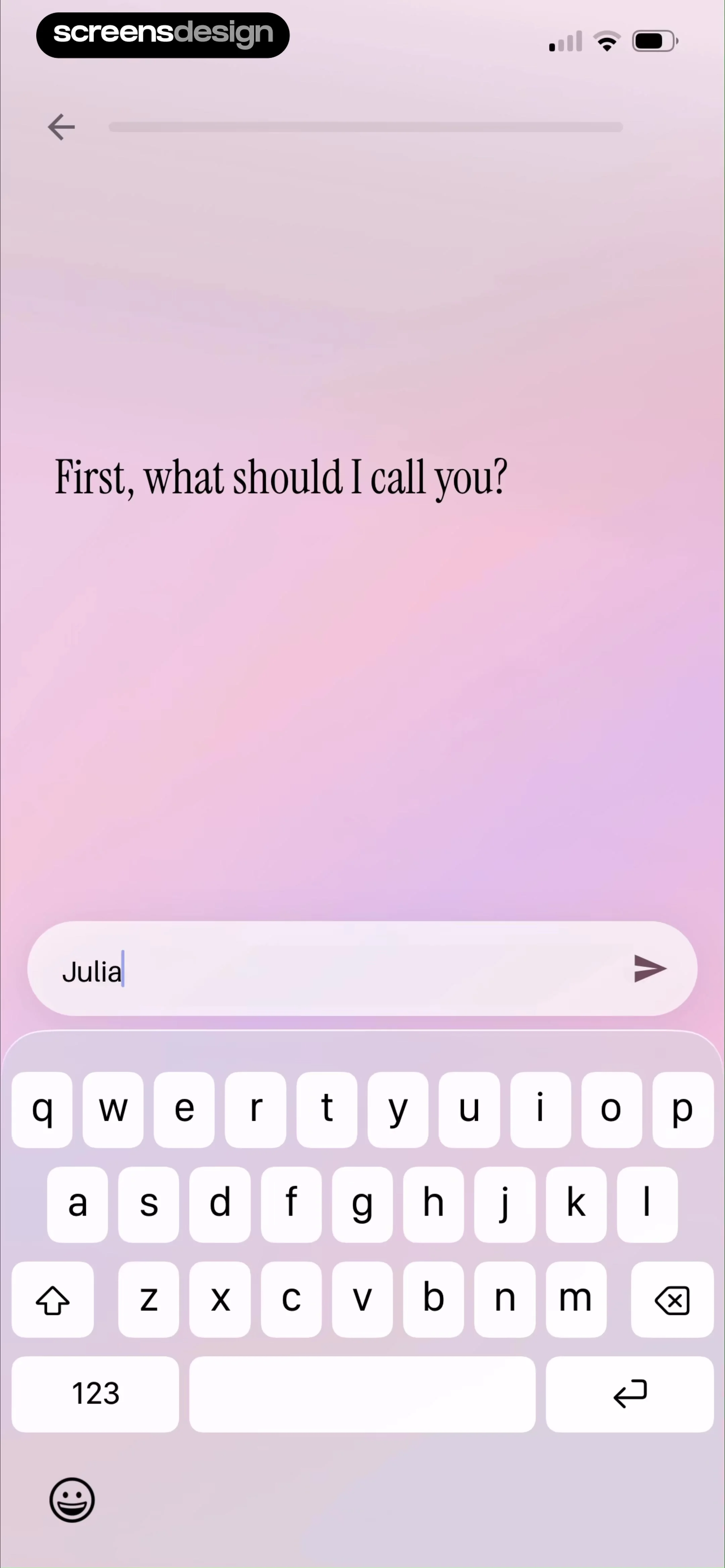
第 1 题「First, what should I call you?」:键盘输入名字,示例输入 Julia——此后每一页文案都会带上用户名,全程拟人化。
来源:ScreensDesign Pro 页面原图 avs-pp · 2160×4670|01:08打开高清原图
→
#1101:14
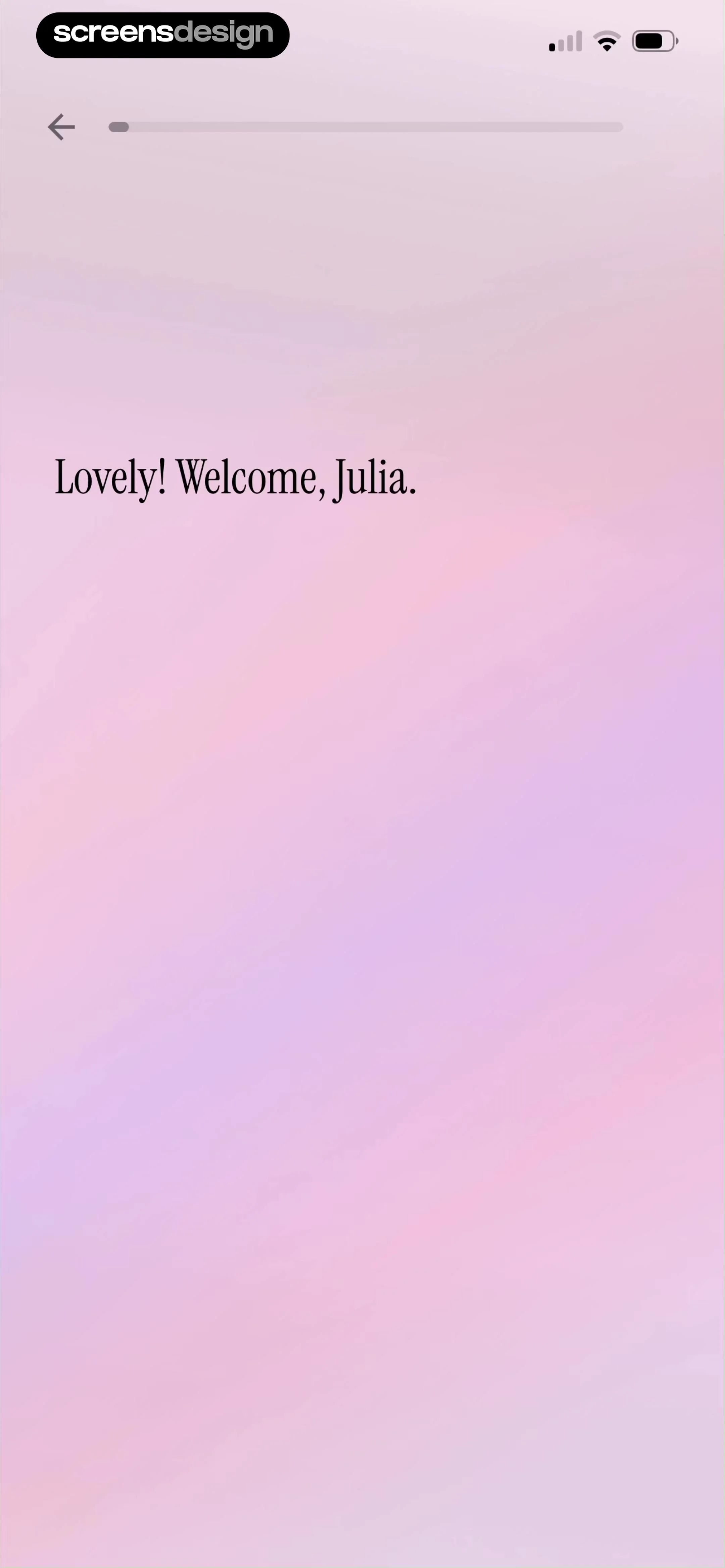
即时反馈「Lovely! Welcome, Julia.」:每答完一题都有带名字的个性化回应,把问卷做成对话而非表单。
来源:ScreensDesign Pro 页面原图 avs-pp · 2160×4670|01:14打开高清原图
→
#1201:16
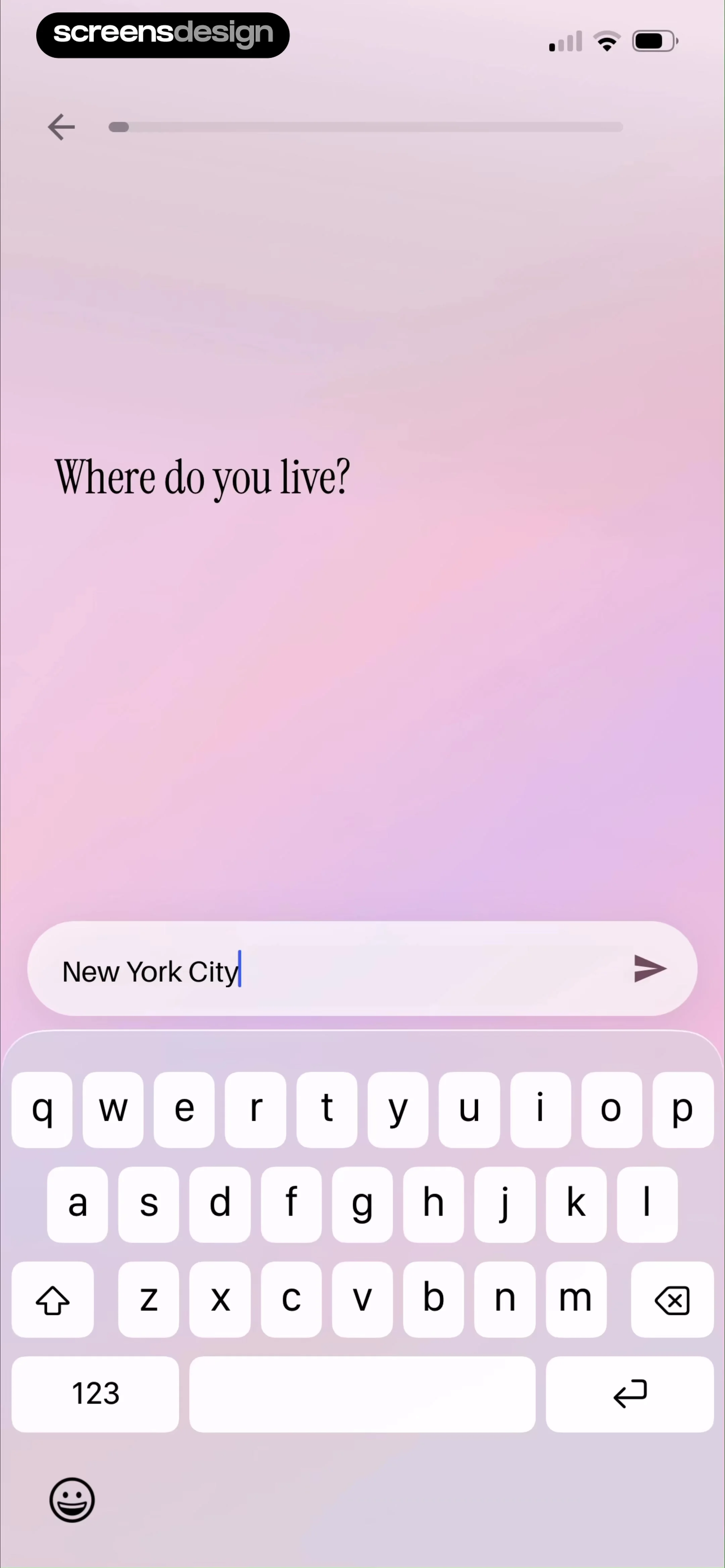
「Where do you live?」输入城市,示例 New York City——城市信息用于定制故事发生的地点。
来源:ScreensDesign Pro 页面原图 avs-pp · 2160×4670|01:16打开高清原图
→
#1301:26
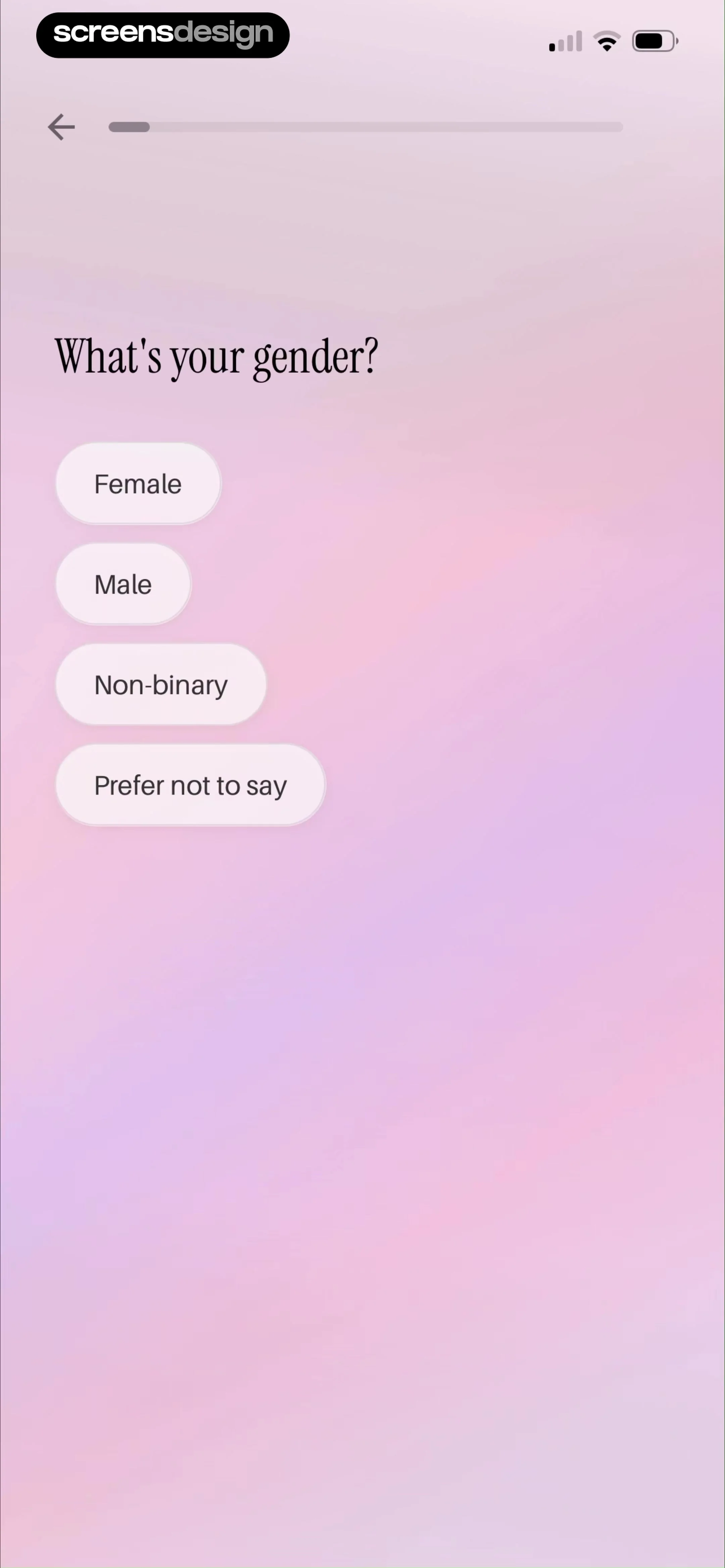
「What's your gender?」四个胶囊选项 Female / Male / Non-binary / Prefer not to say——单选即走,选项含非二元与不愿透露,包容性覆盖目标人群。
来源:ScreensDesign Pro 页面原图 avs-pp · 2160×4670|01:26打开高清原图
→
#1401:28
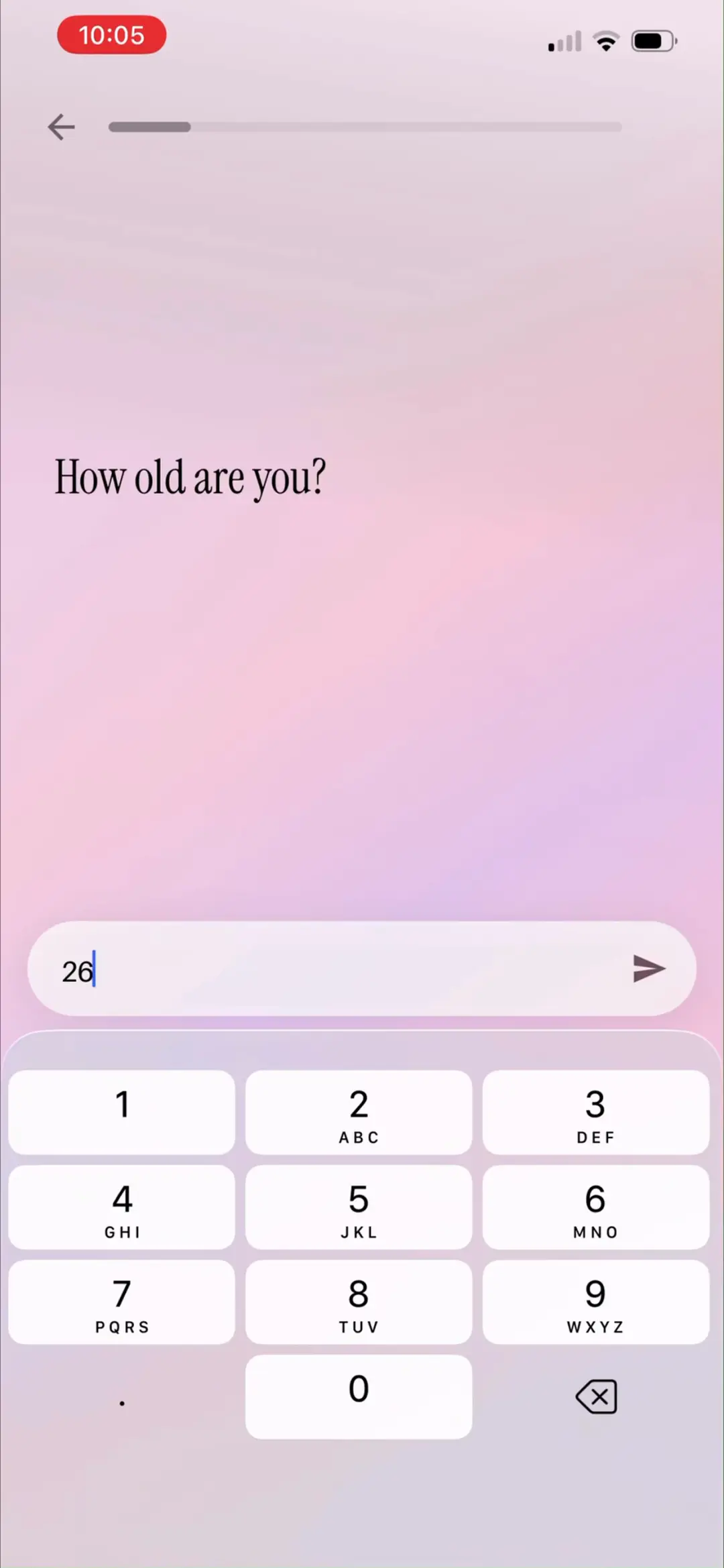
「How old are you?」数字键盘输入年龄,示例 26——年龄决定叙事口吻与人生阶段素材。
来源:ScreensDesign Pro 1080p 录屏原帧(888×1920 → 1242×2688)|01:28打开高清原图
→
#1501:34
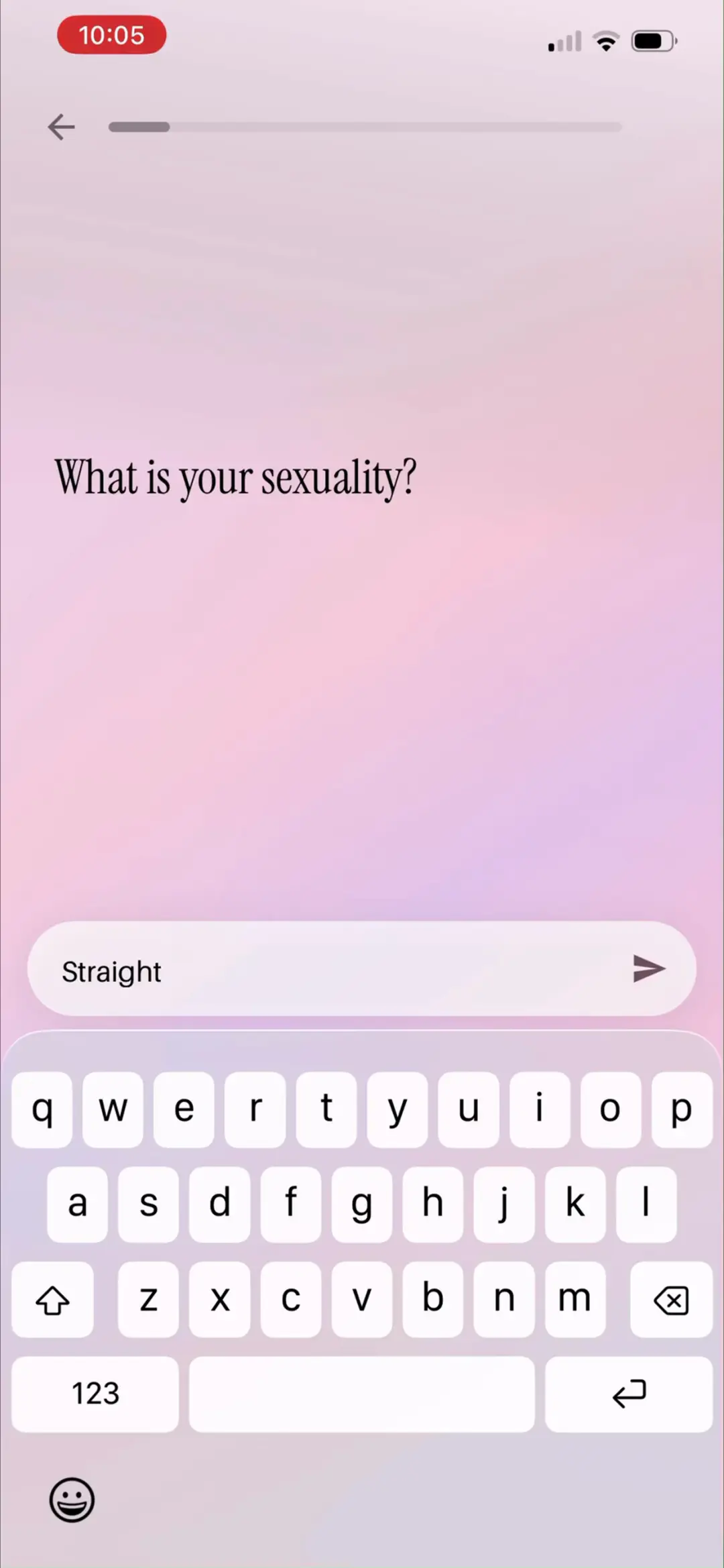
「What is your sexuality?」文本输入 Straight——问卷敢问私域信息,一切都是为 AI 故事积累人设素材。
来源:ScreensDesign Pro 1080p 录屏原帧(888×1920 → 1242×2688)|01:34打开高清原图
→
#1601:37
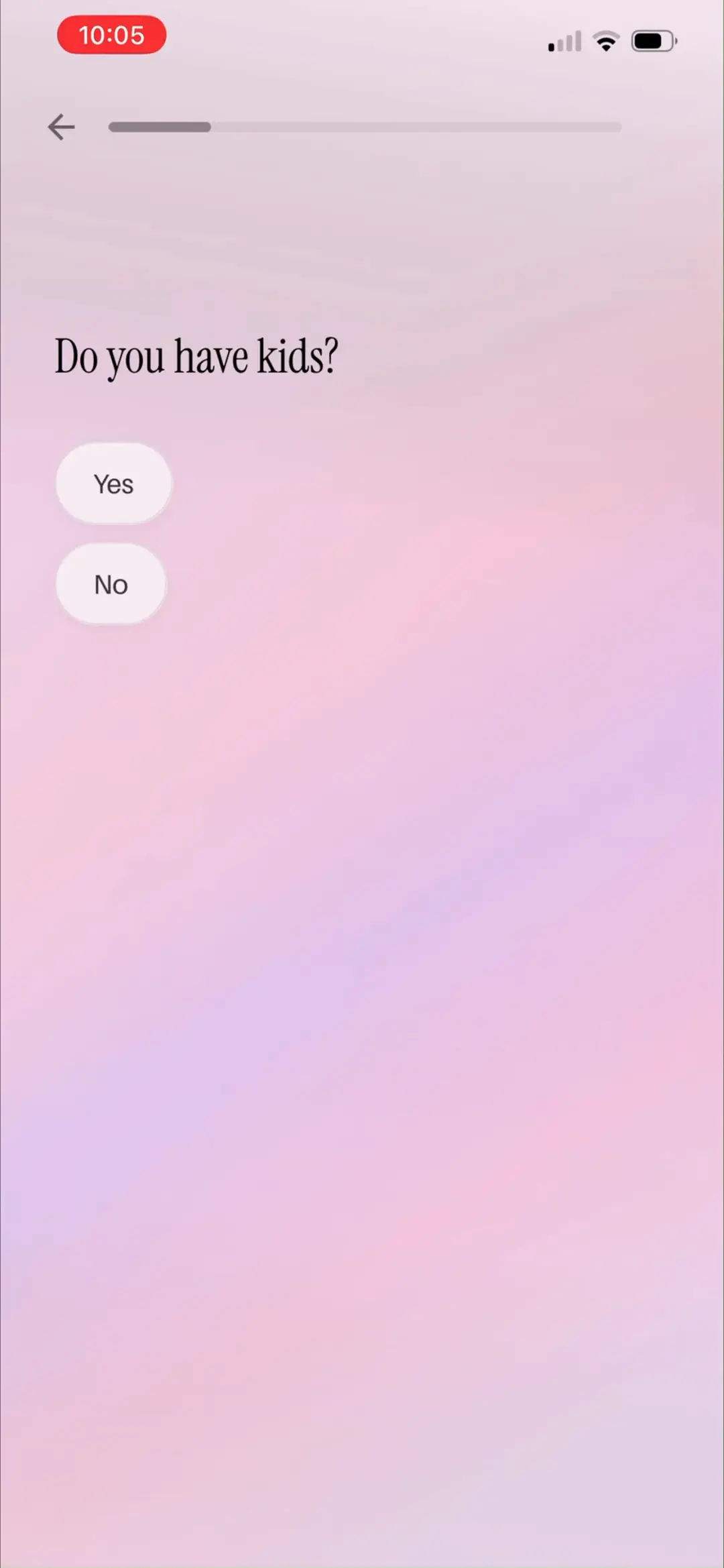
「Do you have kids?」Yes / No——家庭结构进入用户画像。
来源:ScreensDesign Pro 1080p 录屏原帧(888×1920 → 1242×2688)|01:37打开高清原图
→
#1701:25
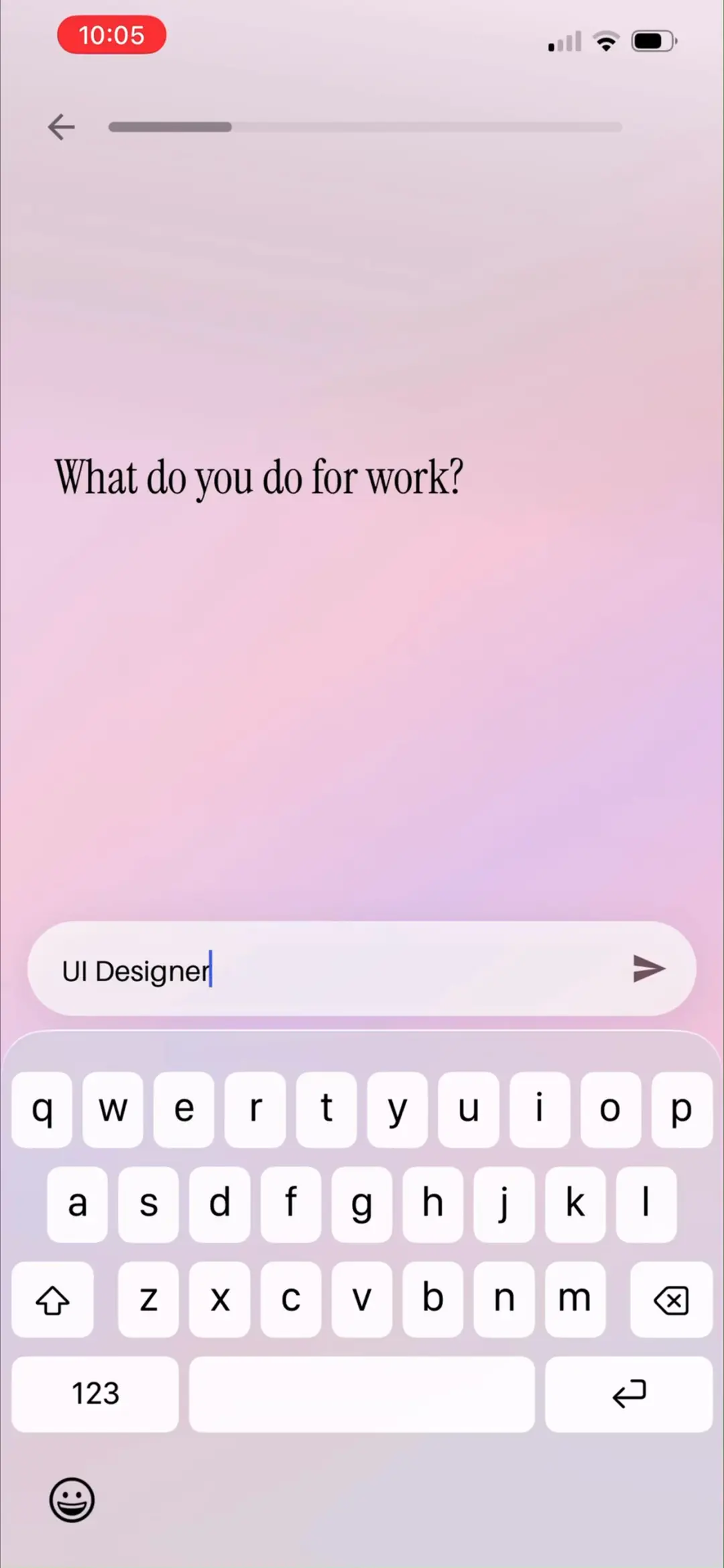
「What do you do for work?」输入职业,示例 UI Designer——职业会出现在『副业自由』类故事里。
来源:ScreensDesign Pro 1080p 录屏原帧(888×1920 → 1242×2688)|01:25打开高清原图
→
#1801:30
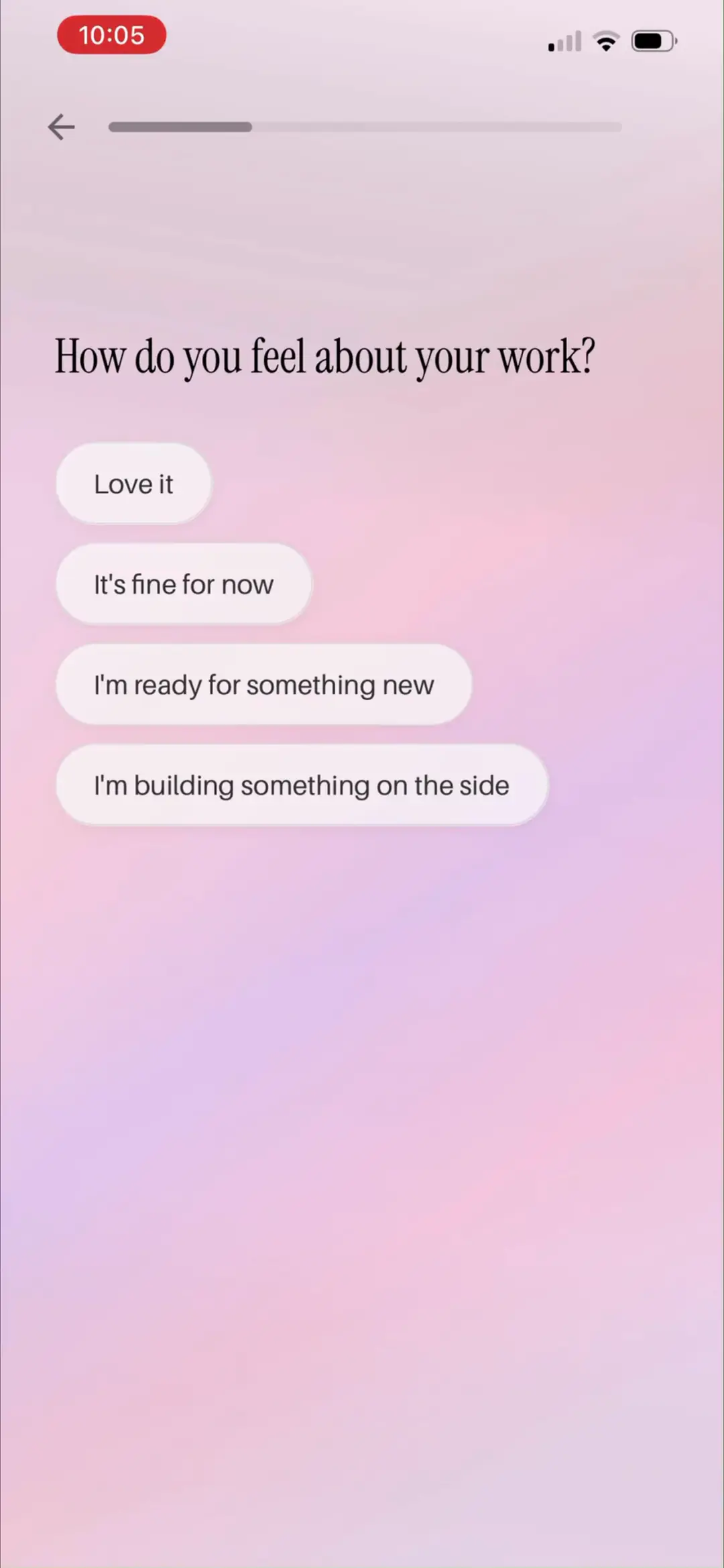
「How do you feel about your work?」Love it / It's fine for now / I'm ready for something new / I'm building something on the side——用职业情绪为事业线故事定调。
来源:ScreensDesign Pro 1080p 录屏原帧(888×1920 → 1242×2688)|01:30打开高清原图
04 · 个性化问卷 · 内心与关系
8 屏
#1901:48
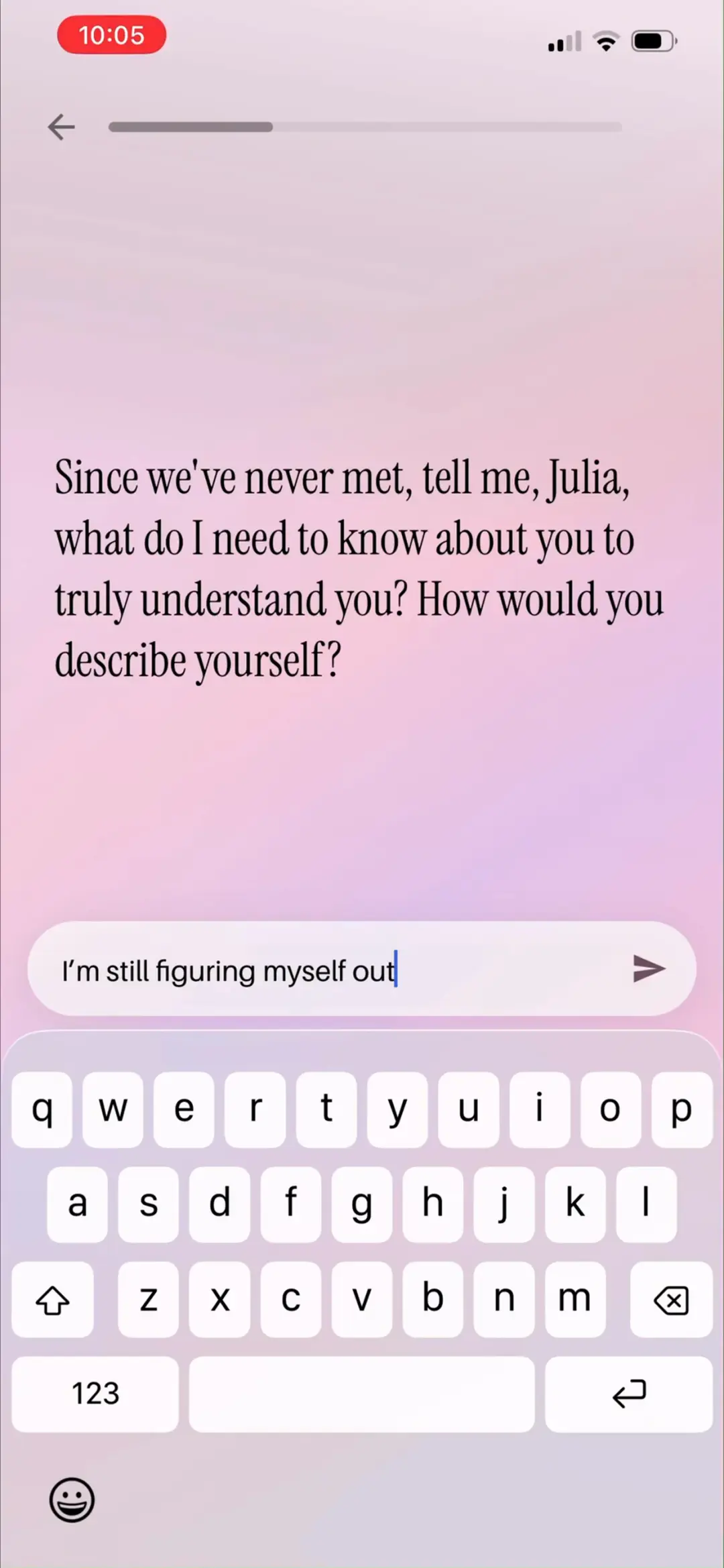
开放题「Since we've never met, tell me, Julia, what do I need to know about you to truly understand you? How would you describe yourself?」示例回答 I'm still figuring myself out——自由文本直接喂给 AI 做人格理解。
来源:ScreensDesign Pro 1080p 录屏原帧(888×1920 → 1242×2688)|01:48打开高清原图
→
#2002:00
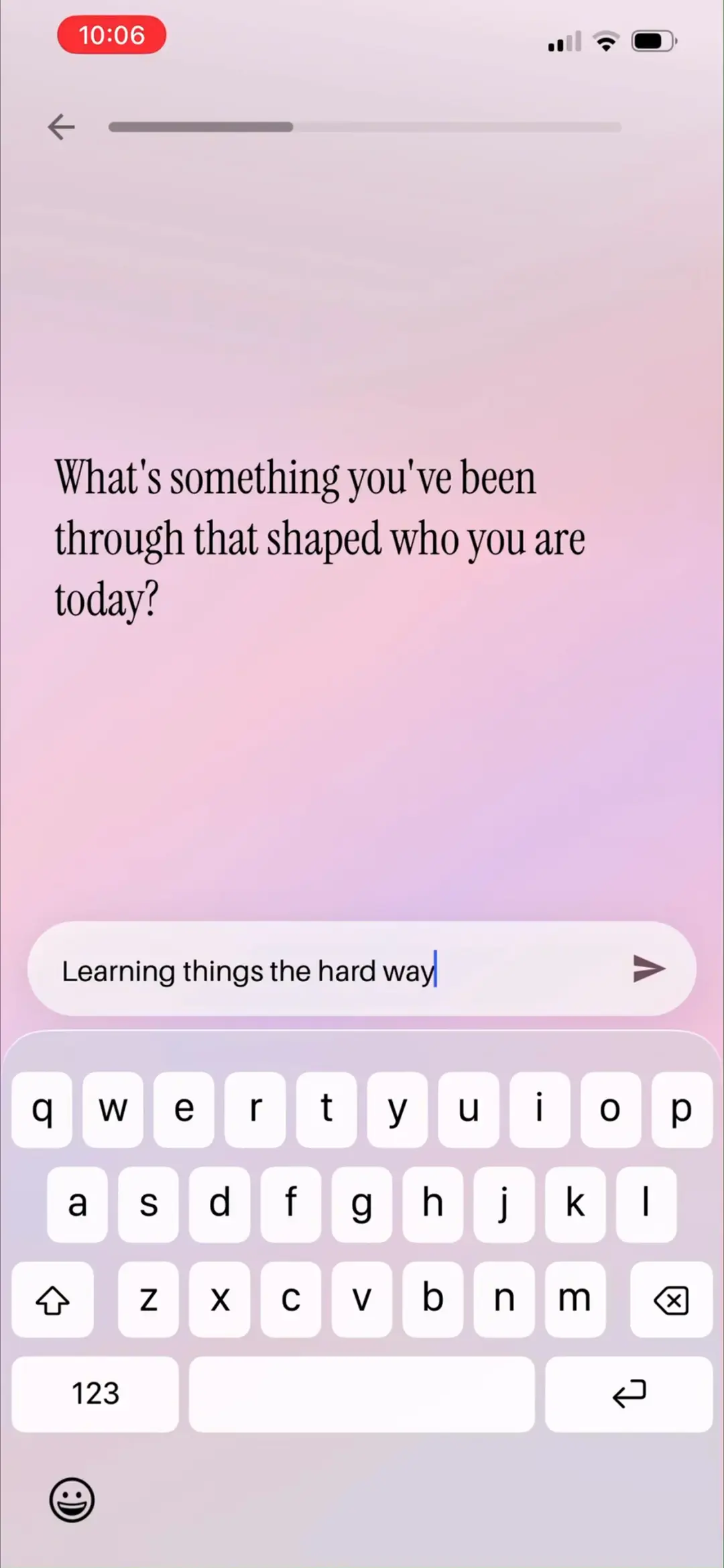
「What's something you've been through that shaped who you are today?」示例 Learning things the hard way——采集人生转折点,让故事能引用『你经历过的事』。
来源:ScreensDesign Pro 1080p 录屏原帧(888×1920 → 1242×2688)|02:00打开高清原图
→
#2102:17
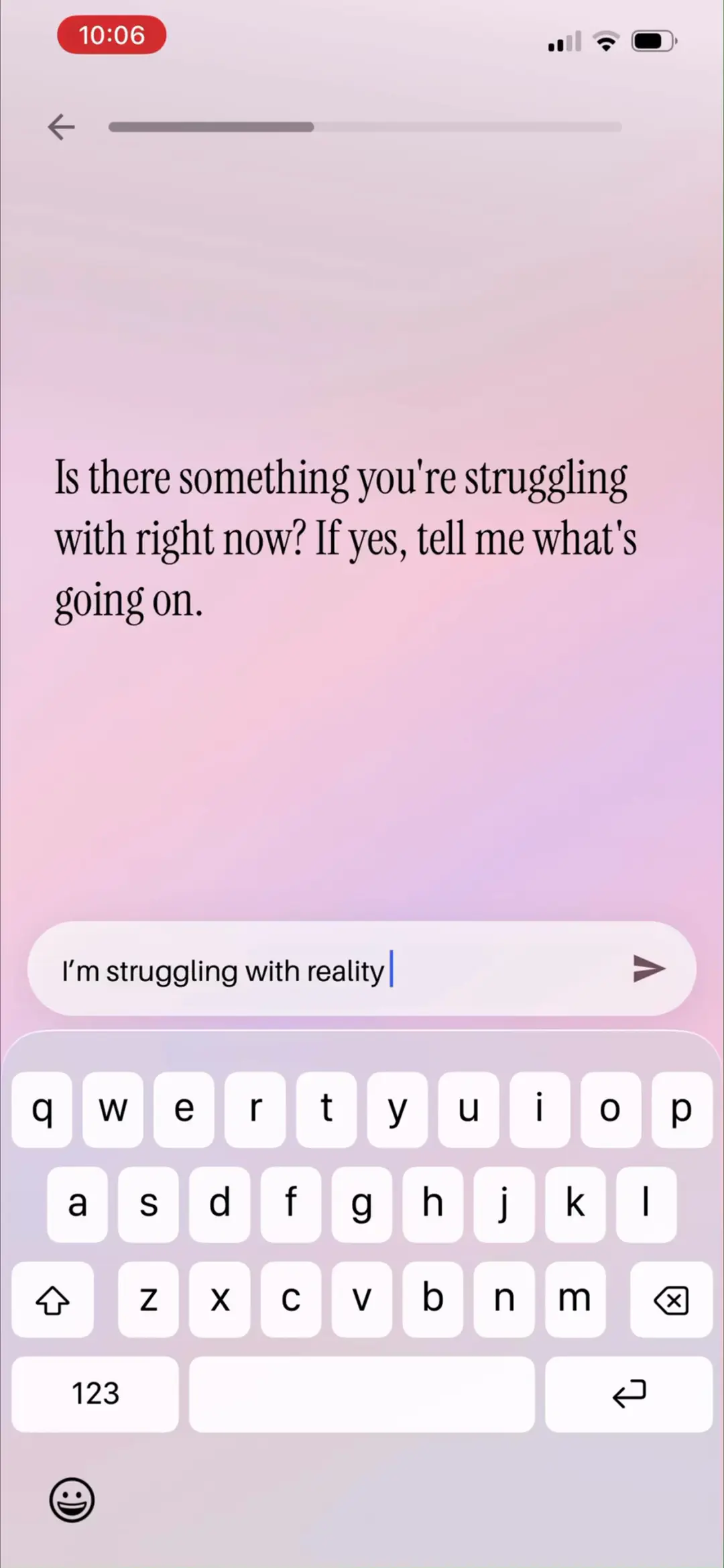
「Is there something you're struggling with right now? If yes, tell me what's going on.」示例 I'm struggling with reality——痛点采集,后面故事专治这个焦虑。
来源:ScreensDesign Pro 1080p 录屏原帧(888×1920 → 1242×2688)|02:17打开高清原图
→
#2202:21
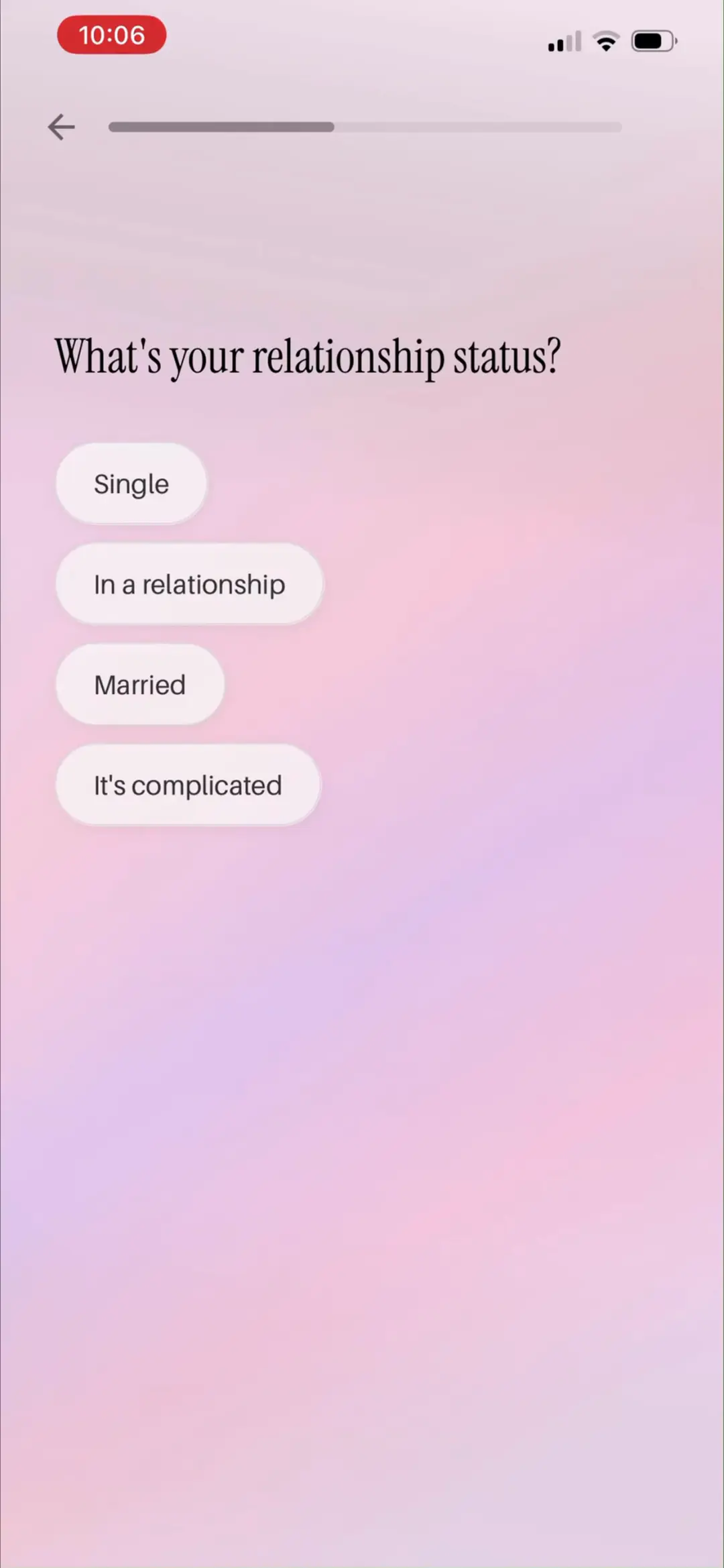
「What's your relationship status?」Single / In a relationship / Married / It's complicated——感情状态决定爱情线故事怎么写。
来源:ScreensDesign Pro 1080p 录屏原帧(888×1920 → 1242×2688)|02:21打开高清原图
→
#2302:27
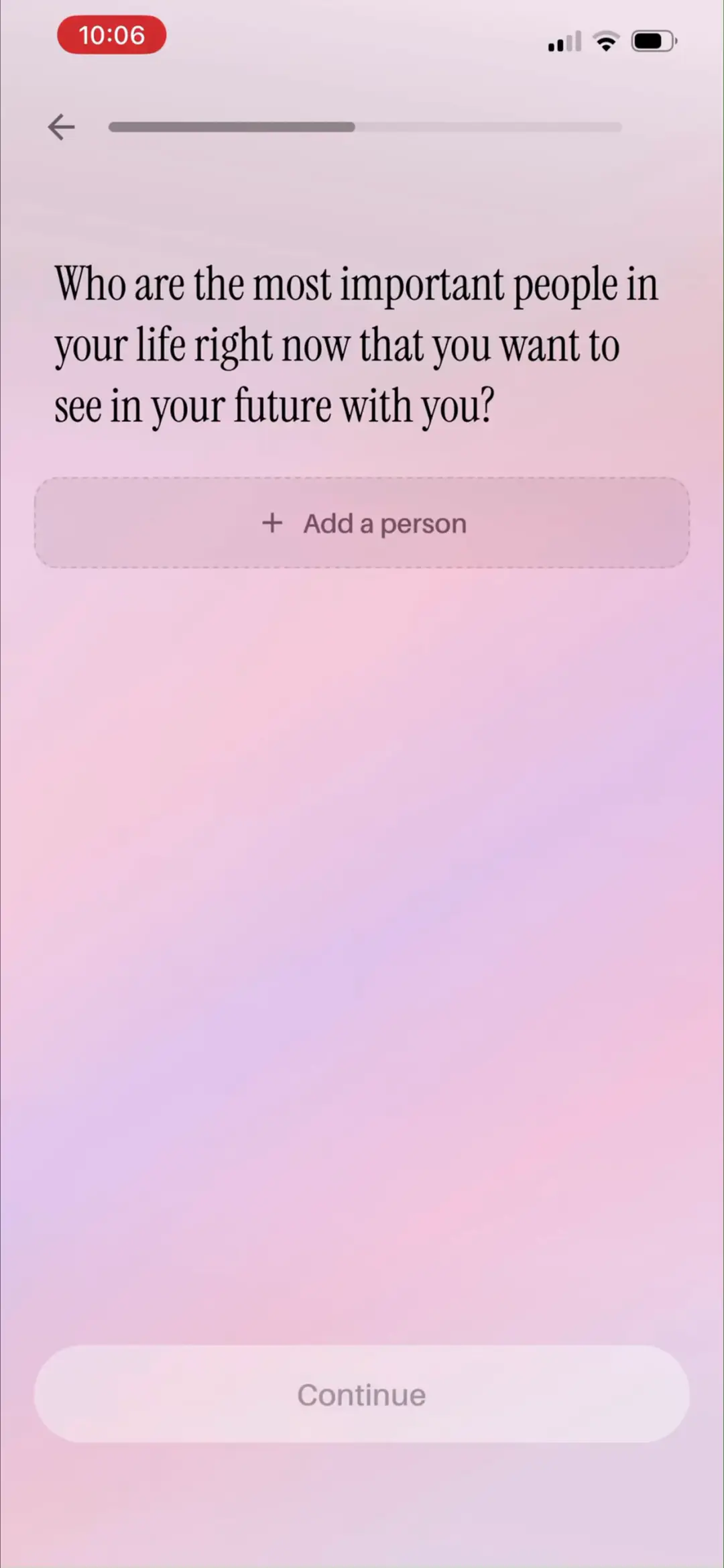
「Who are the most important people in your life right now that you want to see in your future with you?」虚线 + Add a person 按钮 + Continue——重要他人是故事里的常驻角色。
来源:ScreensDesign Pro 1080p 录屏原帧(888×1920 → 1242×2688)|02:27打开高清原图
→
#2402:30
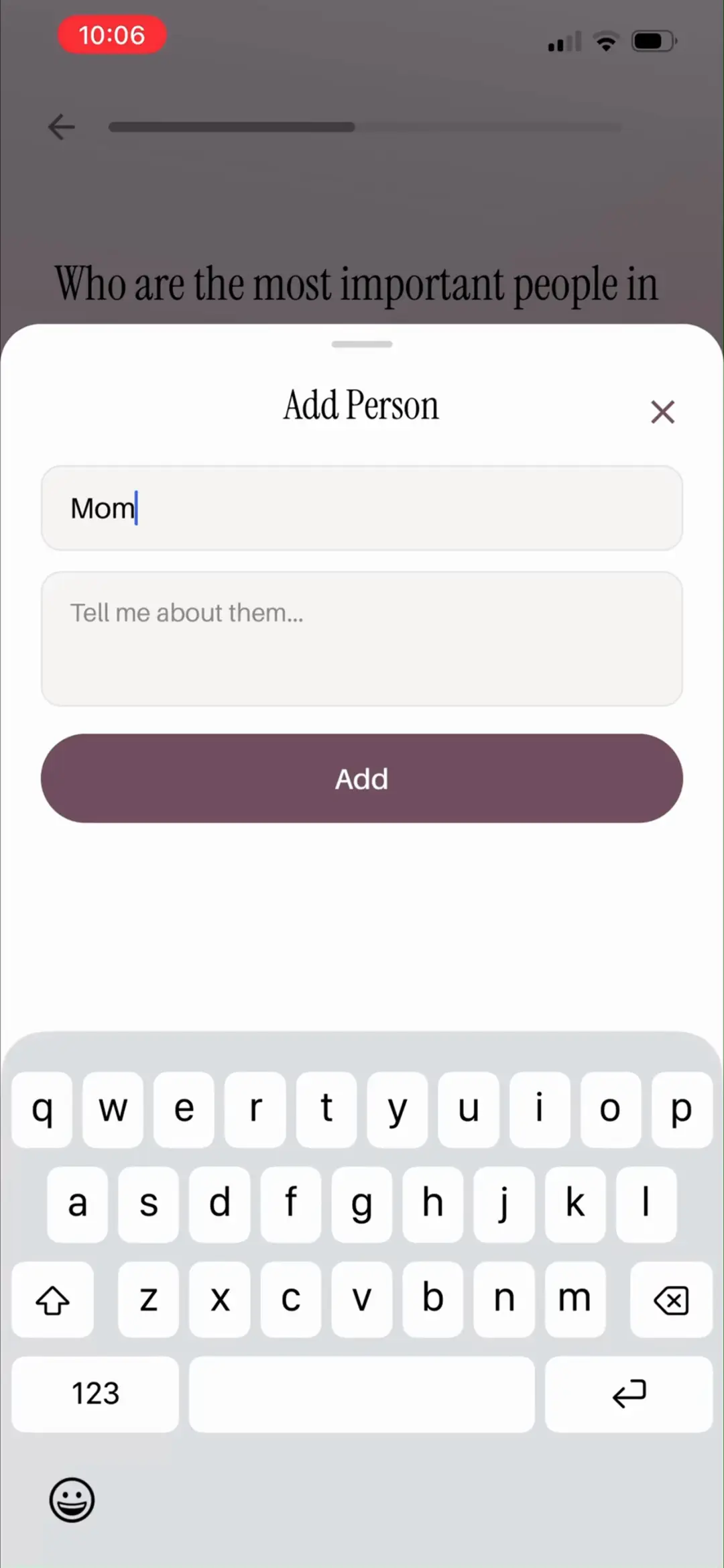
「Add Person」底部弹窗:姓名输入 Mom + 「Tell me about them…」描述框 + 深紫 Add 按钮——给重要的人写一句介绍,AI 就能把 TA 写进未来场景。
来源:ScreensDesign Pro 1080p 录屏原帧(888×1920 → 1242×2688)|02:30打开高清原图
→
#2502:32
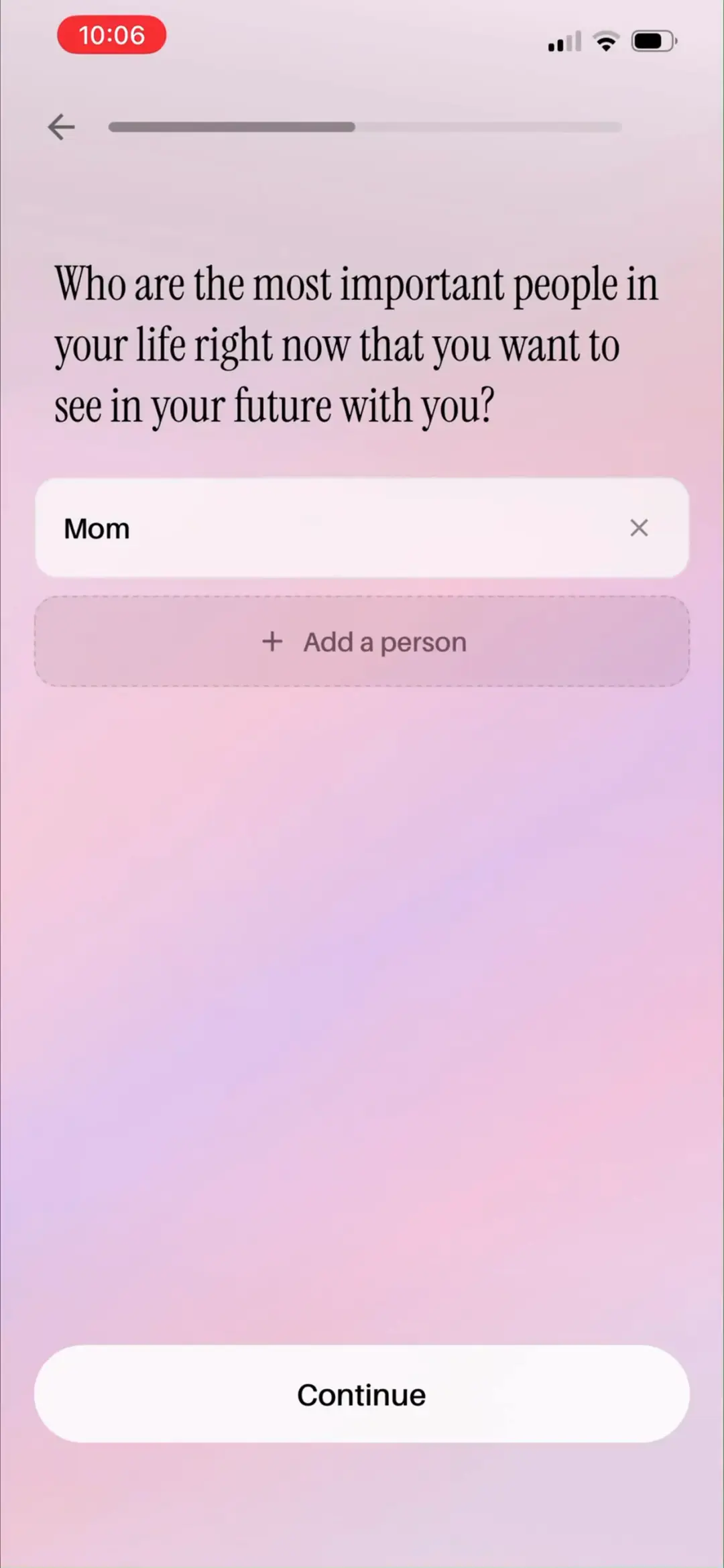
已添加 Mom 的芯片列表,可 ×删除、继续 Add a person 或 Continue——轻量人物库建立完成。
来源:ScreensDesign Pro 1080p 录屏原帧(888×1920 → 1242×2688)|02:32打开高清原图
→
#2602:40
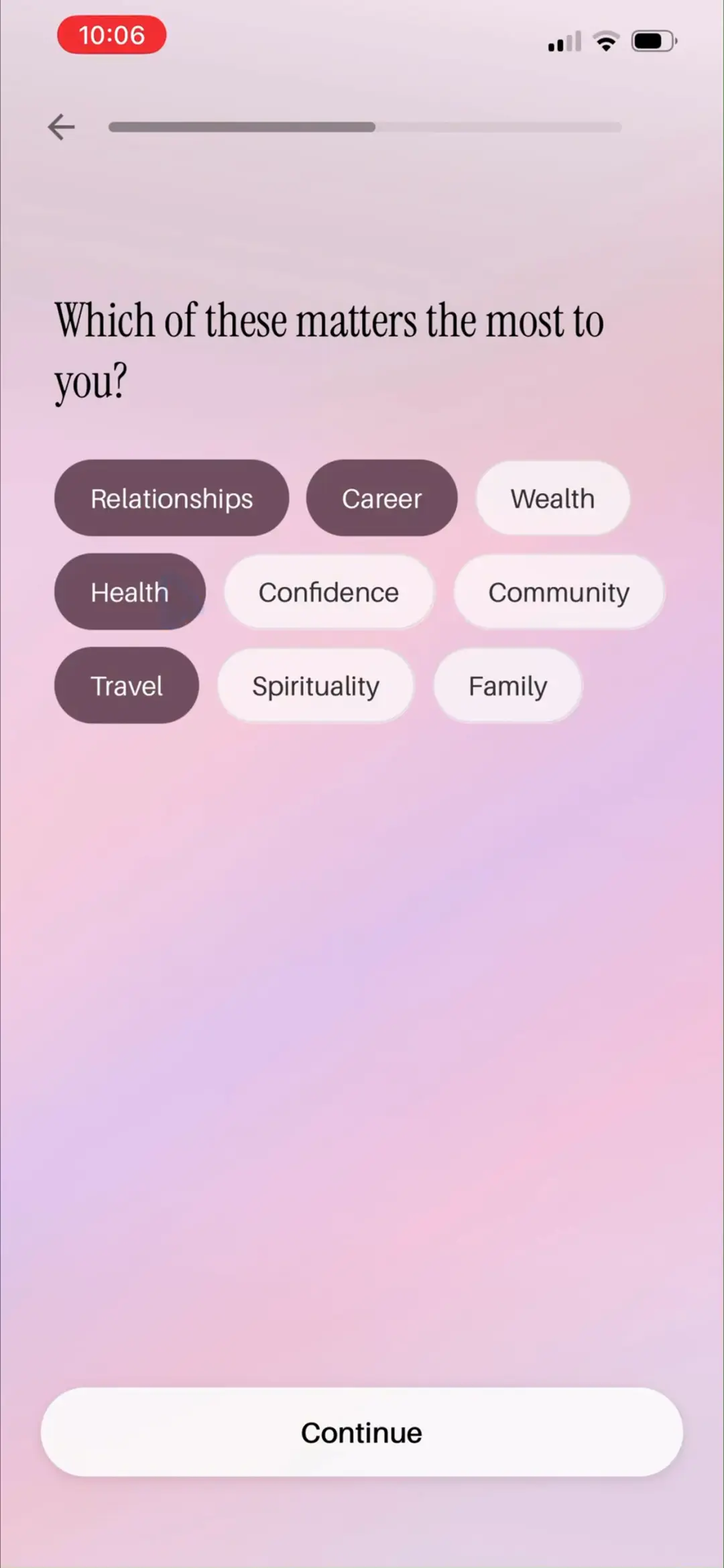
多选题「Which of these matters the most to you?」九个价值标签 Relationships / Career / Wealth / Health / Confidence / Community / Travel / Spirituality / Family,选中变深紫(示例选了 Relationships、Career、Health、Travel)——直接决定生成哪几个目标歌单。
来源:ScreensDesign Pro 1080p 录屏原帧(888×1920 → 1242×2688)|02:40打开高清原图
05 · 个性化问卷 · 显化目标
10 屏
#2702:48
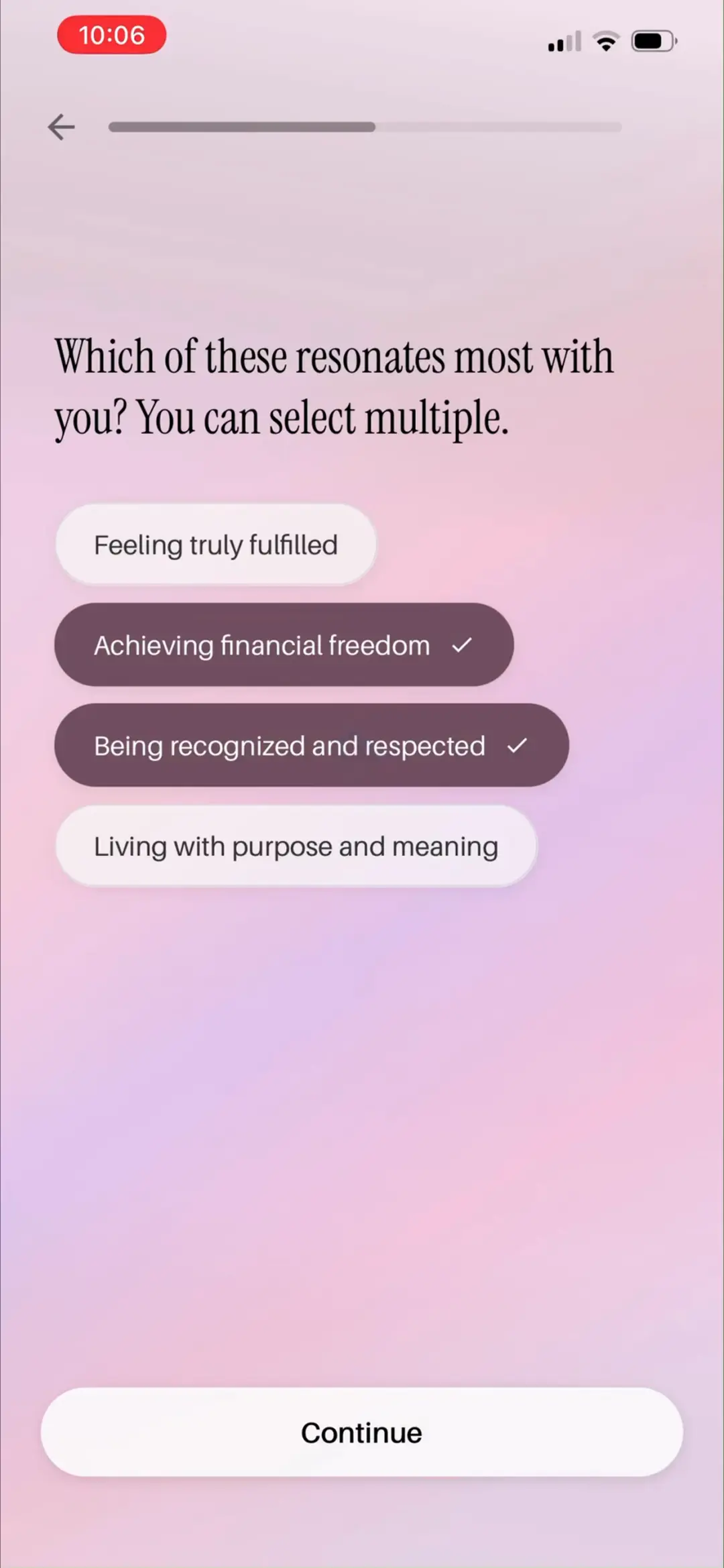
多选「Which of these resonates most with you? You can select multiple.」Feeling truly fulfilled / Achieving financial freedom ✓ / Being recognized and respected ✓ / Living with purpose and meaning——进一步聚焦内在动机。
来源:ScreensDesign Pro 1080p 录屏原帧(888×1920 → 1242×2688)|02:48打开高清原图
→
#2802:55
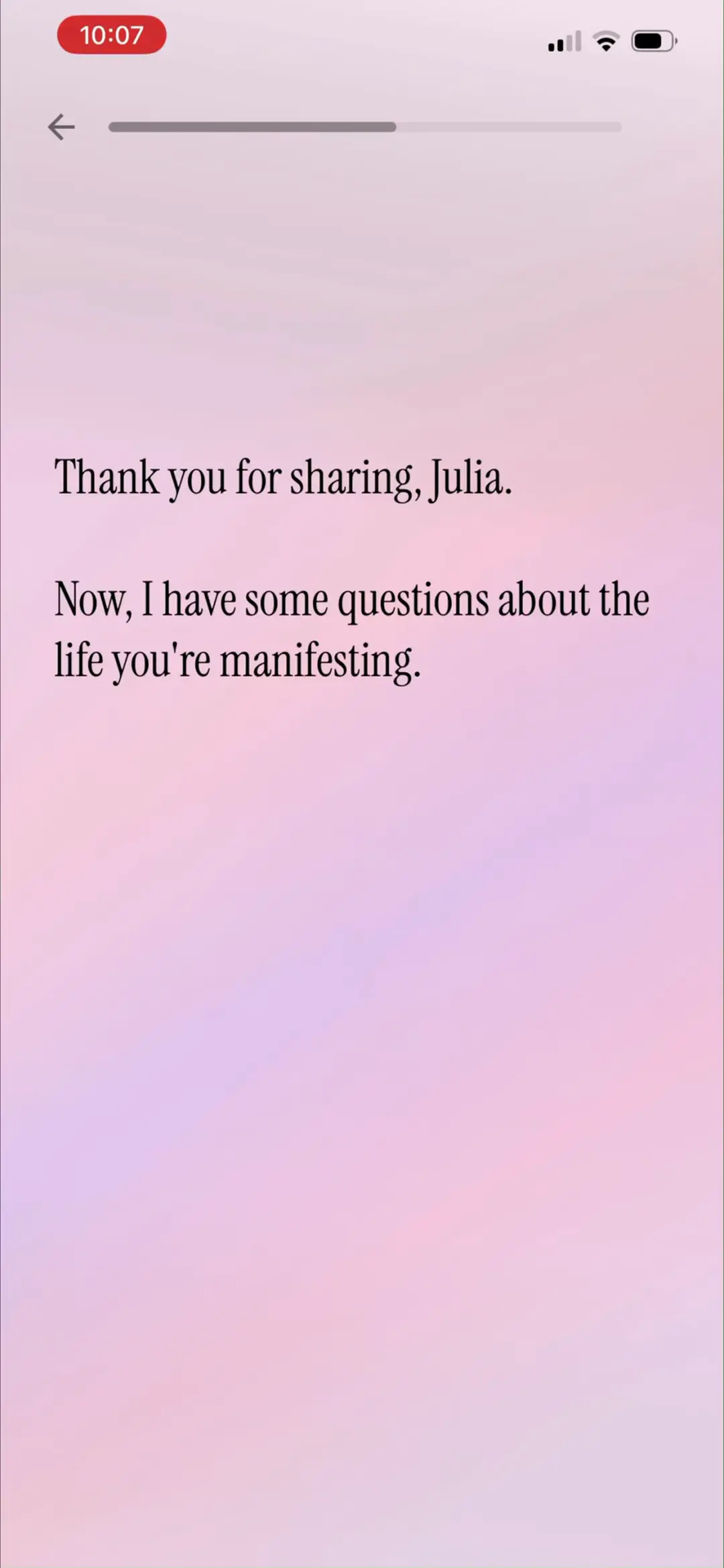
过渡页「Thank you for sharing, Julia. Now, I have some questions about the life you're manifesting.」——问卷从『你是谁』切换到『你想要什么』的转场。
来源:ScreensDesign Pro 1080p 录屏原帧(888×1920 → 1242×2688)|02:55打开高清原图
→
#2903:01
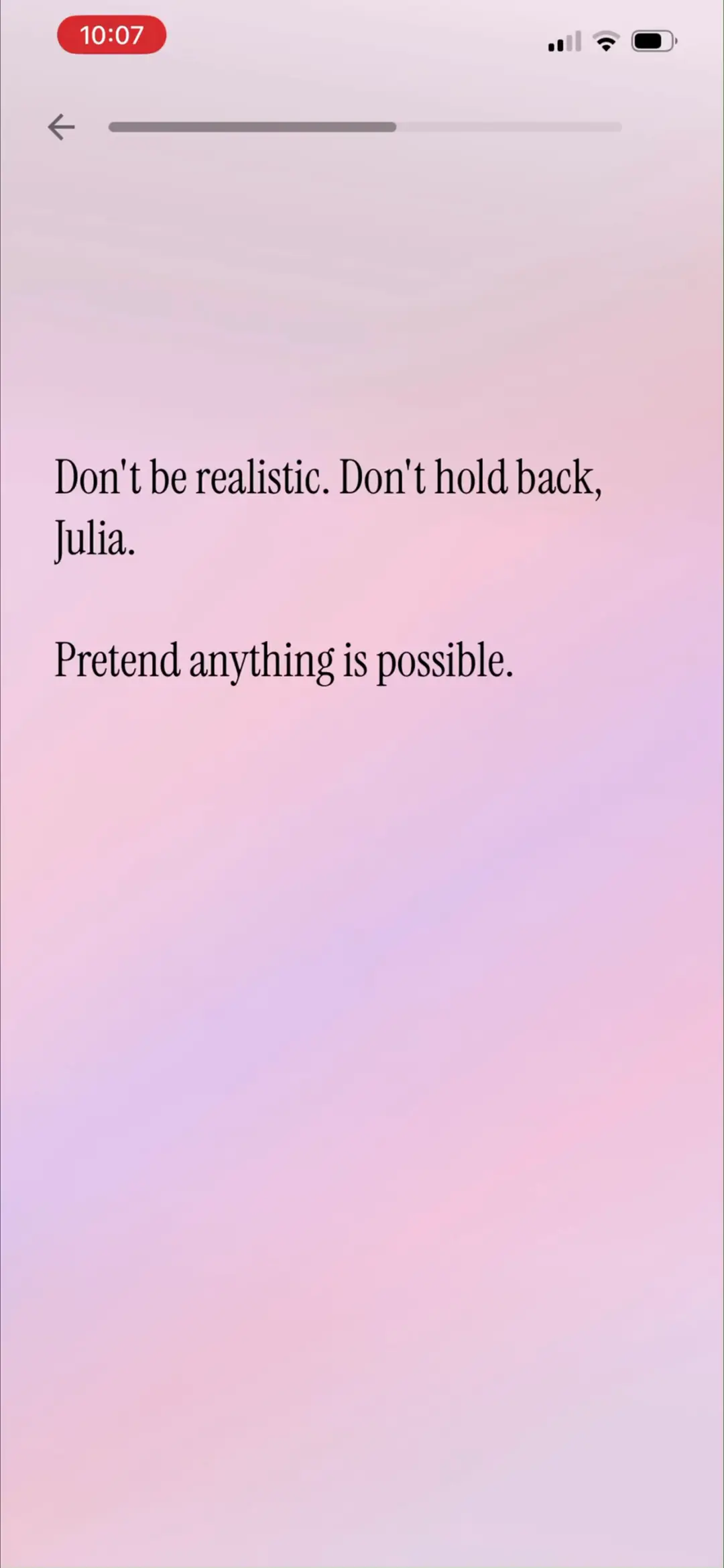
解压引导「Don't be realistic. Don't hold back, Julia. Pretend anything is possible.」——显化方法论话术,鼓励用户写出真实欲望,扩大生成素材的想象力空间。
来源:ScreensDesign Pro 1080p 录屏原帧(888×1920 → 1242×2688)|03:01打开高清原图
→
#3003:14
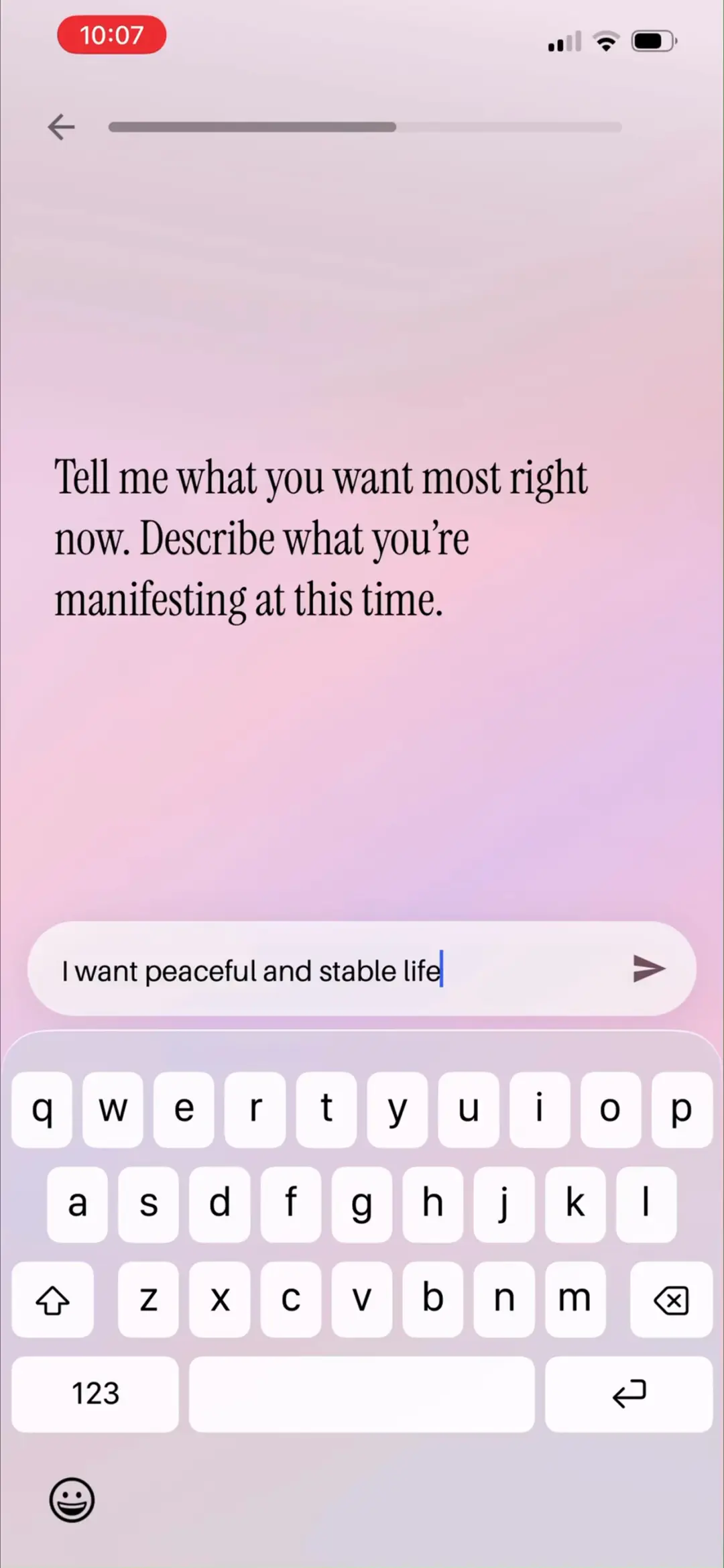
核心题「Tell me what you want most right now. Describe what you're manifesting at this time.」示例 I want peaceful and stable life——这一句就是 AI 生成全部故事的主 prompt。
来源:ScreensDesign Pro 1080p 录屏原帧(888×1920 → 1242×2688)|03:14打开高清原图
→
#3103:25
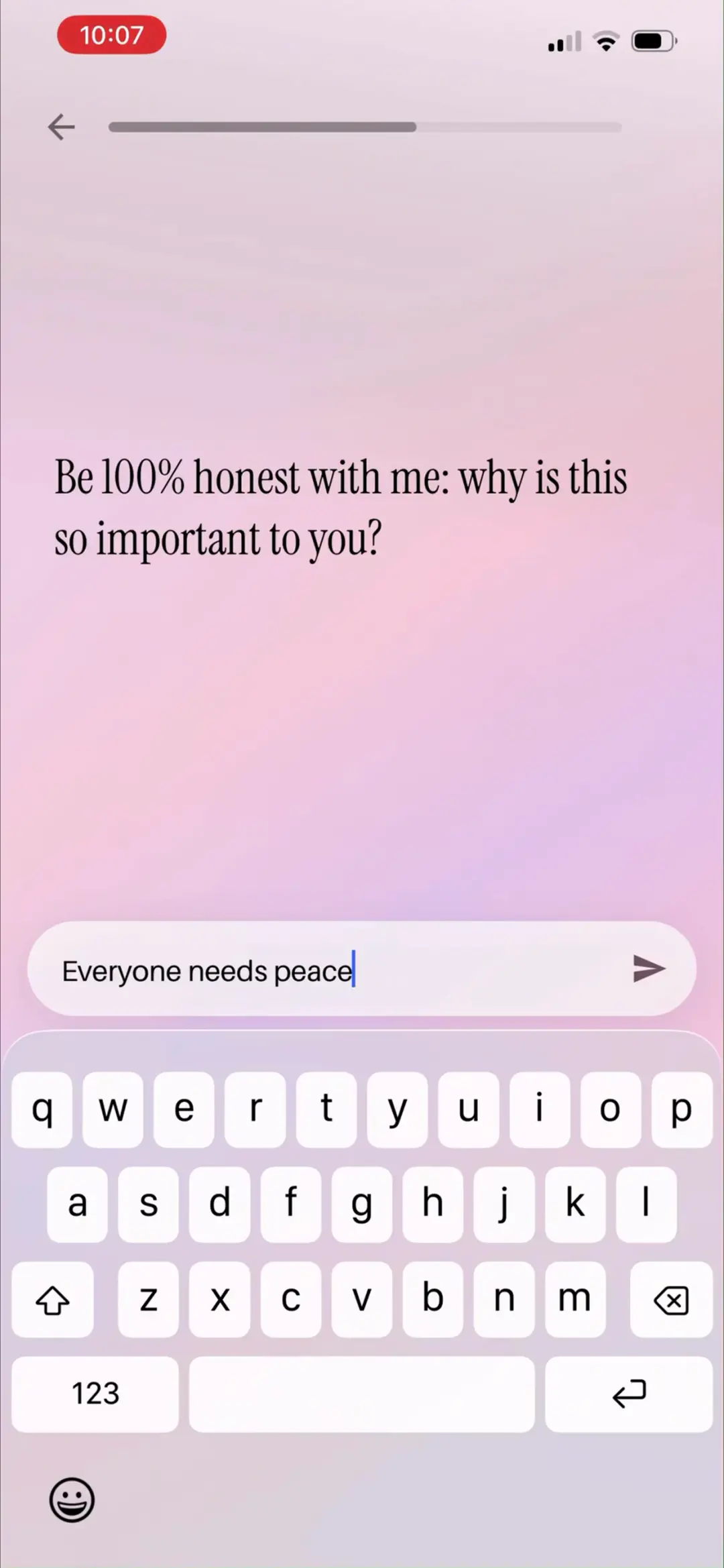
动机追问「Be 100% honest with me: why is this so important to you?」示例 Everyone needs peace——二阶挖掘,让故事的情绪落点更准。
来源:ScreensDesign Pro 1080p 录屏原帧(888×1920 → 1242×2688)|03:25打开高清原图
→
#3203:33
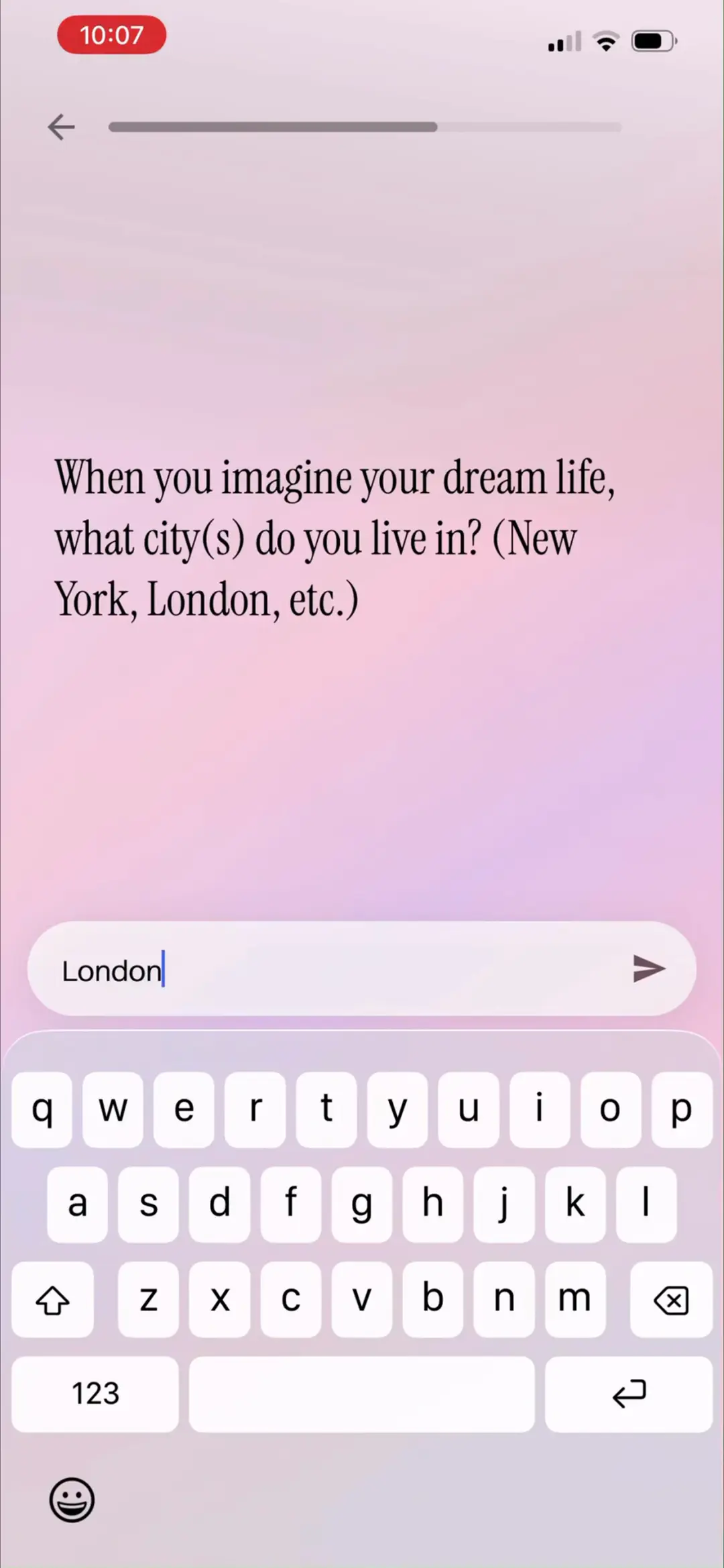
梦想场景「When you imagine your dream life, what city(s) do you live in? (New York, London, etc.)」示例输入 London——场景素材入库。
来源:ScreensDesign Pro 1080p 录屏原帧(888×1920 → 1242×2688)|03:33打开高清原图
→
#3303:41
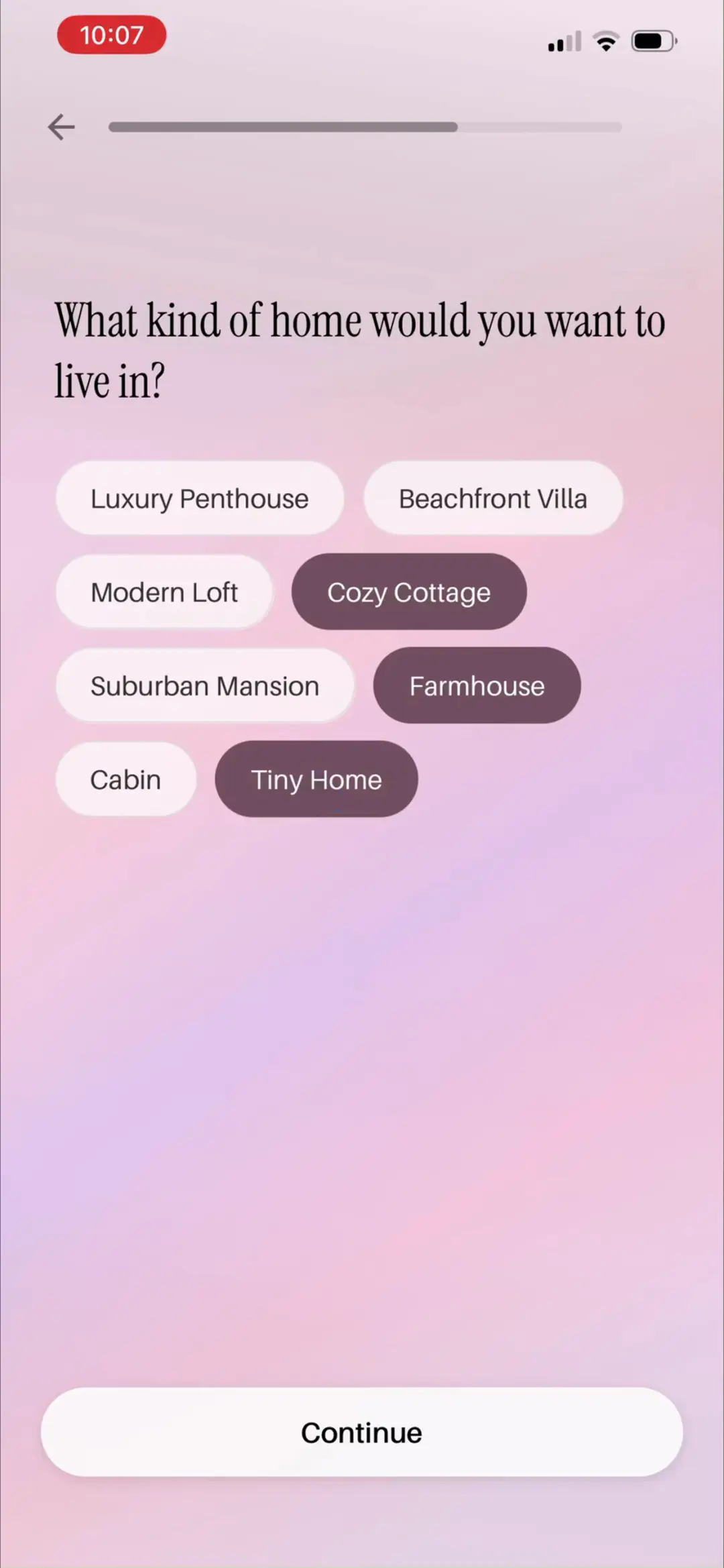
「What kind of home would you want to live in?」八种住宅标签 Luxury Penthouse / Beachfront Villa / Modern Loft / Cozy Cottage / Suburban Mansion / Farmhouse / Cabin / Tiny Home,示例选中 Cozy Cottage、Farmhouse、Tiny Home——之后主页故事『A quiet morning inside my own cottage in the heart of London』正是 London + Cottage 的组合。
来源:ScreensDesign Pro 1080p 录屏原帧(888×1920 → 1242×2688)|03:41打开高清原图
→
#3403:52
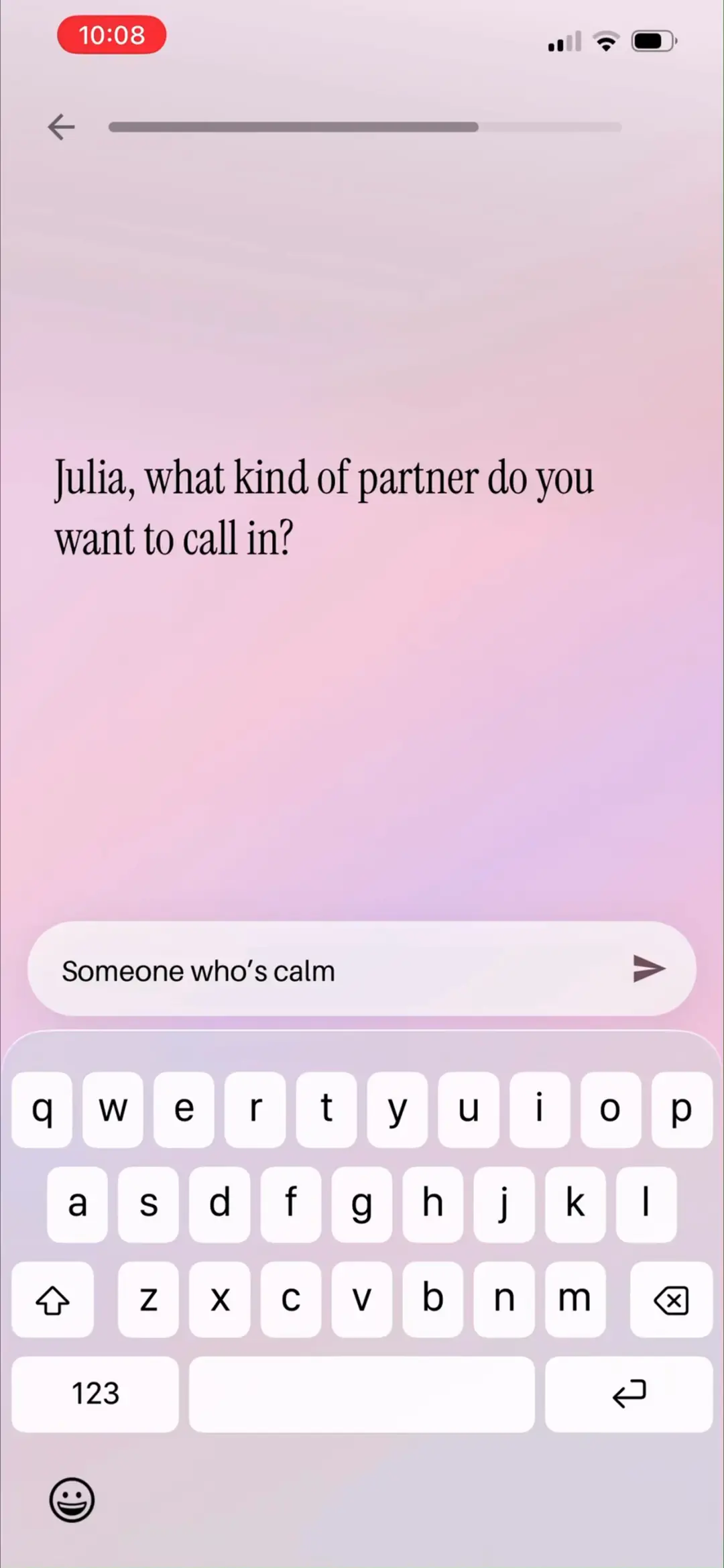
「Julia, what kind of partner do you want to call in?」示例 Someone who's calm——『call in』是显化圈黑话,问卷语言精准贴合目标用户语系。
来源:ScreensDesign Pro 1080p 录屏原帧(888×1920 → 1242×2688)|03:52打开高清原图
→
#3503:57
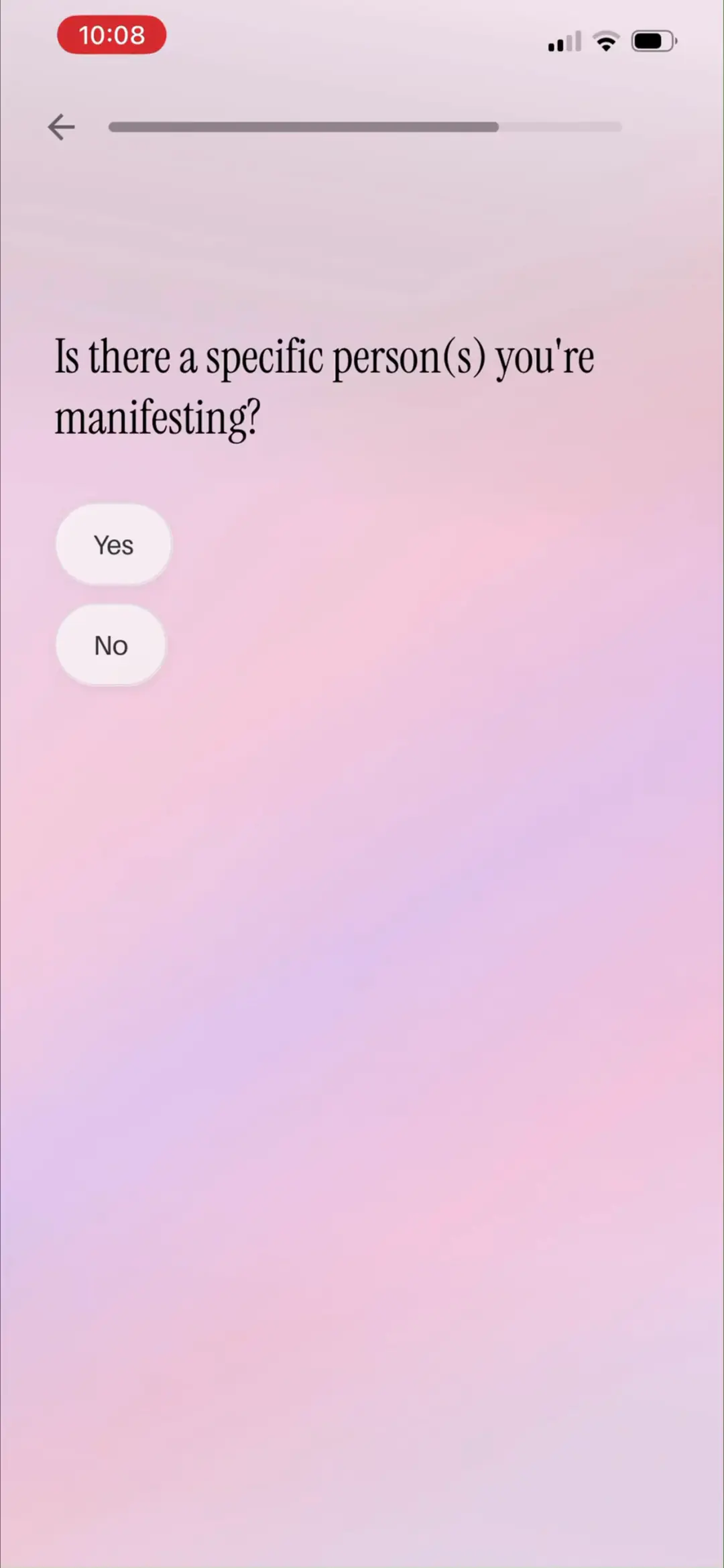
「Is there a specific person(s) you're manifesting?」Yes / No——针对『想挽回某个具体的人』的高情绪价值场景设钩子,Yes 会走专门的故事分支。
来源:ScreensDesign Pro 1080p 录屏原帧(888×1920 → 1242×2688)|03:57打开高清原图
→
#3604:07
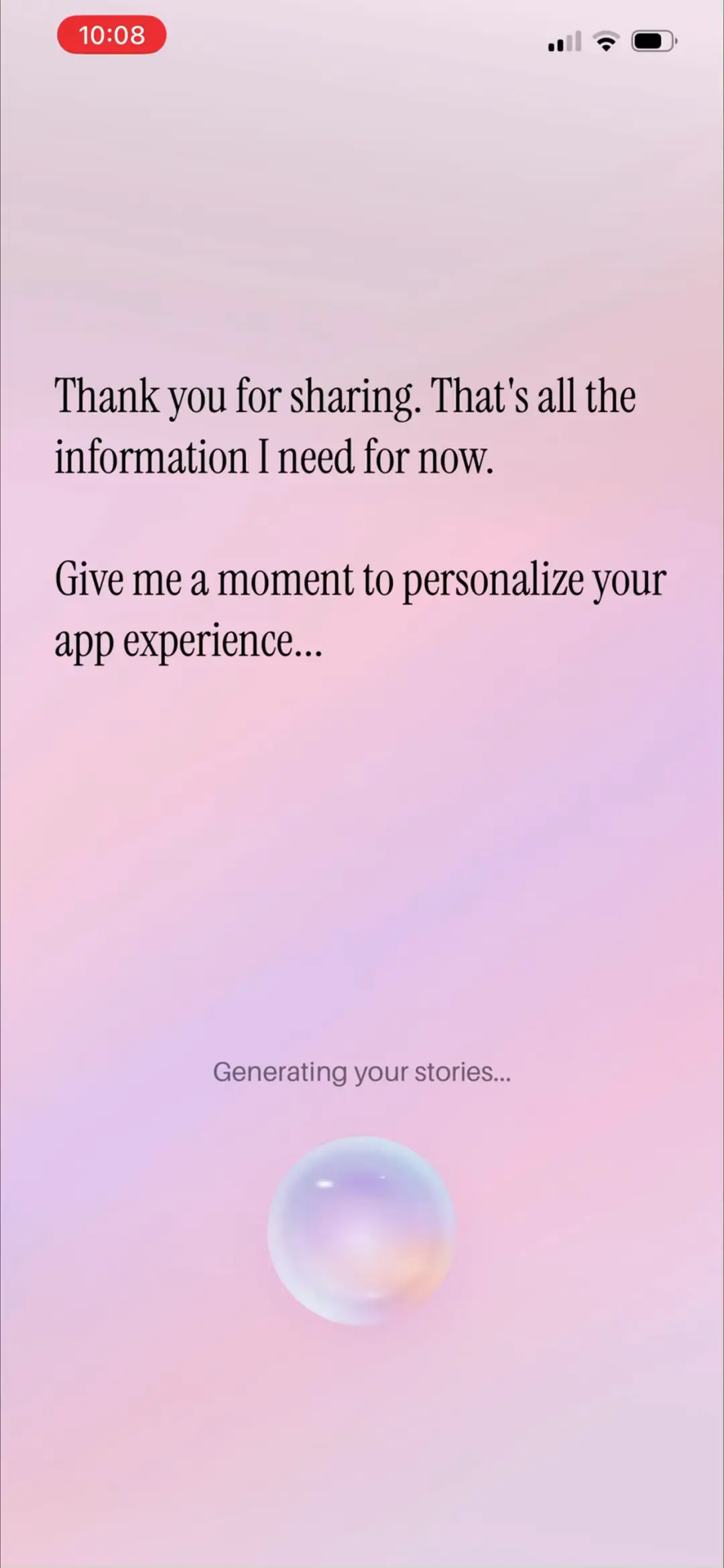
「AI 生成」等待页「Thank you for sharing. That's all the information I need for now. Give me a moment to personalize your app experience…」+ Generating your stories… + 呼吸 orb——AI 生成约 20 秒,用拟人文案与动画把等待变成仪式感。
来源:ScreensDesign Pro 1080p 录屏原帧(888×1920 → 1242×2688)|04:07打开高清原图
06 · 付费墙与订阅转化
3 屏
#3704:12
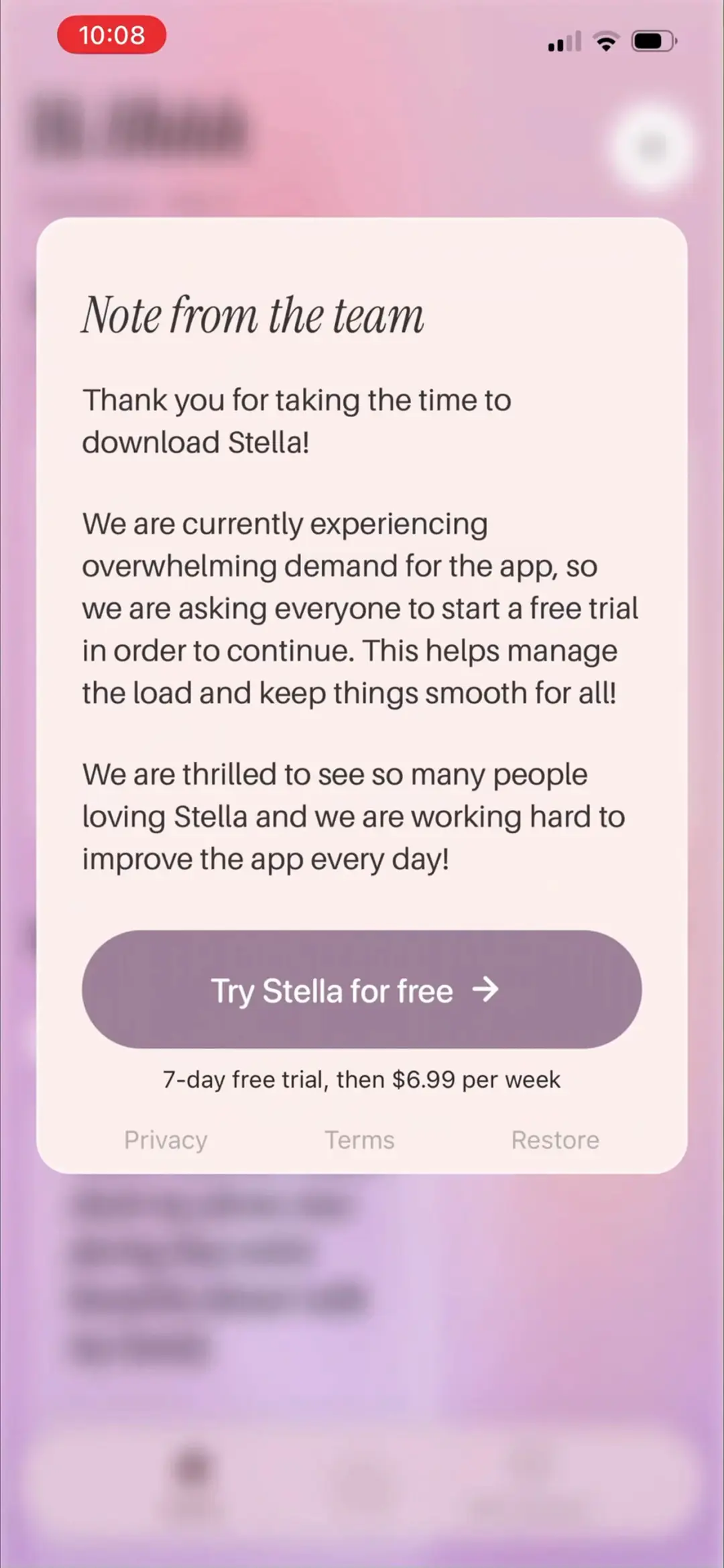
付费墙「Note from the team」:把硬付费包装成团队手记——『目前需求量太大,请大家开免费试用以继续使用,这能帮我们分担负载』。7-day free trial, then $6.99 per week,主按钮 Try Stella for free →,底部 Privacy / Terms / Restore。时机在 36 题答完、沉没成本与期待值最高点出现,转化设计极狠。
来源:ScreensDesign Pro 1080p 录屏原帧(888×1920 → 1242×2688)|04:12打开高清原图
→
#3804:16
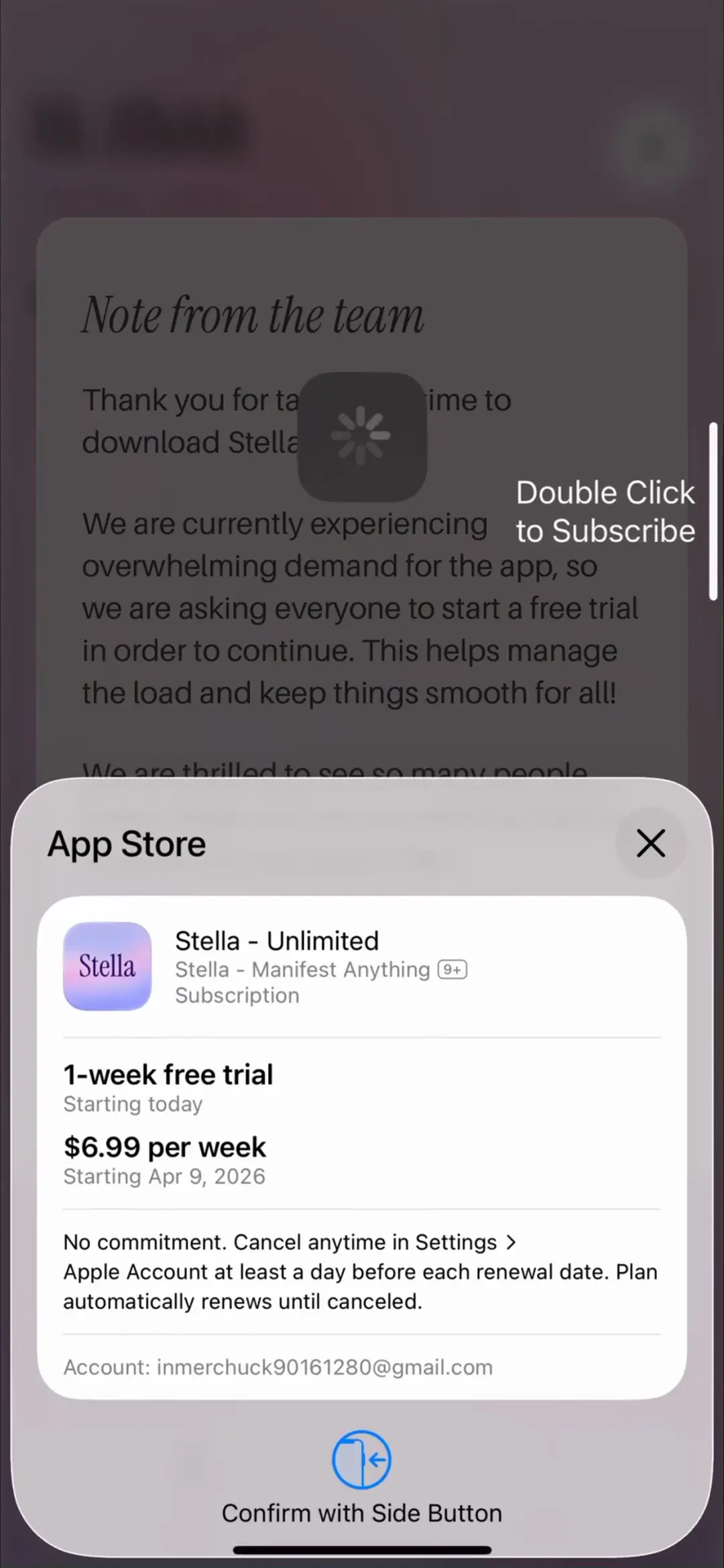
系统 App Store 订阅确认弹窗:商品名 Stella - Unlimited(Stella - Manifest Anything 9+ Subscription),1-week free trial Starting today,$6.99 per week Starting Apr 9, 2026;『双击侧边键确认』+ 加载转圈——标准 StoreKit 流程,价格锚点清晰。
来源:ScreensDesign Pro 1080p 录屏原帧(888×1920 → 1242×2688)|04:16打开高清原图
→
#3904:21
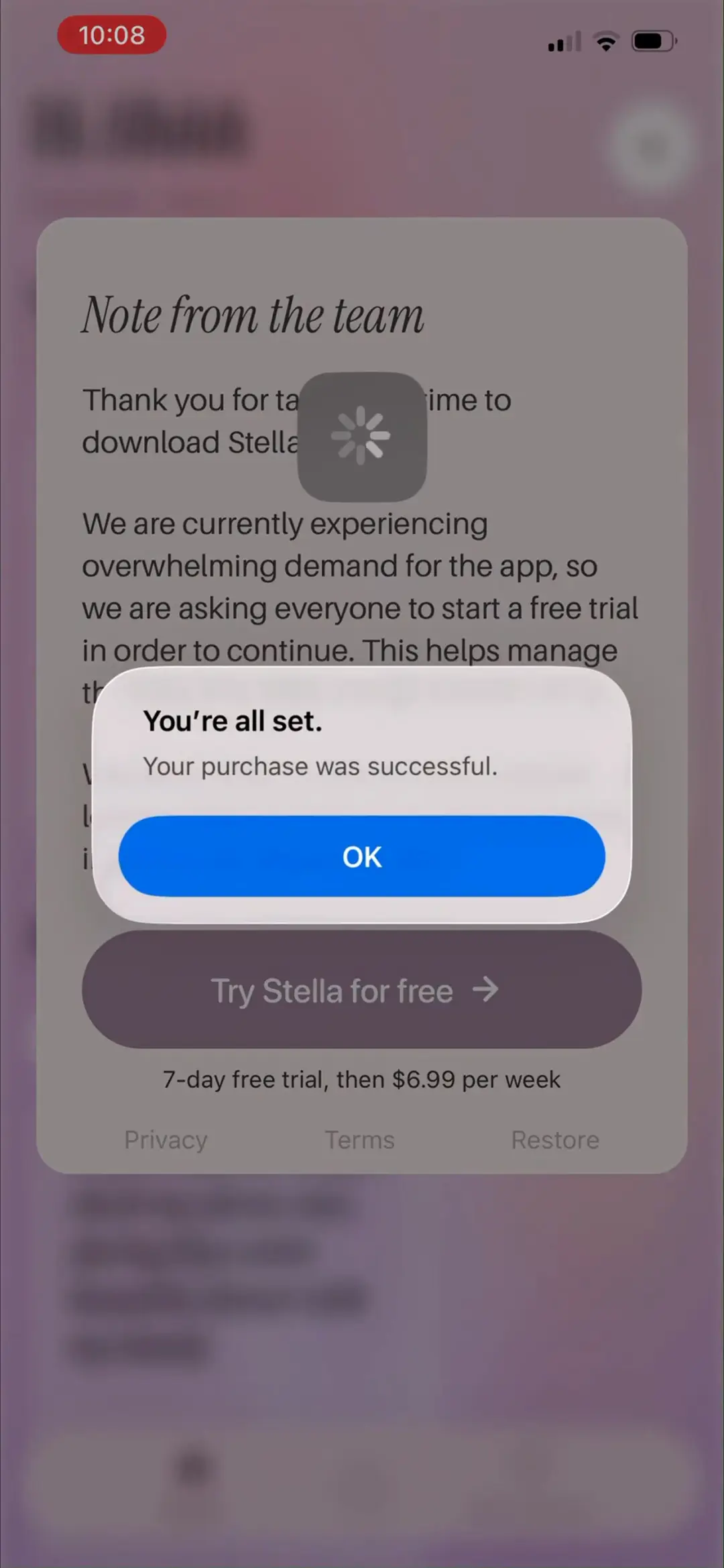
购买成功系统弹窗「You're all set. Your purchase was successful.」OK——随后直接进入个性化主页,转化链路一气呵成。
来源:ScreensDesign Pro 1080p 录屏原帧(888×1920 → 1242×2688)|04:21打开高清原图
07 · 主页与故事播放
6 屏
#4004:25
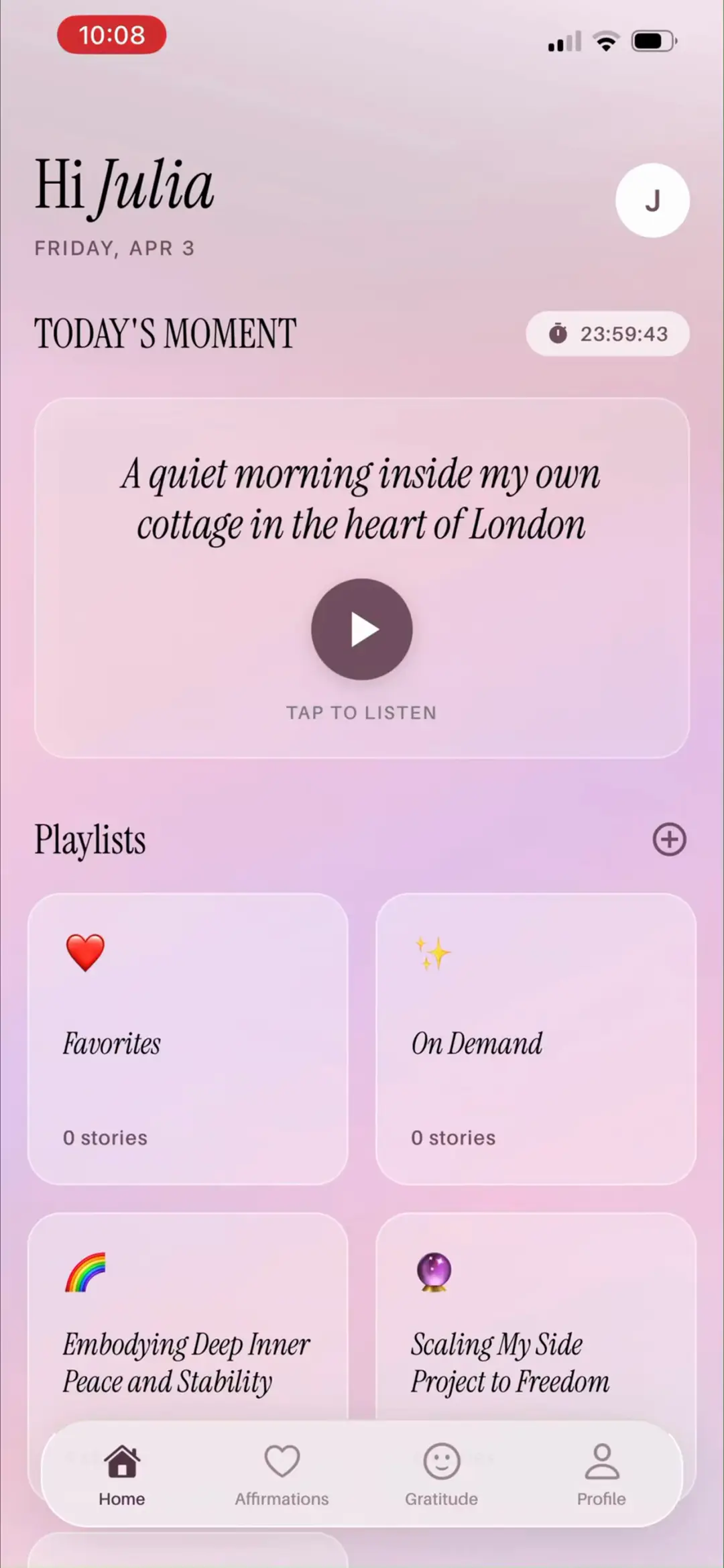
个性化主页「Hi Julia · FRIDAY, APR 3」:TODAY'S MOMENT 区带 24 小时倒计时 23:59:43,今日故事《A quiet morning inside my own cottage in the heart of London》——London 和 cottage 直接来自问卷答案,用户一眼看到『这是为我写的』。下方 Playlists:Favorites❤️ 0 / On Demand✨ 0 / 两个目标歌单。底部 Tab:Home / Affirmations / Gratitude / Profile。
来源:ScreensDesign Pro 1080p 录屏原帧(888×1920 → 1242×2688)|04:25打开高清原图
→
#4104:33
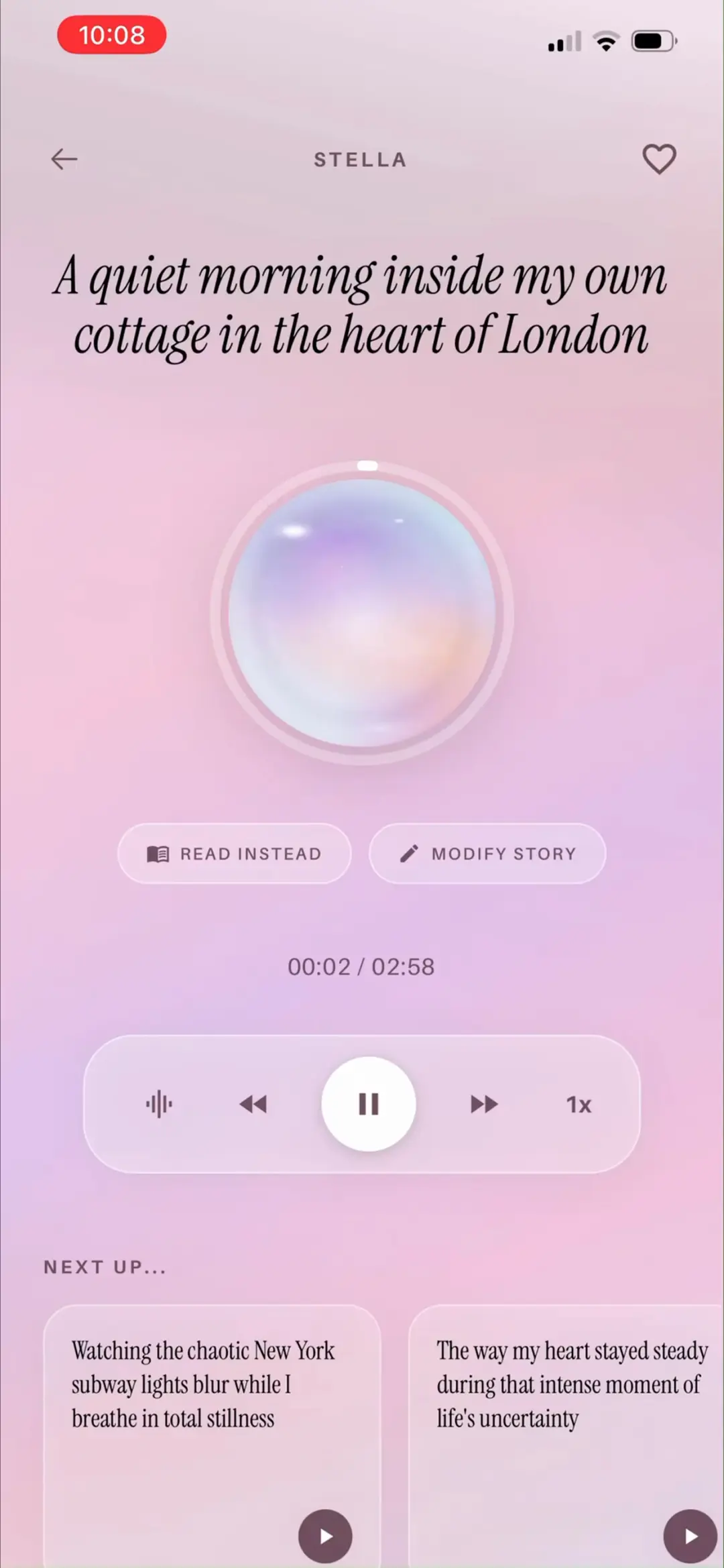
音频播放器:大 orb『唱片』+ 故事标题,00:02 / 02:58 进度,READ INSTEAD(改听为读)与 MODIFY STORY(改写故事)双按钮,波形/快退/暂停/快进/1x 控件,底部 NEXT UP 队列展示后续故事卡——3 分钟单集是刻意设计的低门槛消耗单元。
来源:ScreensDesign Pro 1080p 录屏原帧(888×1920 → 1242×2688)|04:33打开高清原图
→
#4204:35
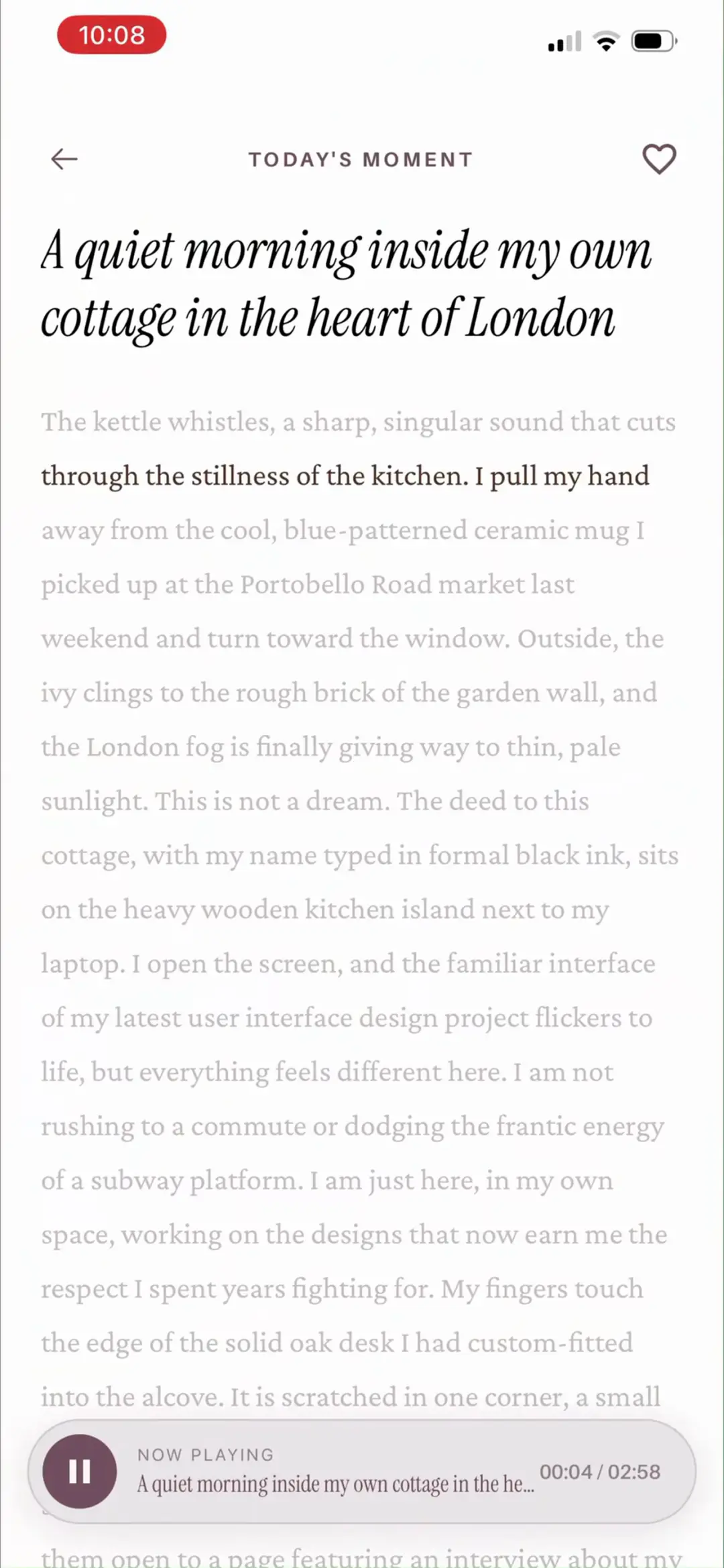
「READ INSTEAD」文字模式:整屏滚动故事全文,当前朗读句深色高亮逐句推进,底部 NOW PLAYING 迷你播放条 00:04 / 02:58——听读同步,安静场合也能用。
来源:ScreensDesign Pro 1080p 录屏原帧(888×1920 → 1242×2688)|04:35打开高清原图
→
#4304:49
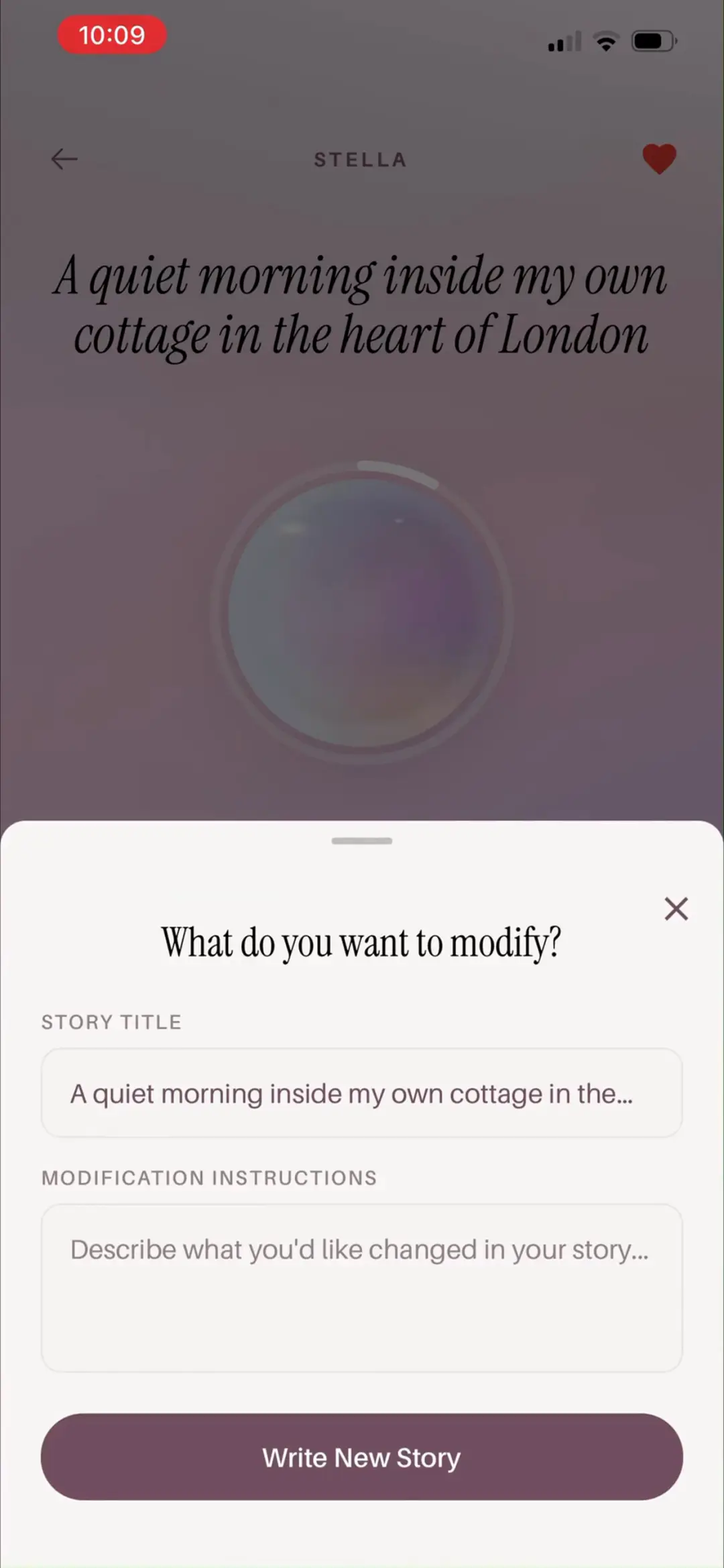
「MODIFY STORY」弹窗「What do you want to modify?」:STORY TITLE 可编辑 + MODIFICATION INSTRUCTIONS 描述想改的情节 + Write New Story 按钮——用户可以随时要求 AI 改剧情,这是按需生成的内容护城河。
来源:ScreensDesign Pro 1080p 录屏原帧(888×1920 → 1242×2688)|04:49打开高清原图
→
#4405:08
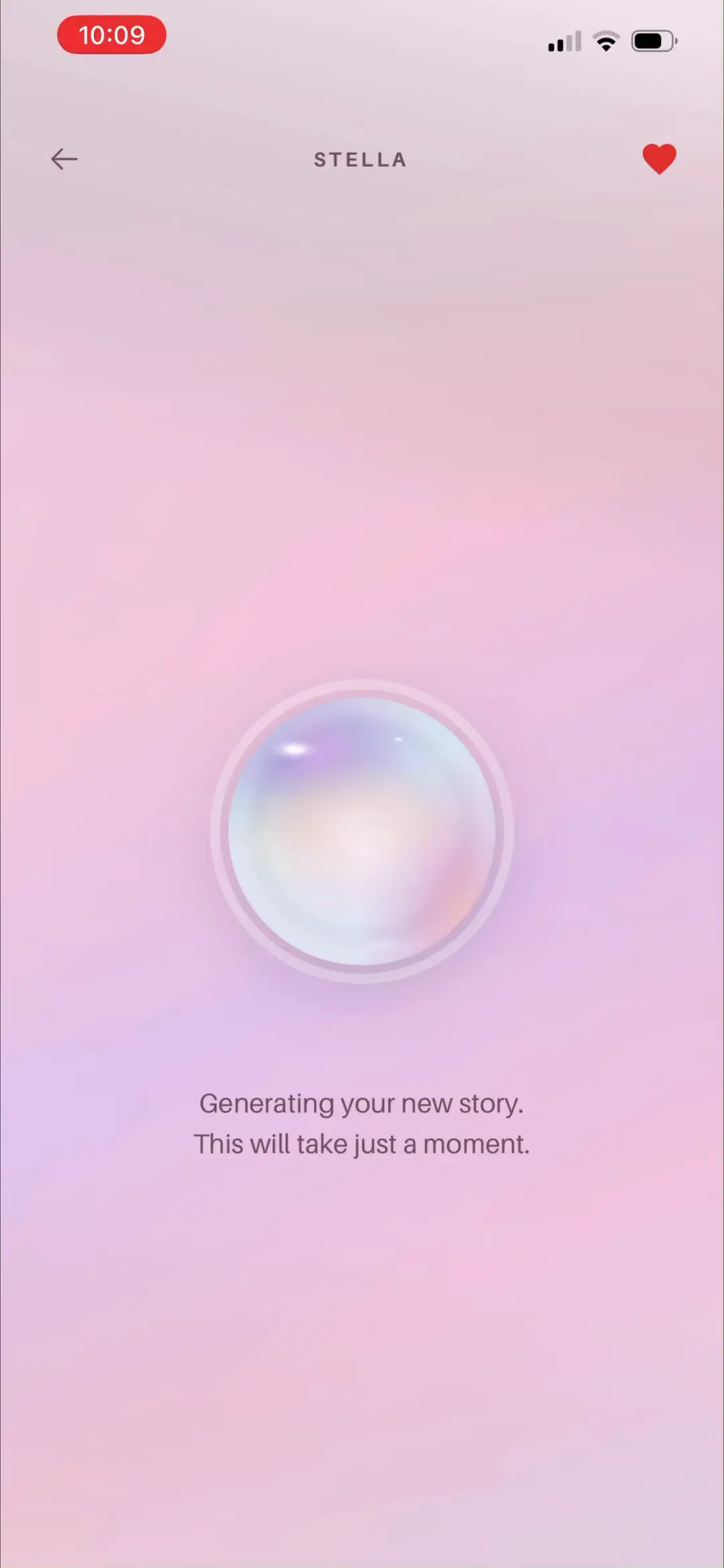
重写等待页「Generating your new story. This will take just a moment.」+ orb 动画——同样的仪式化等待设计复用在所有生成场景。
来源:ScreensDesign Pro 1080p 录屏原帧(888×1920 → 1242×2688)|05:08打开高清原图
→
#4505:22
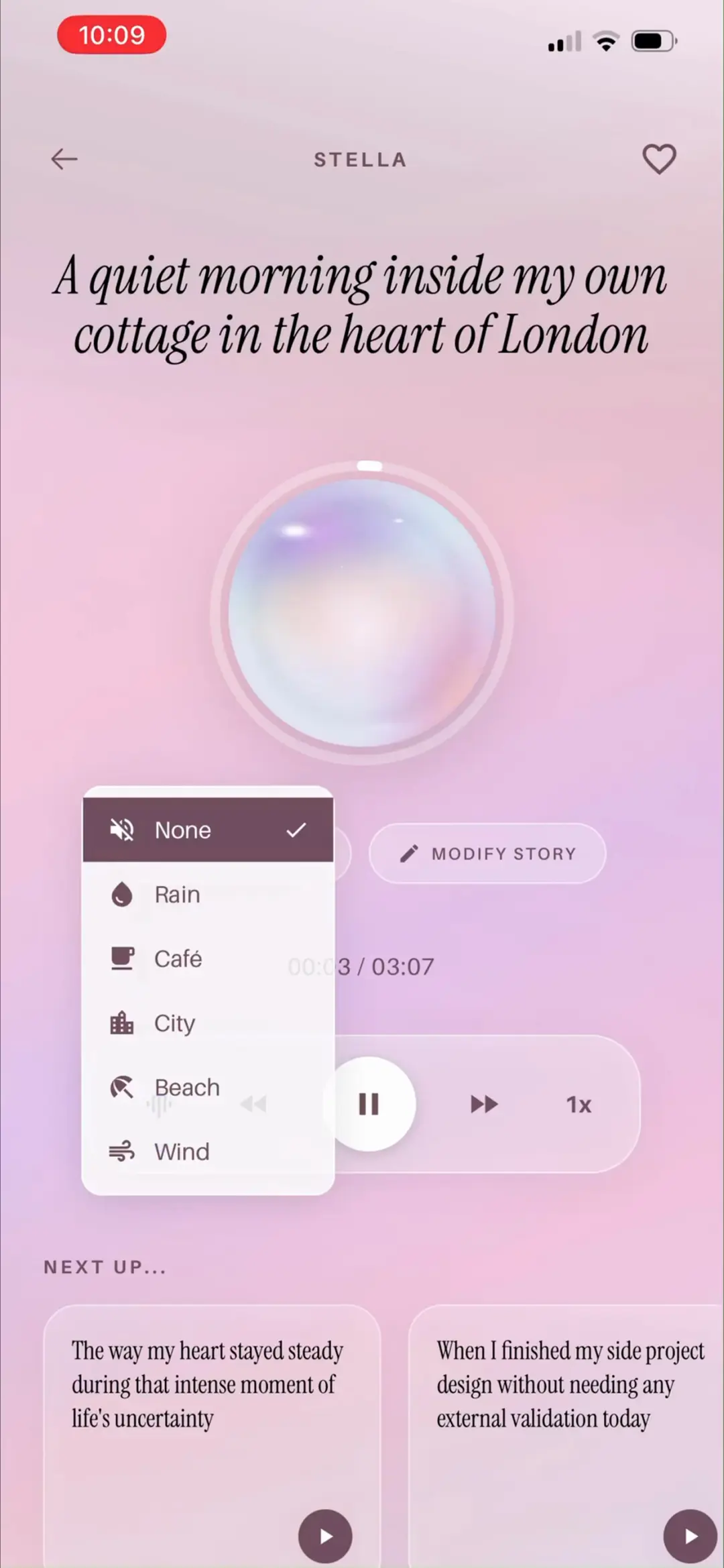
背景音混音菜单:None ✓ / Rain / Café / City / Beach / Wind 六种环境音可叠加在叙事之上——把白噪音与故事结合的差异化沉浸功能,波形按钮唤起。
来源:ScreensDesign Pro 1080p 录屏原帧(888×1920 → 1242×2688)|05:22打开高清原图
08 · 歌单与 On Demand 生成
7 屏
#4605:50
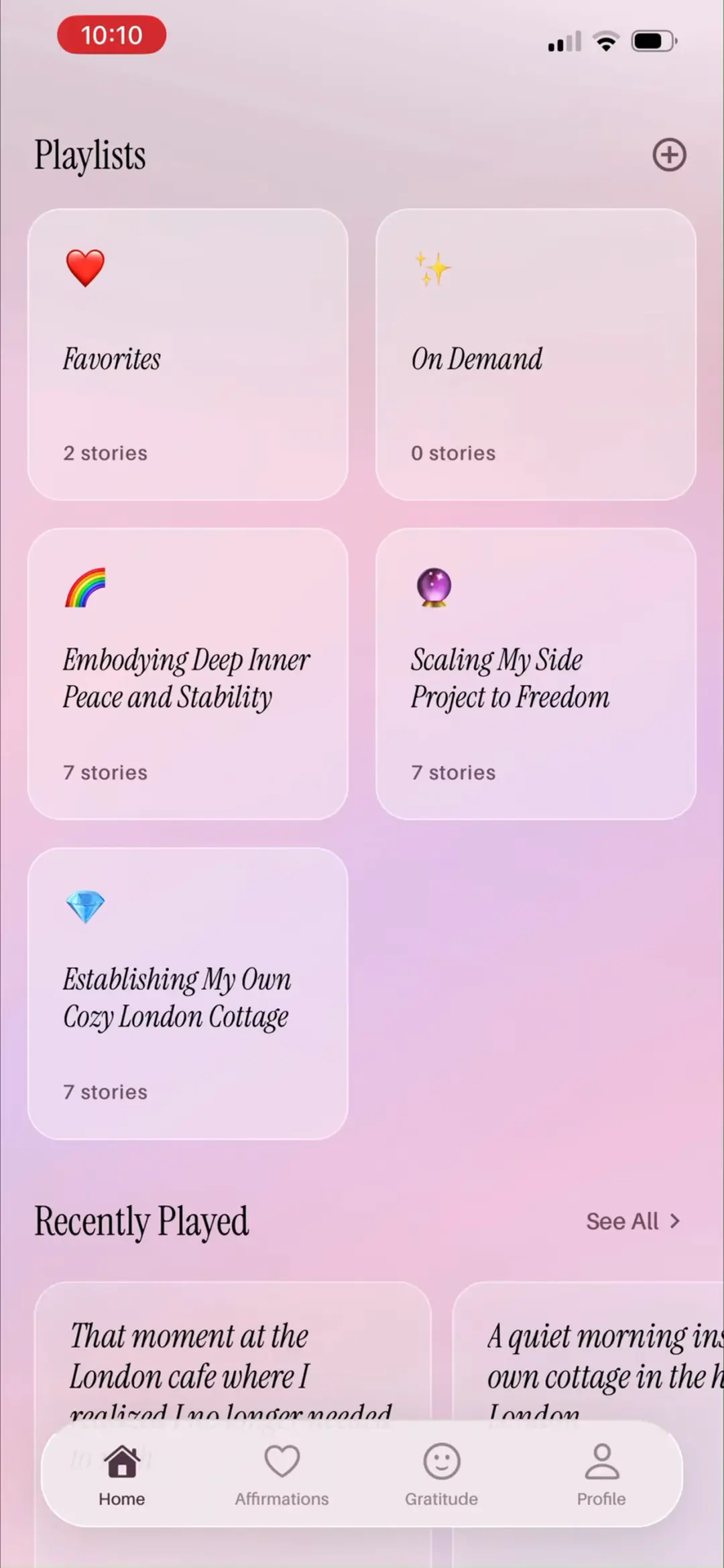
主页下滑 Playlists 网格:Favorites 2 stories / On Demand 0 / Embodying Deep Inner Peace and Stability 7 / Scaling My Side Project to Freedom 7 / Establishing My Own Cozy London Cottage 7 stories——三个 AI 目标歌单各 7 集(一周量),标题全部来自问卷答案;下方 Recently Played + See All。
来源:ScreensDesign Pro 1080p 录屏原帧(888×1920 → 1242×2688)|05:50打开高清原图
→
#4705:51
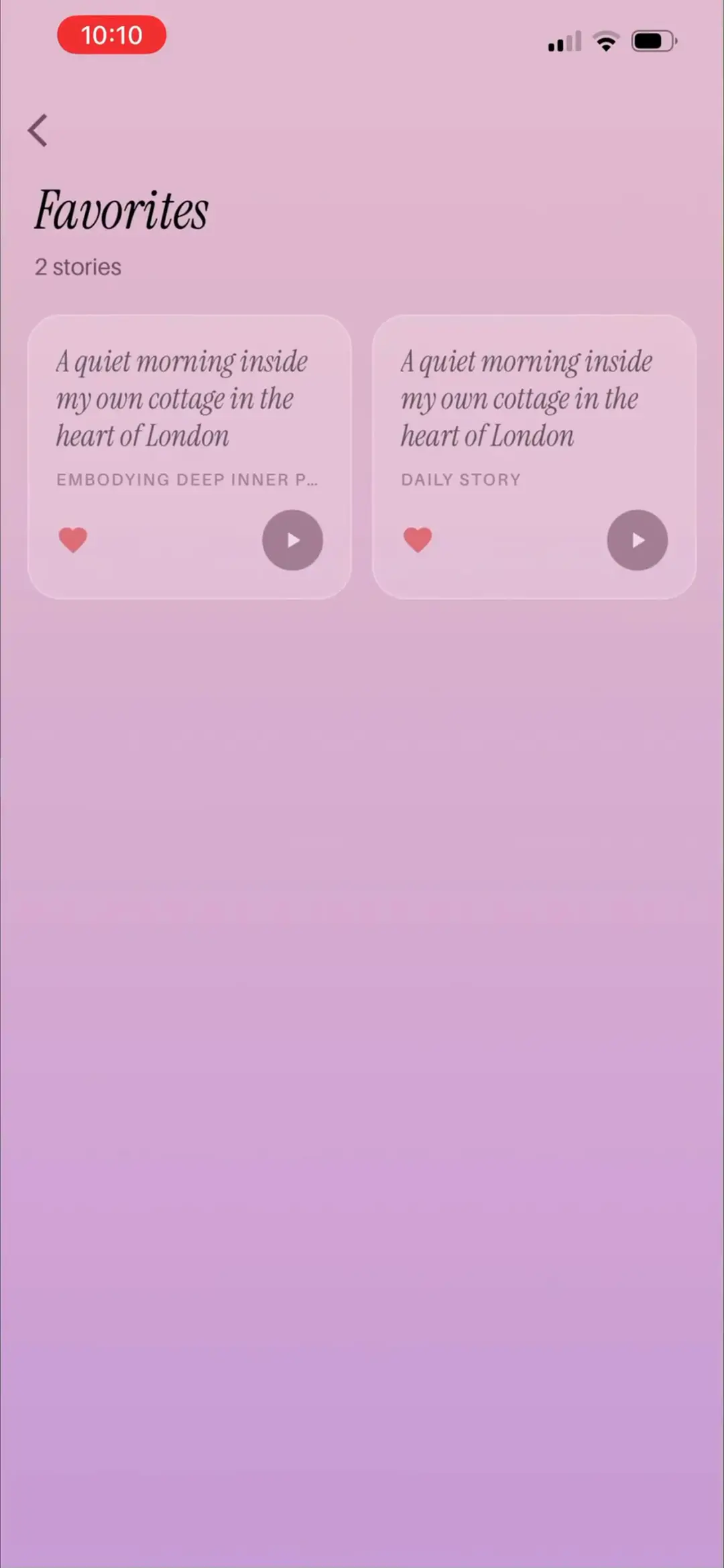
「Favorites」详情页:2 stories,两张同名卡《A quiet morning inside my own cottage in the heart of London》,分别标注来源 EMBODIFYING DEEP INNER P…(专辑)与 DAILY STORY(每日),心形 + 播放按钮——收藏聚合跨歌单的喜欢内容。
来源:ScreensDesign Pro 1080p 录屏原帧(888×1920 → 1242×2688)|05:51打开高清原图
→
#4806:02
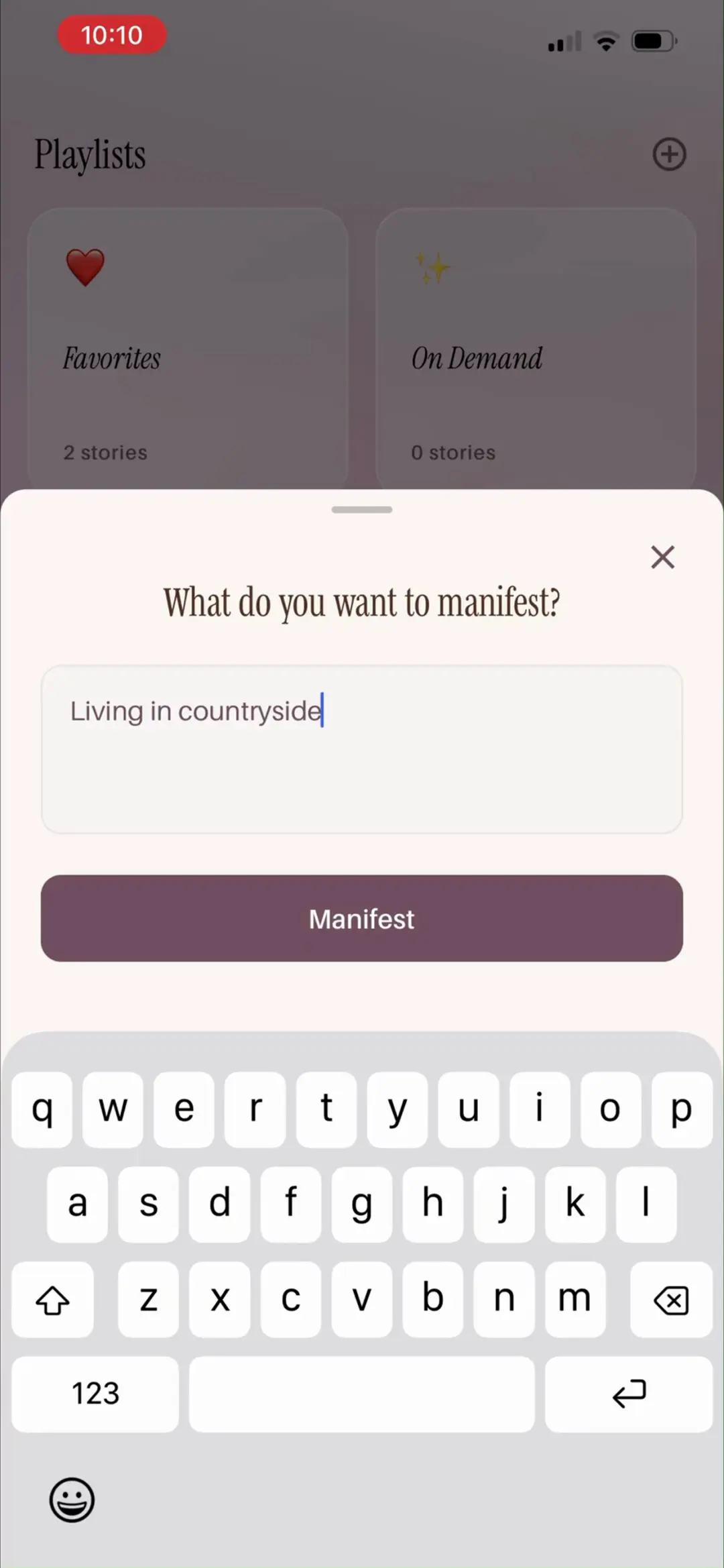
「On Demand」创建弹窗「What do you want to manifest?」:自由输入 Living in countryside + Manifest 按钮——『现在就显化』的 AI 点歌台,任何想法即刻变成一套歌单。
来源:ScreensDesign Pro 1080p 录屏原帧(888×1920 → 1242×2688)|06:02打开高清原图
→
#4906:17
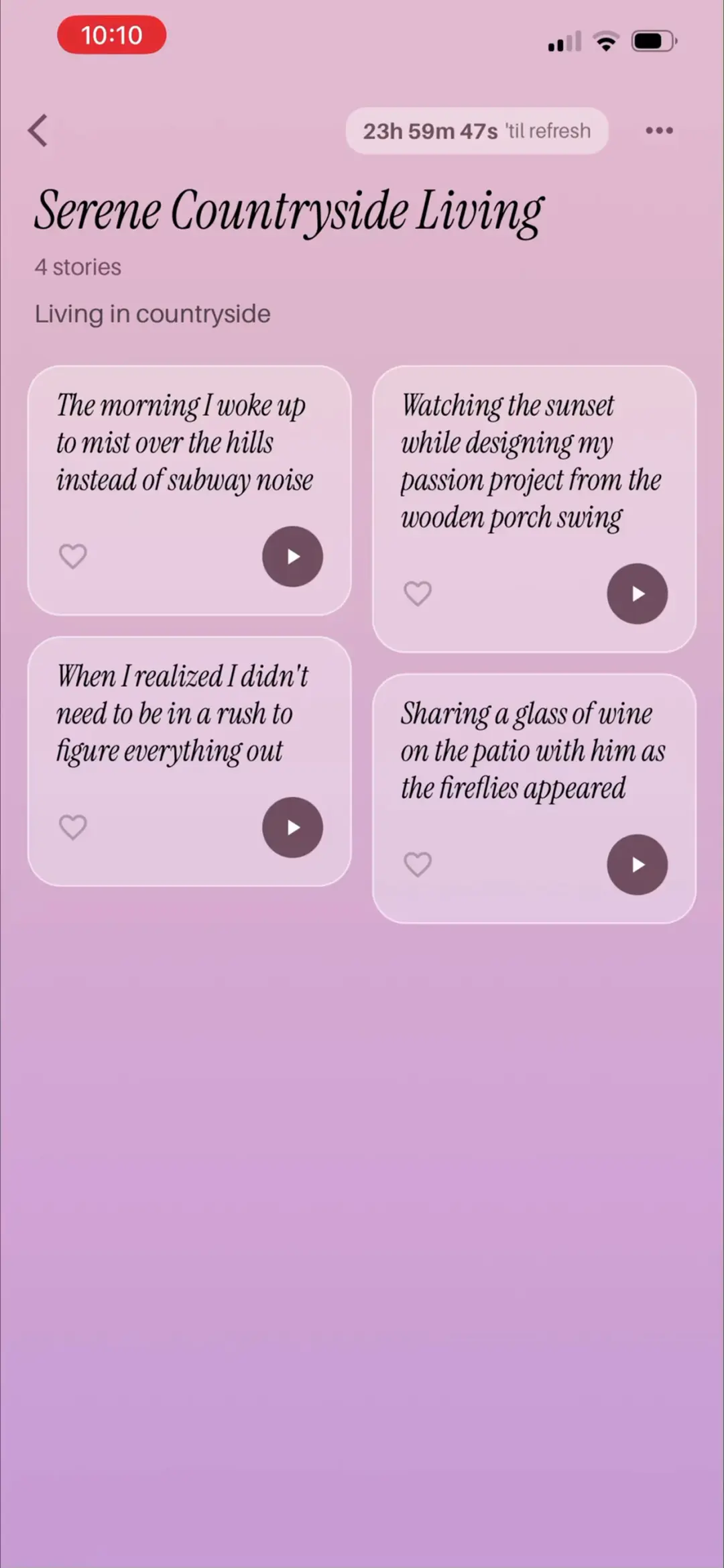
「AI 生成」结果《Serene Countryside Living》4 stories · Living in countryside:右上「23h 59m 47s 'til refresh」倒计时——歌单每天自动刷新一次,制造每日回访理由。四张场景故事卡:晨雾山丘中醒来而非地铁噪音 / 门廊秋千上做激情项目看日落 / 意识到不必急着想通一切 / 萤火虫初上与他露台共饮。
来源:ScreensDesign Pro 1080p 录屏原帧(888×1920 → 1242×2688)|06:17打开高清原图
→
#5006:22
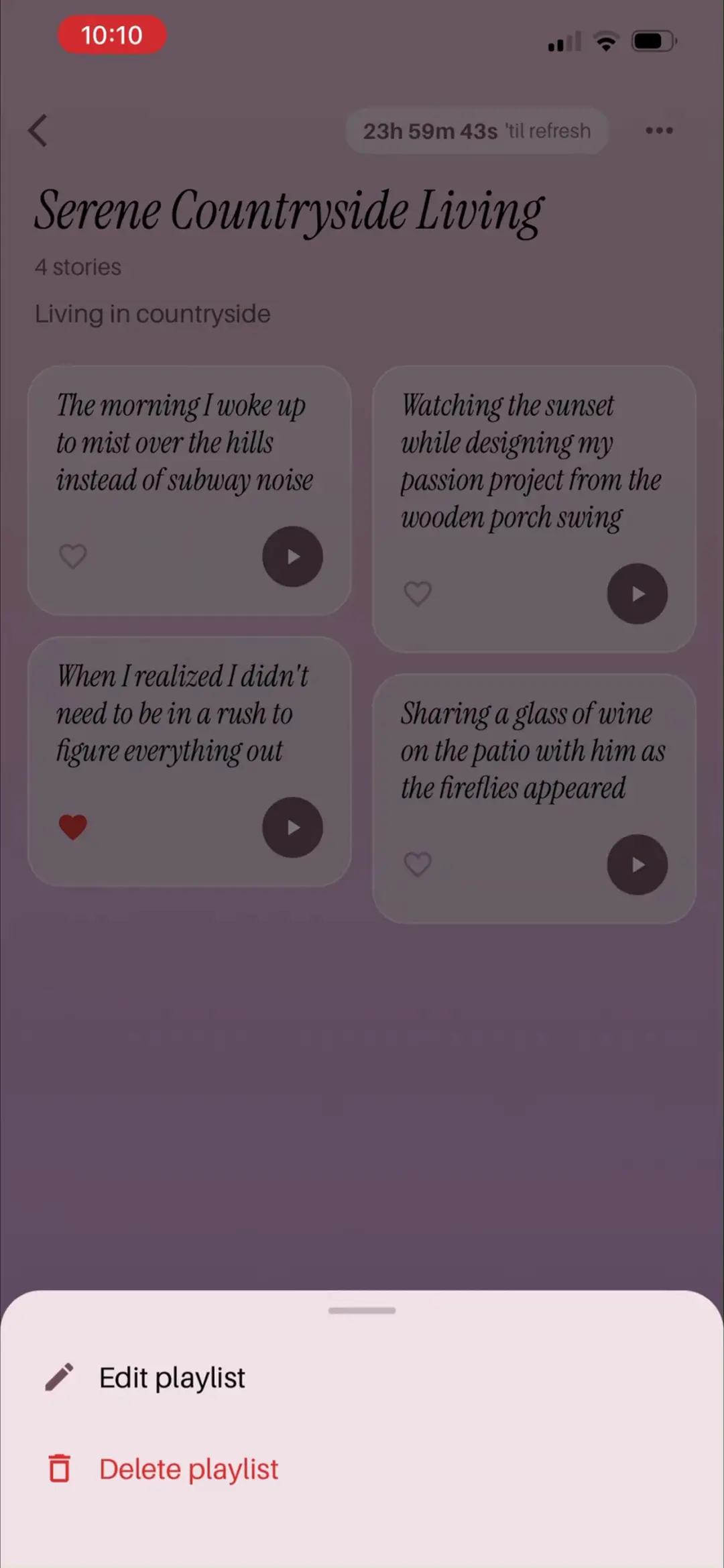
同一歌单页:已给第三张卡片(When I realized I didn't need to be in a rush to figure everything out)点亮红心——单集级收藏即时反馈。
来源:ScreensDesign Pro 1080p 录屏原帧(888×1920 → 1242×2688)|06:22打开高清原图
→
#5106:24
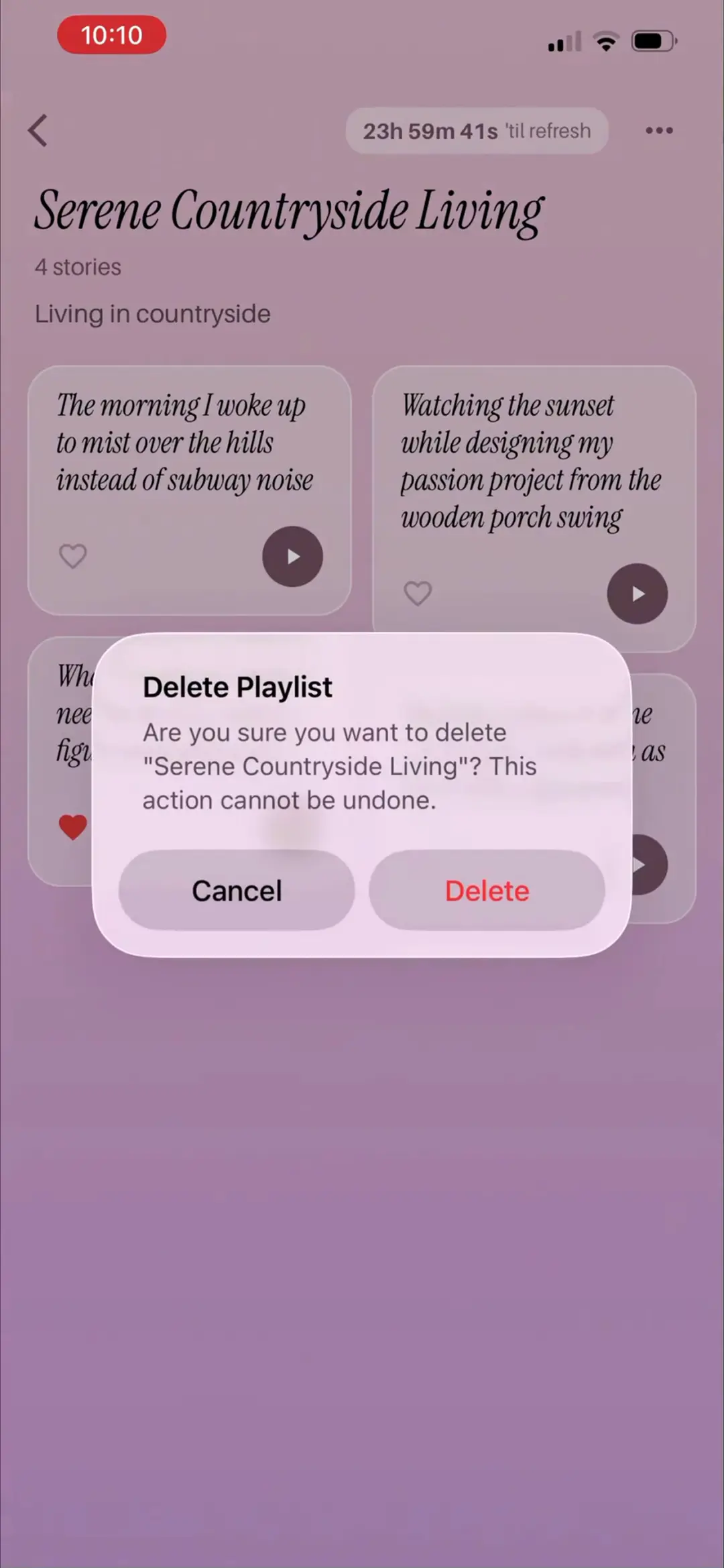
歌单右上 ⋯ 菜单触发的 Delete Playlist 确认弹窗:Are you sure you want to delete「Serene Countryside Living」? This action cannot be undone. Cancel / Delete(红字)——生成内容的删除也有完整确认链。
来源:ScreensDesign Pro 1080p 录屏原帧(888×1920 → 1242×2688)|06:24打开高清原图
→
#5206:32
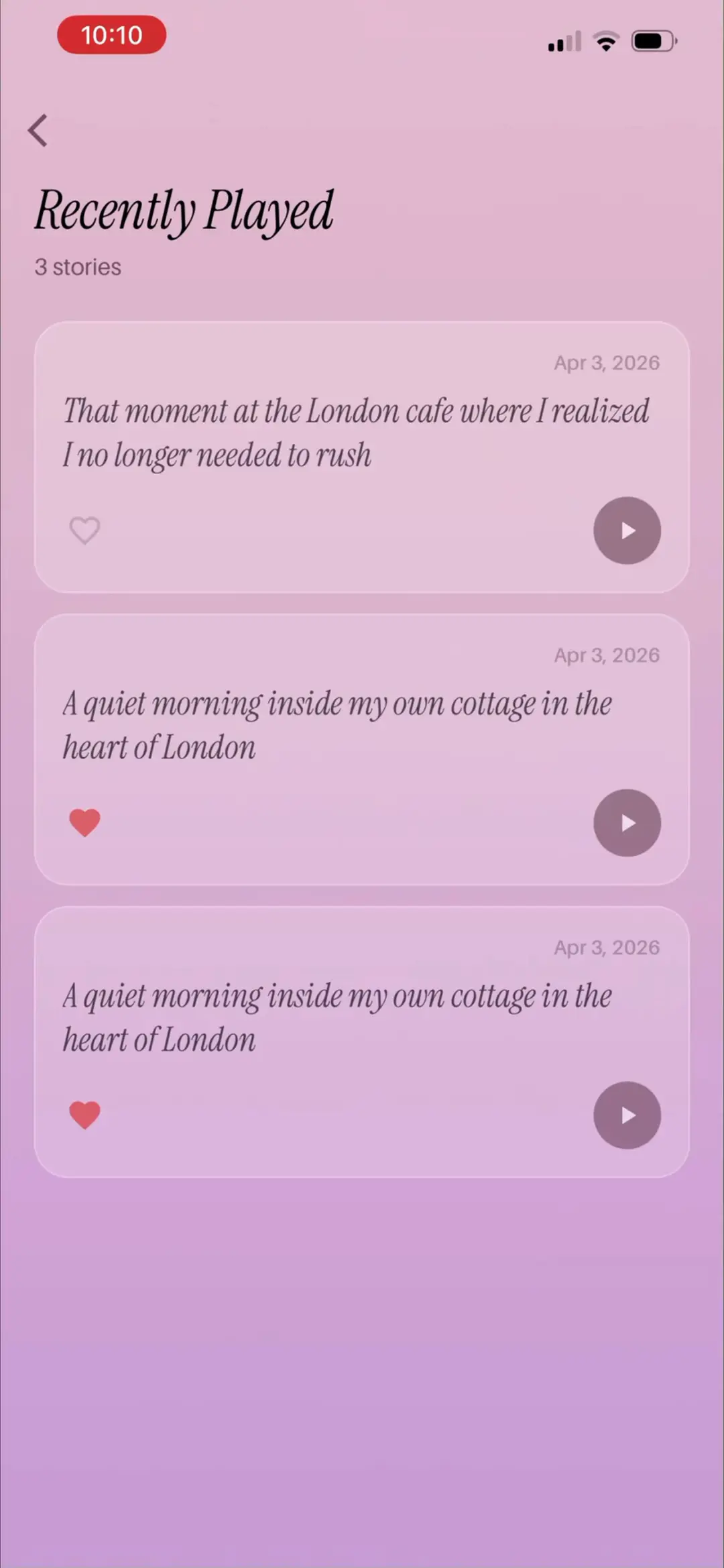
「Recently Played」列表页 3 stories(均 Apr 3, 2026):《That moment at the London cafe where I realized I no longer needed to rush》《A quiet morning inside my own cottage in the heart of London》×2,心形收藏 + 播放按钮——继续用『你的名字/你的城市』强化专属感。
来源:ScreensDesign Pro 1080p 录屏原帧(888×1920 → 1242×2688)|06:32打开高清原图
09 · 每日肯定语
5 屏
#5306:37
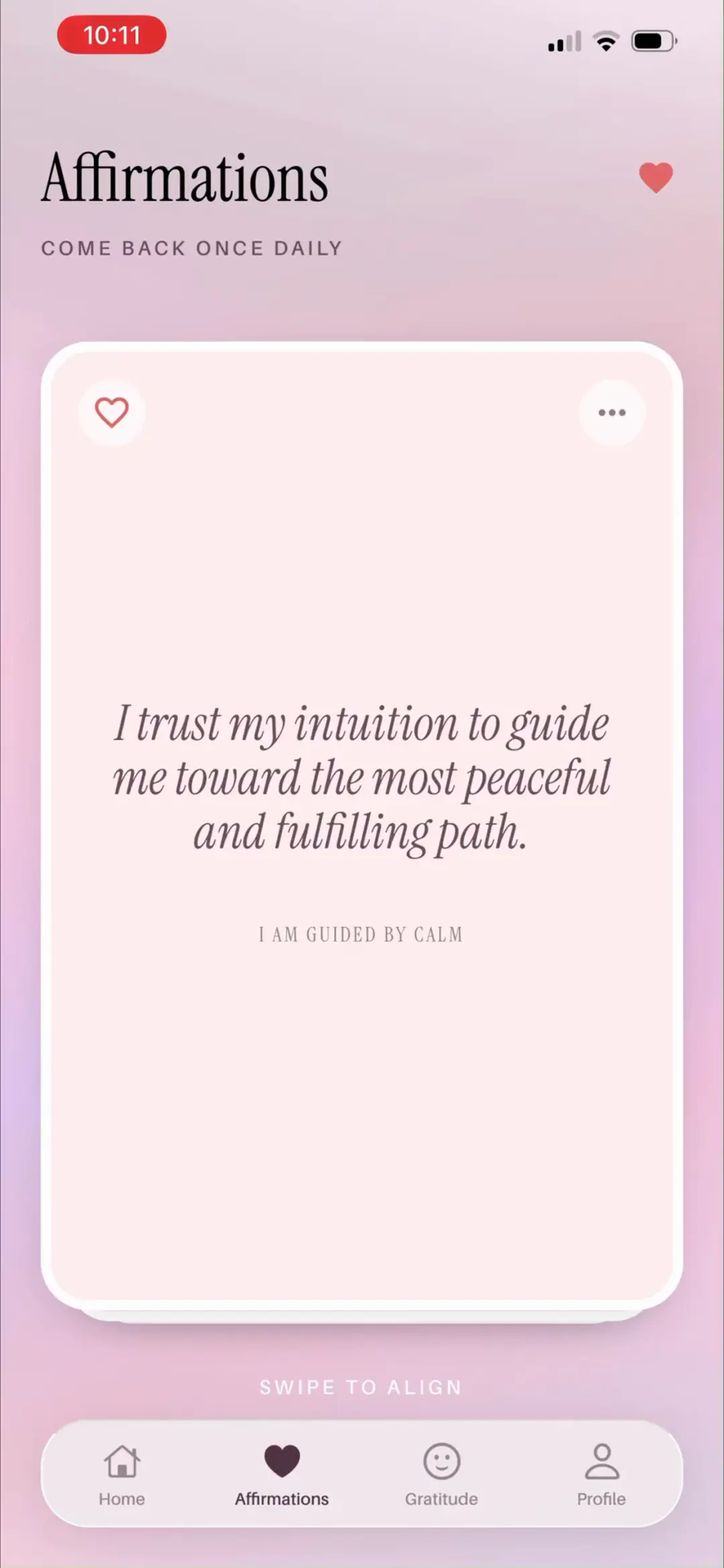
「Affirmations」标签页「COME BACK ONCE DAILY」:今日卡片 I trust my intuition to guide me toward the most peaceful and fulfilling path. / I AM GUIDED BY CALM;SWIPE TO ALIGN 上滑换卡;心形收藏 + ⋯ 菜单——每日限量的稀缺设计与主打的 Daily affirmations 卖点一致。
来源:ScreensDesign Pro 1080p 录屏原帧(888×1920 → 1242×2688)|06:37打开高清原图
→
#5406:48
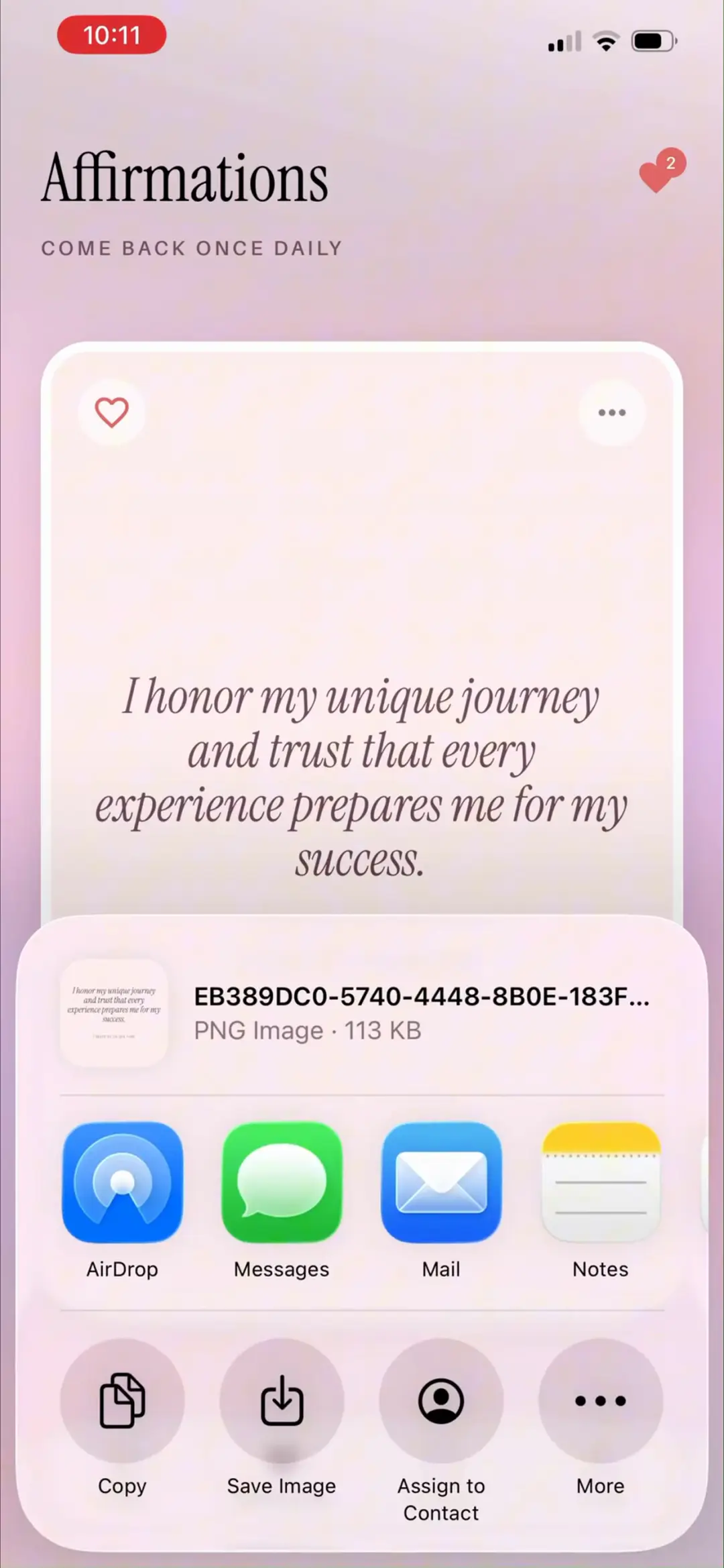
翻到第二张 I honor my unique journey and trust that every experience prepares me for my success. 并通过 ⋯ 调起系统分享面板:肯定语已导出为 PNG 图片(113 KB),AirDrop / Messages / Mail / Notes + Copy / Save Image / Assign to Contact——原生分享链路是免费裂变出口。
来源:ScreensDesign Pro 1080p 录屏原帧(888×1920 → 1242×2688)|06:48打开高清原图
→
#5506:50
选择 Save Image 触发系统相册权限弹窗:「Stella」would like full access to your Photo Library(223 Photos, 24 Videos)Limit Access… / Allow Full Access / Don't Allow——保存图片场景下的相册权限二次申请。
来源:ScreensDesign Pro 1080p 录屏原帧(888×1920 → 1242×2688)|06:50打开高清原图
→
#5606:54
「Saved Affirmations」卡片视图:单张大卡展示已收藏肯定语,左上红心、右上 ⋯,顶部图标可在卡片/列表两种视图间切换。
来源:ScreensDesign Pro 1080p 录屏原帧(888×1920 → 1242×2688)|06:54打开高清原图
→
#5706:56
「Saved Affirmations」列表视图:两张收藏卡 I trust my intuition…(I AM GUIDED BY CALM)与 I release the need to struggle and embrace the ease of receiving what is mine.(I ALLOW ABUNDANCE TO FLOW)——收藏库按主题打副标签。
来源:ScreensDesign Pro 1080p 录屏原帧(888×1920 → 1242×2688)|06:56打开高清原图
10 · 感恩日记与显化墙
8 屏
#5807:01
「Gratitude」标签页「Tell Stella what you're grateful for」:Gratitude / Manifestations 分段切换;0 day streak 🔥 + 周历 S M T W T F S 打卡圈;TODAY 输入框示例 ex: My health, my apartment, my people…——感恩日记 + 连续打卡的习惯闭环。
来源:ScreensDesign Pro 1080p 录屏原帧(888×1920 → 1242×2688)|07:01打开高清原图
→
#5907:13
「Manifestations」子页「Track your magic in real time」:What have you manifested? Add it to your wall——输入 Hit 1M followers on TikTok… + 虚线相机按钮——把『已显化的成就』配上图片钉上成就墙。
来源:ScreensDesign Pro 1080p 录屏原帧(888×1920 → 1242×2688)|07:13打开高清原图
→
#6007:30
相机按钮弹出 Take Photo / Choose from Library 菜单;下方 WALL OF MANIFESTATIONS 已有一张 ❤️ Hit 1M likes in IG(Apr 2026)卡片,右上铅笔可编辑。
来源:ScreensDesign Pro 1080p 录屏原帧(888×1920 → 1242×2688)|07:30打开高清原图
→
#6107:33
系统相册选择器:Photos / Collections 分栏 + 照片网格(含此前保存的肯定语 PNG 首格)——直接复用系统 UI,零开发成本。
来源:ScreensDesign Pro 1080p 录屏原帧(888×1920 → 1242×2688)|07:33打开高清原图
→
#6207:36
照片确认页:大图预览 + Cancel / Choose——选定汉堡照片作成就配图。
来源:ScreensDesign Pro 1080p 录屏原帧(888×1920 → 1242×2688)|07:36打开高清原图
→
#6307:53
成就墙更新:❄️ Lose calories(汉堡照片卡 · Apr 2026)与 ❤️ Hit 1M likes in IG 并列展示,各带编辑铅笔——目标达成可视化成一面『魔法墙』,情绪价值核心。
来源:ScreensDesign Pro 1080p 录屏原帧(888×1920 → 1242×2688)|07:53打开高清原图
→
#6407:56
「Edit Manifestation」弹窗:Delete(红)/ Edit Manifestation / Save 三段导航,配图缩略 + TITLE 输入 Lose calories——条目可改图改标题。
来源:ScreensDesign Pro 1080p 录屏原帧(888×1920 → 1242×2688)|07:56打开高清原图
→
#6507:57
「Delete Manifestation」确认弹窗:Are you sure you want to delete this manifestation? This action cannot be undone. Cancel / Delete(红字)。
来源:ScreensDesign Pro 1080p 录屏原帧(888×1920 → 1242×2688)|07:57打开高清原图
11 · 个人档案与 AI 记忆
7 屏
#6608:02
「Profile」页「Julia · The more Stella knows, the realer it feels」:THE BASICS 六项资料(Name Julia / Age 26 / City New York City / Career UI Designer / Gender Female / Sexuality Straight——全部来自问卷,可回改);MY PEOPLE(Mom💜 带编辑/删除 + Add Person);MY KIDS「Add your children to personalize your stories」;MY LIFESTYLE 与 NEVER INCLUDE 自由标签区;右下浮动 + 快捷按钮——整页就是 AI 记忆库的可视化。
来源:ScreensDesign Pro 1080p 录屏原帧(888×1920 → 1242×2688)|08:02打开高清原图
→
#6708:12
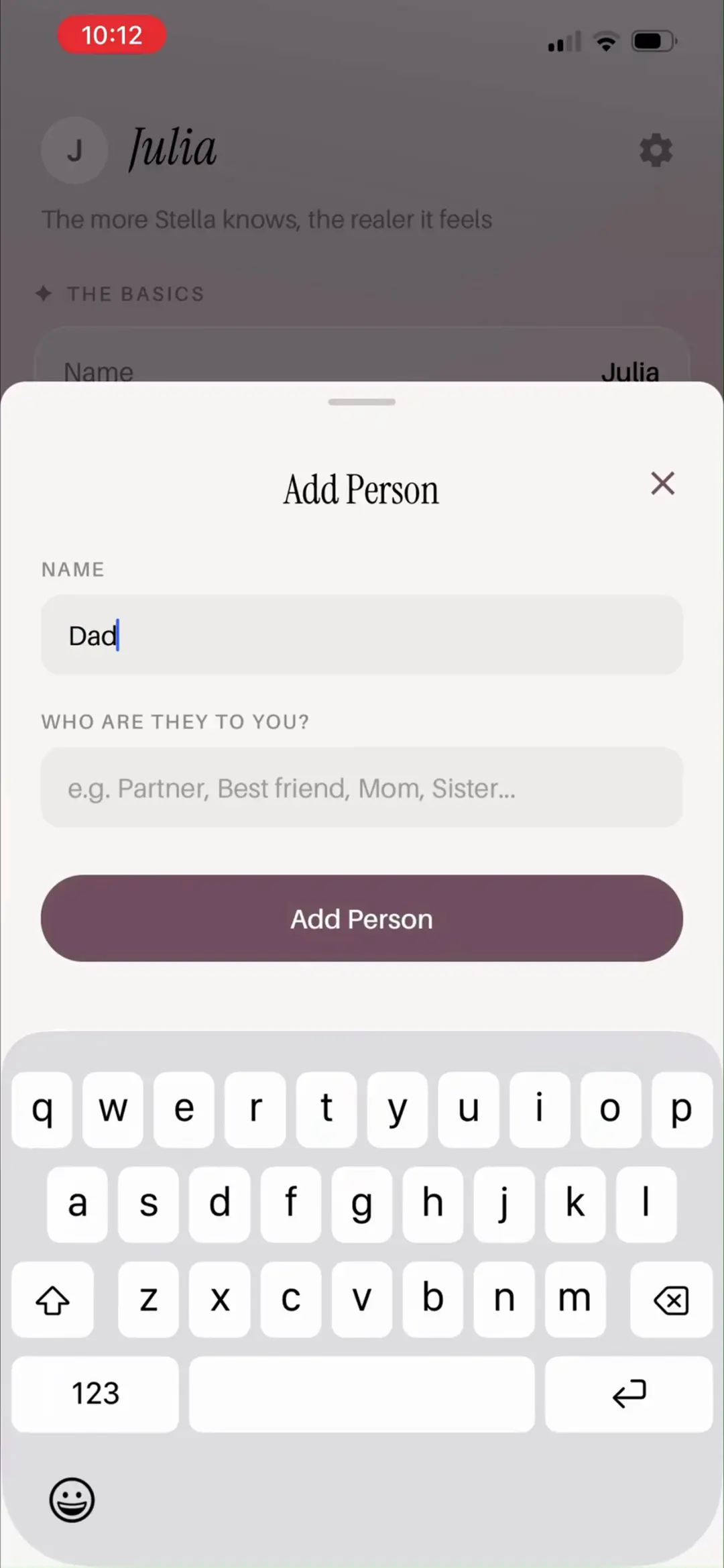
「Add Person」底部弹窗:NAME 输入 Dad + WHO ARE THEY TO YOU? 占位 e.g. Partner, Best friend, Mom, Sister… + Add Person 按钮。
来源:ScreensDesign Pro 1080p 录屏原帧(888×1920 → 1242×2688)|08:12打开高清原图
→
#6808:16
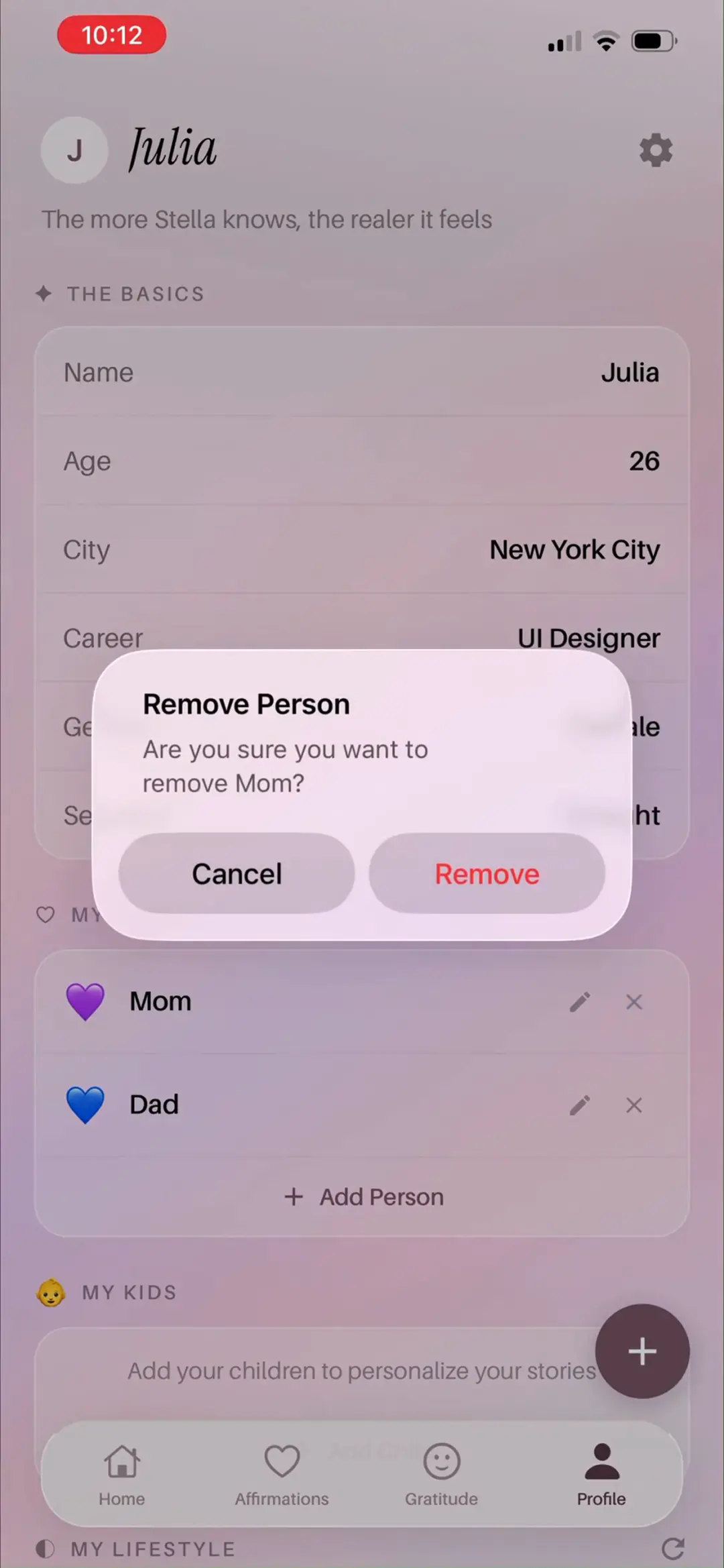
「Remove Person」确认弹窗:Are you sure you want to remove Mom? Cancel / Remove(红字)——此时列表里 Mom 与 Dad 并存,人物增删闭环完整。
来源:ScreensDesign Pro 1080p 录屏原帧(888×1920 → 1242×2688)|08:16打开高清原图
→
#6908:21
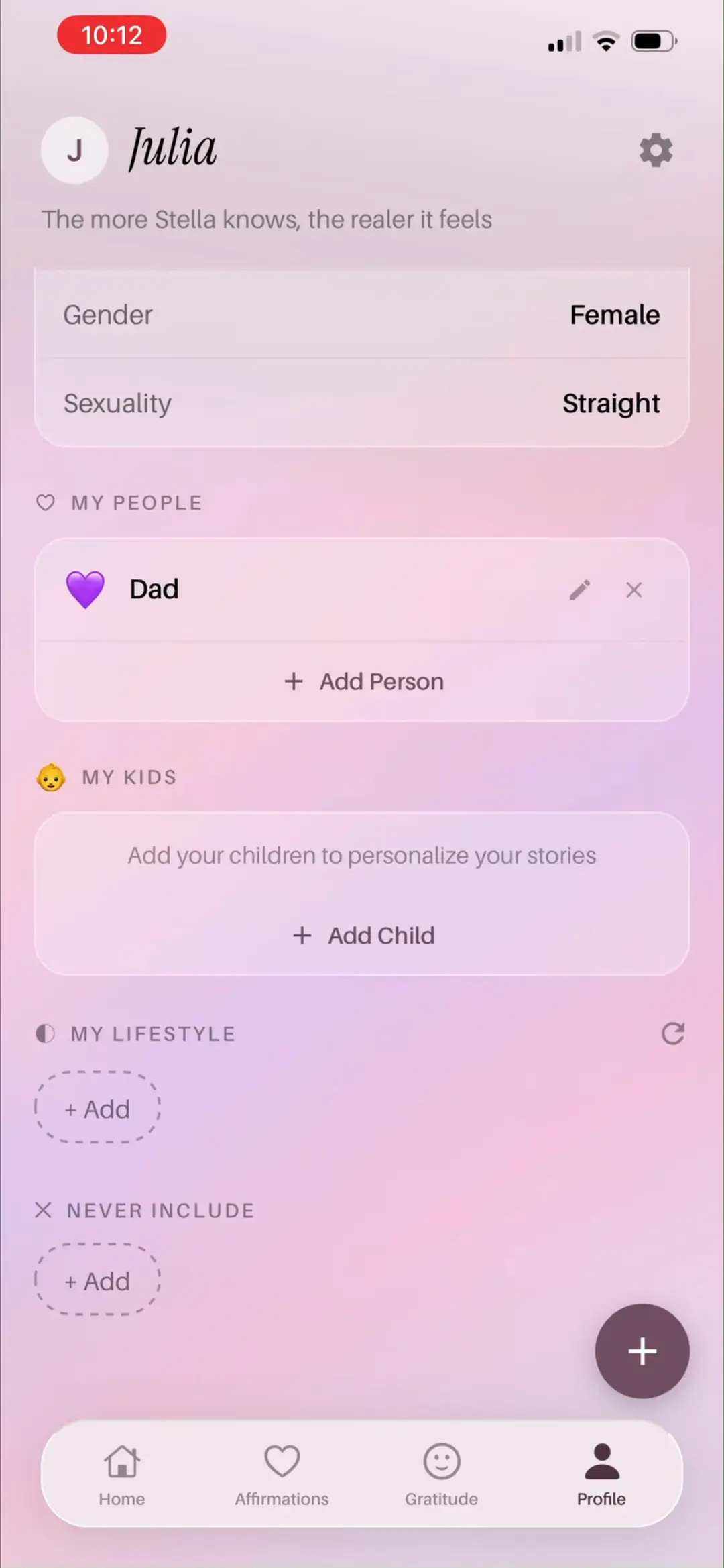
「Profile」下半屏:MY PEOPLE 只剩 Dad💜(Mom 已移除)、MY KIDS、MY LIFESTYLE + Add、NEVER INCLUDE + Add——『绝不出现在故事里』的排除标签是少见的负向记忆设计。
来源:ScreensDesign Pro 1080p 录屏原帧(888×1920 → 1242×2688)|08:21打开高清原图
→
#7008:27
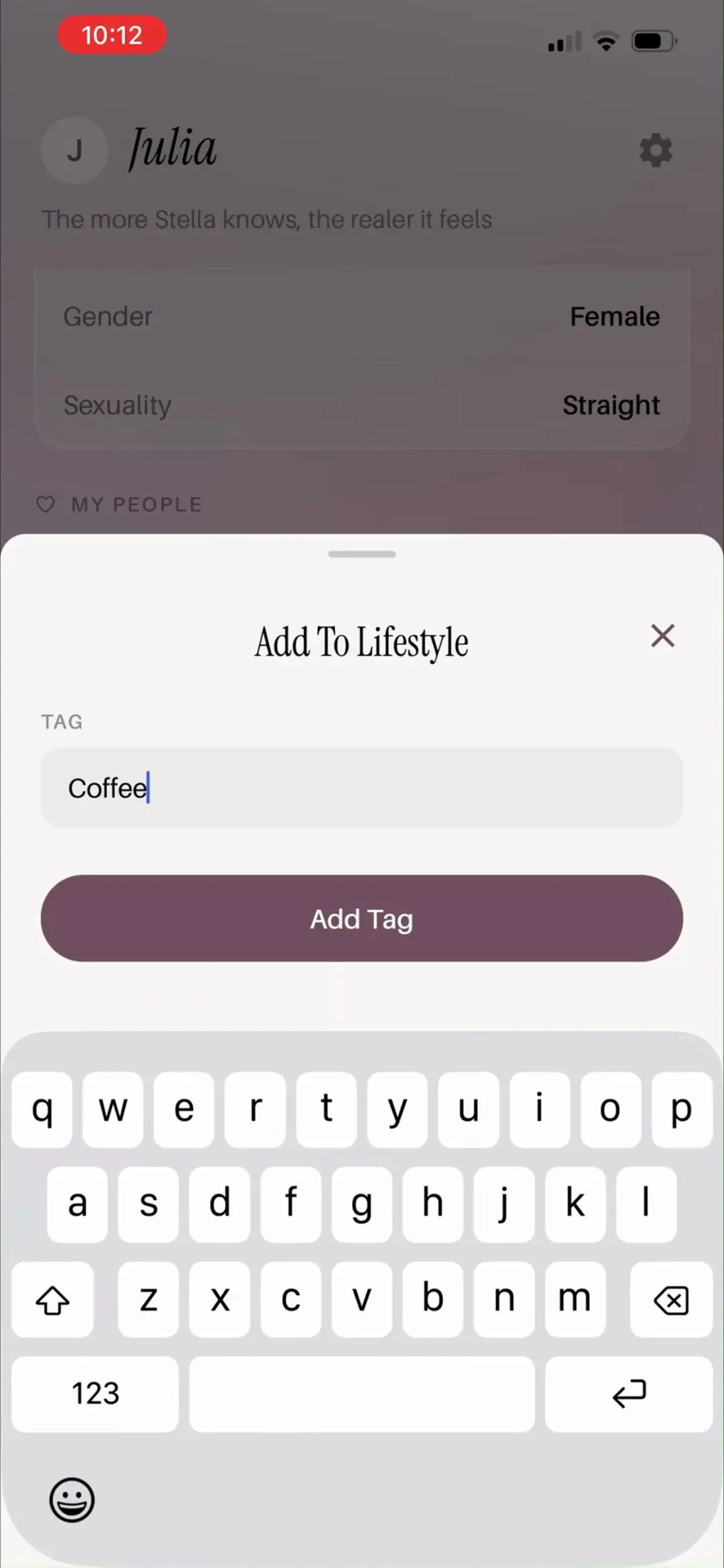
「Add To Lifestyle」弹窗:TAG 输入 Coffee + Add Tag——生活方式自由打标,全部进 AI 生成上下文。
来源:ScreensDesign Pro 1080p 录屏原帧(888×1920 → 1242×2688)|08:27打开高清原图
→
#7108:40
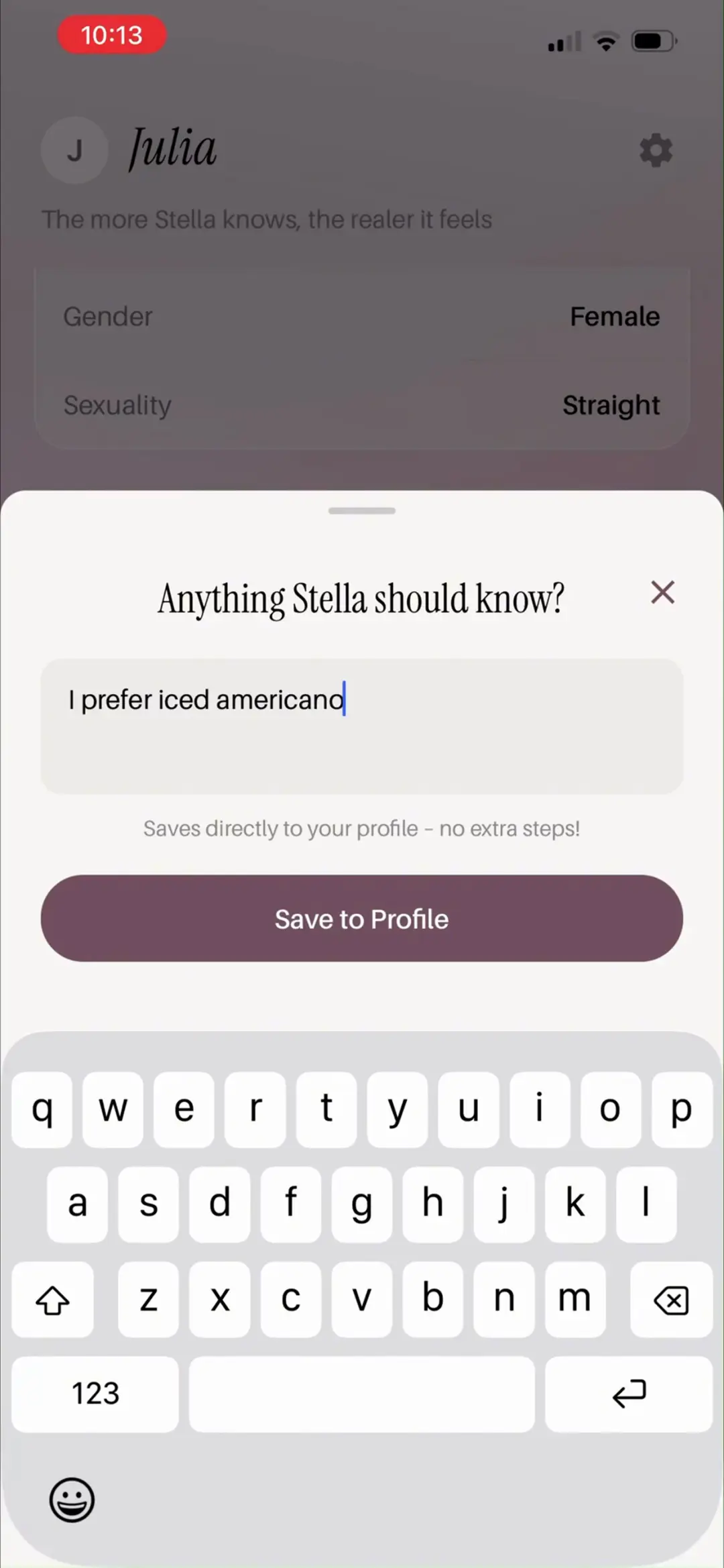
浮动 + 唤起的快捷记忆弹窗「Anything Stella should know?」:输入 I prefer iced americano,副文案「Saves directly to your profile – no extra steps!」+ Save to Profile——随时追加 AI 记忆的轻入口,把『记忆管理』做成对话式。
来源:ScreensDesign Pro 1080p 录屏原帧(888×1920 → 1242×2688)|08:40打开高清原图
→
#7208:46
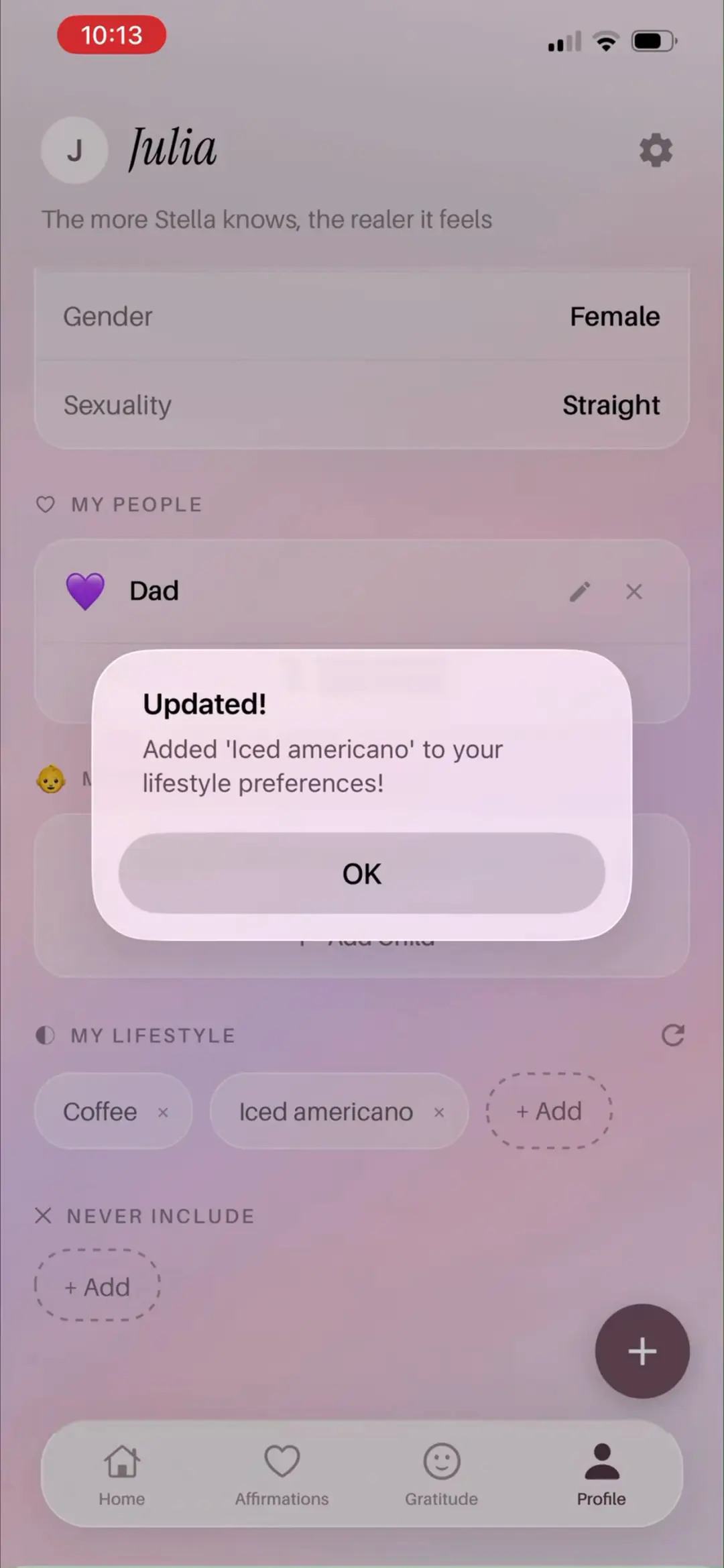
保存成功弹窗「Updated! Added 'Iced americano' to your lifestyle preferences!」OK;背后 MY LIFESTYLE 已显示 Coffee / Iced americano 两个标签——写入即时可见。
来源:ScreensDesign Pro 1080p 录屏原帧(888×1920 → 1242×2688)|08:46打开高清原图
12 · 设置、语音与账号管理
6 屏
#7308:50
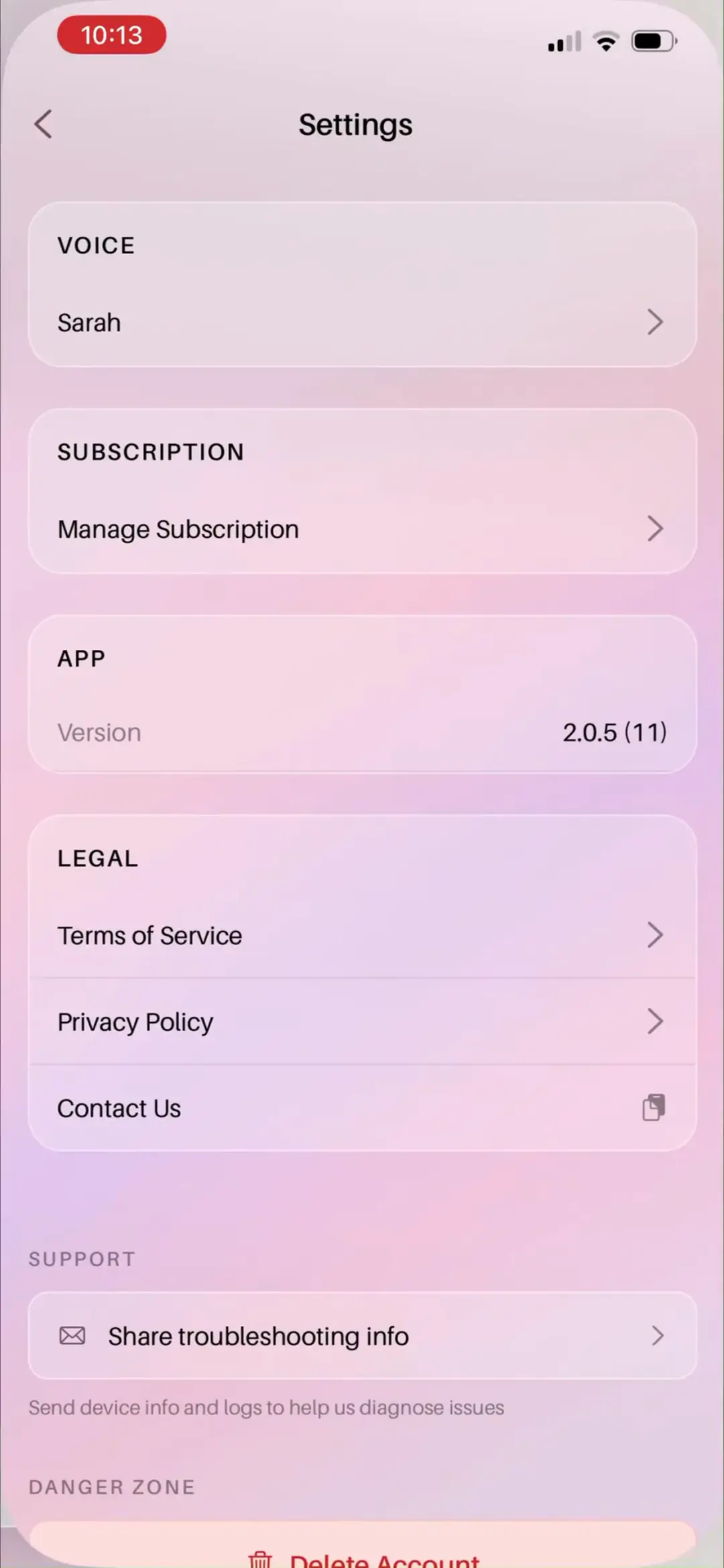
「Settings」页分组:VOICE(当前 Sarah >)、SUBSCRIPTION(Manage Subscription >)、APP(Version 2.0.5 (11))、LEGAL(Terms of Service / Privacy Policy / Contact Us)、SUPPORT(Share troubleshooting info:Send device info and logs to help us diagnose issues)、DANGER ZONE(Delete Account 红字 + 『将永久删除 desires、affirmations 与 progress』警示)。
来源:ScreensDesign Pro 1080p 录屏原帧(888×1920 → 1242×2688)|08:50打开高清原图
→
#7408:52
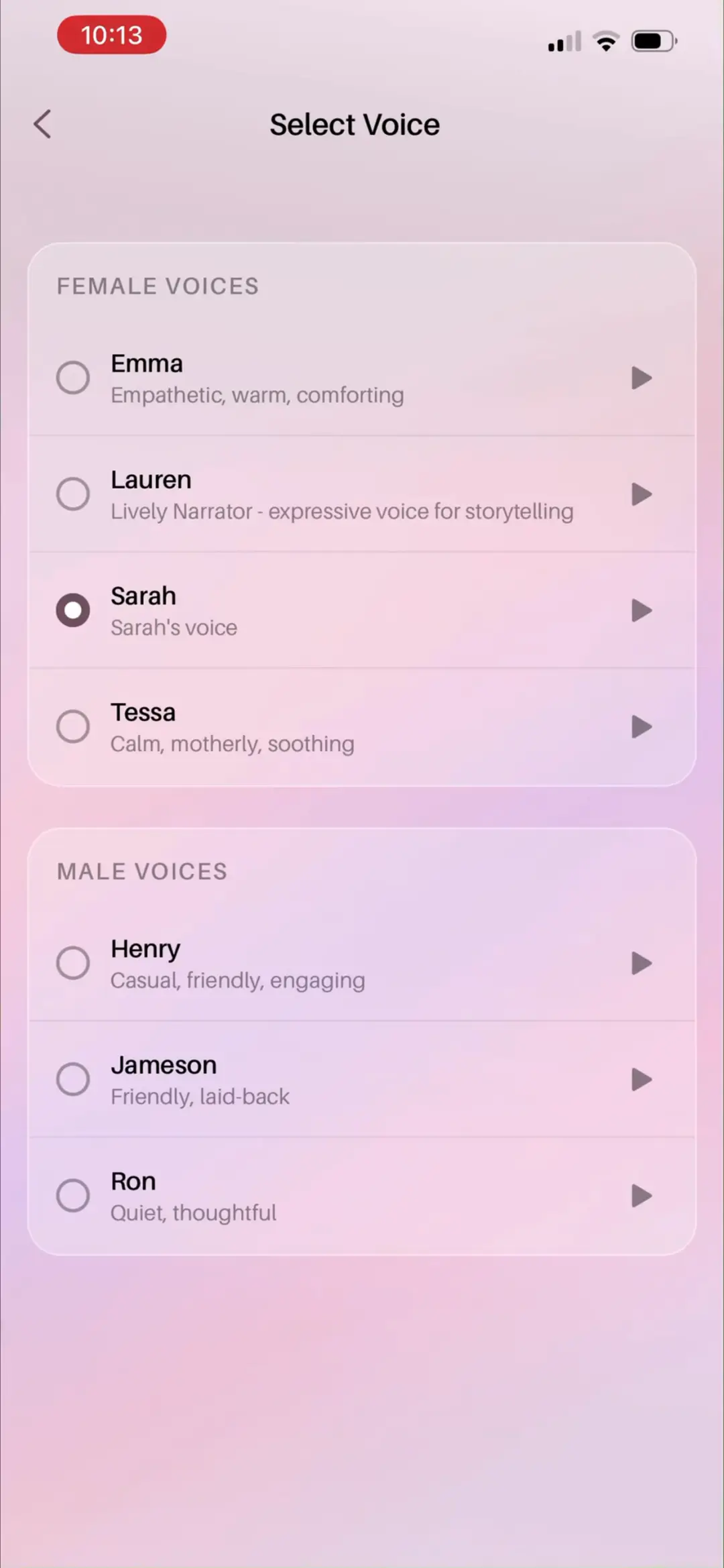
「Select Voice」页:FEMALE VOICES Emma(Empathetic, warm, comforting)/ Lauren(Lively Narrator - expressive voice for storytelling)/ Sarah ✓ / Tessa(Calm, motherly, soothing);MALE VOICES Henry(Casual, friendly, engaging)/ Jameson(Friendly, laid-back)/ Ron(Quiet, thoughtful)——7 种 AI 声线,每行右侧 ▶ 试听。
来源:ScreensDesign Pro 1080p 录屏原帧(888×1920 → 1242×2688)|08:52打开高清原图
→
#7508:53
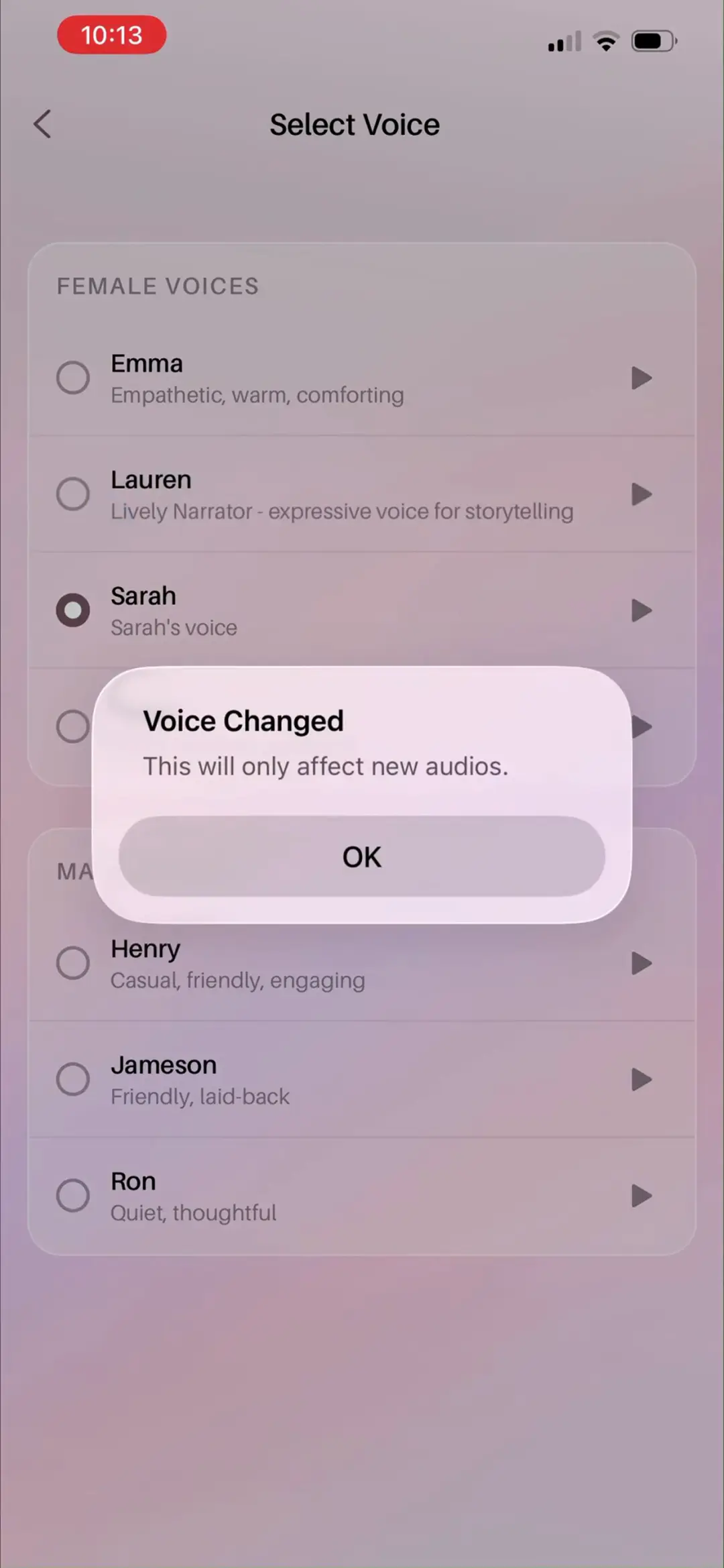
「Voice Changed」确认弹窗:「This will only affect new audios.」OK——切换声线不重生成旧音频,管理 TTS 成本的话术坦白又合理。
来源:ScreensDesign Pro 1080p 录屏原帧(888×1920 → 1242×2688)|08:53打开高清原图
→
#7608:57
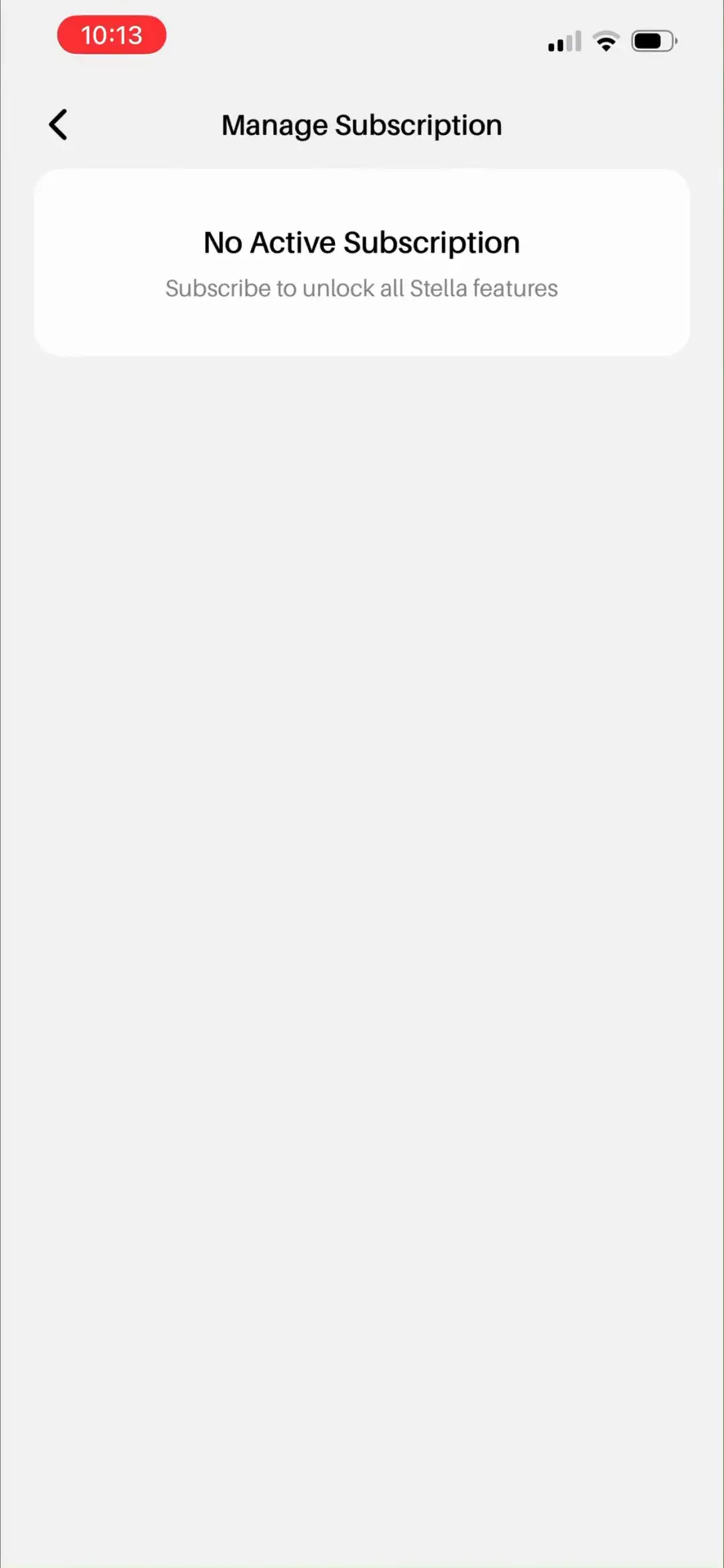
「Manage Subscription」页:No Active Subscription / Subscribe to unlock all Stella features——录屏账号的试用已过期后的空状态,同时是再次转化的入口。
来源:ScreensDesign Pro 1080p 录屏原帧(888×1920 → 1242×2688)|08:57打开高清原图
→
#7709:02
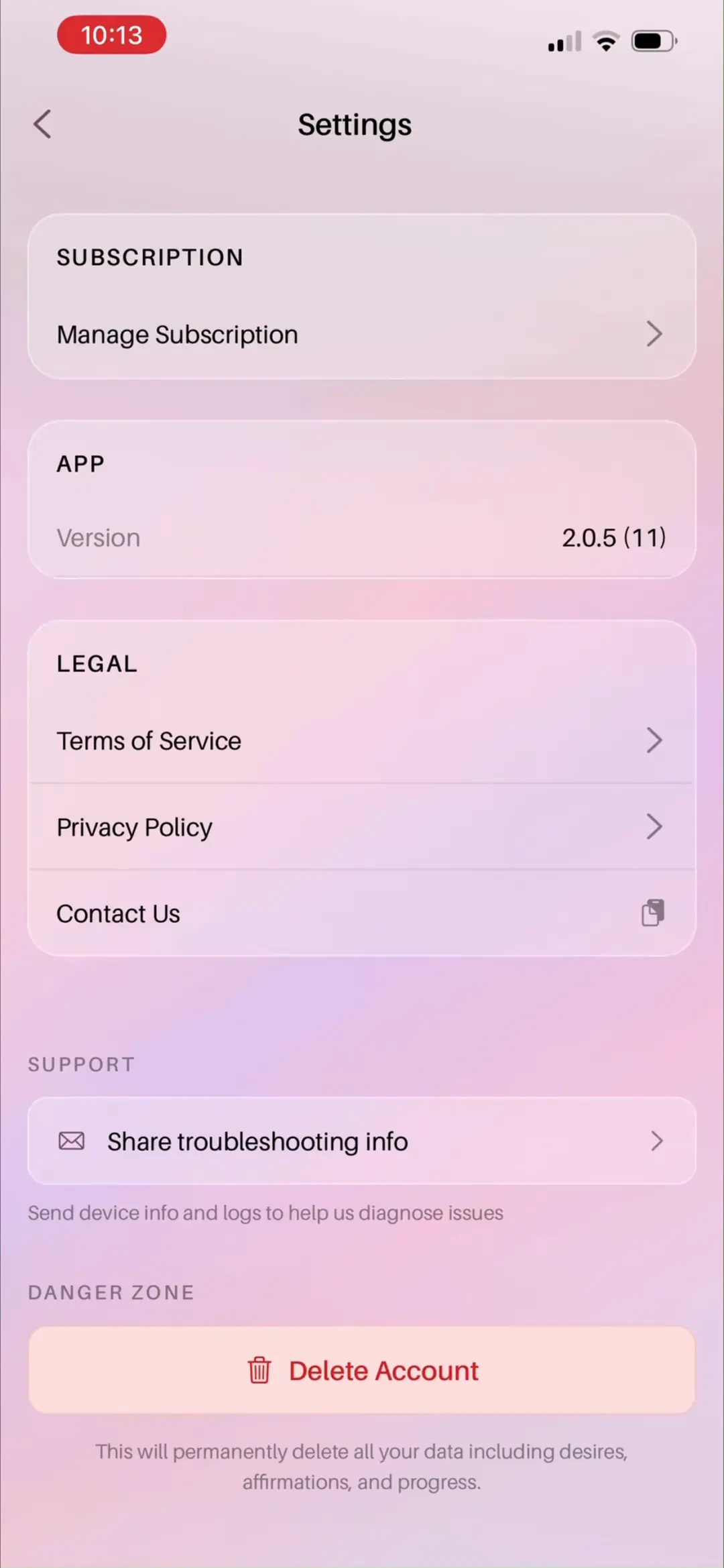
「Settings」滚动到底部的画面:SUPPORT(Share troubleshooting info)与 DANGER ZONE(Delete Account 红字按钮 + 底部『将永久删除包括 desires、affirmations 与 progress 在内的全部数据』警示)完整可见——高危入口被刻意压到最底部并双重警示。
来源:ScreensDesign Pro 1080p 录屏原帧(888×1920 → 1242×2688)|09:02打开高清原图
→
#7809:03
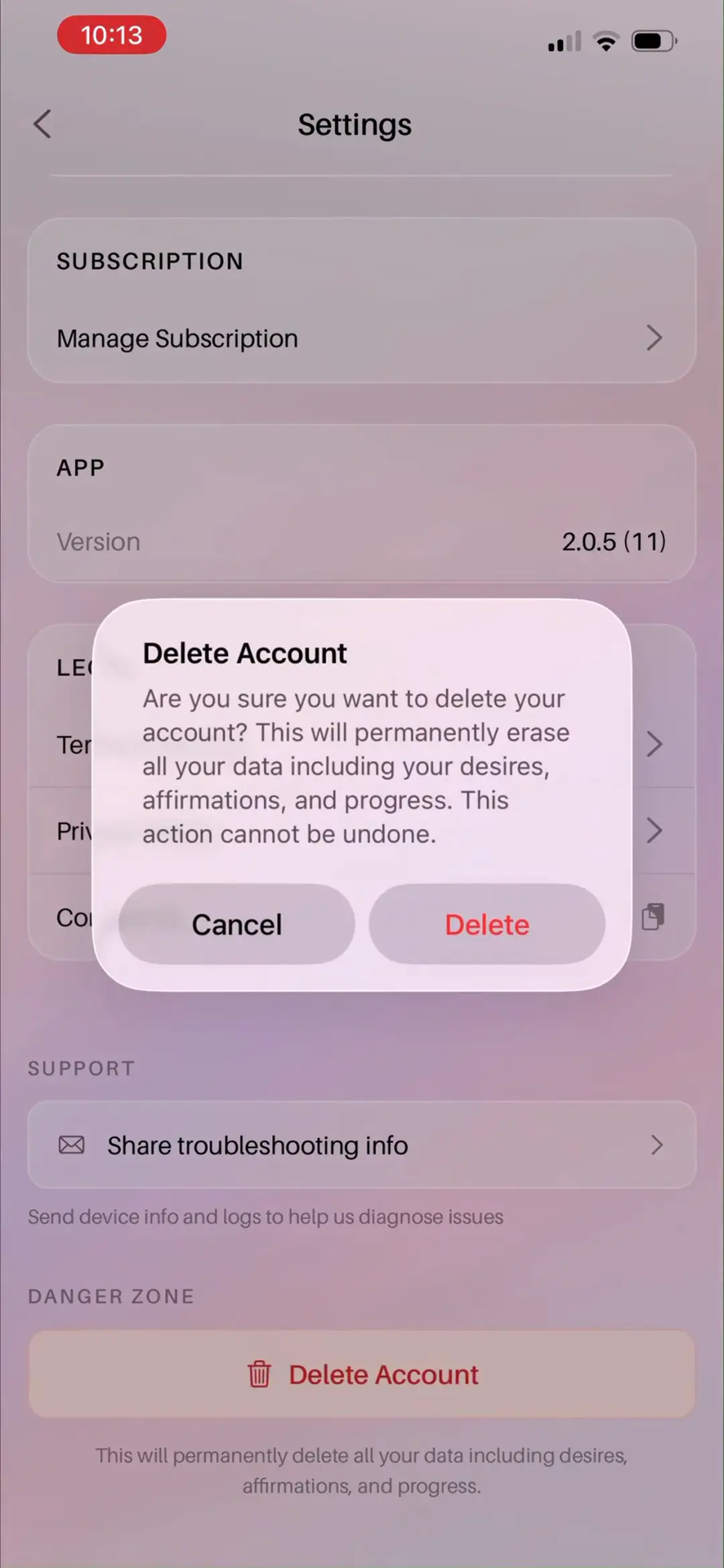
「Settings」底部叠加「Delete Account」确认弹窗:Are you sure you want to delete your account? This will permanently erase all your data including your desires, affirmations, and progress. This action cannot be undone. Cancel / Delete(红字);弹窗后可见 SUBSCRIPTION / APP(Version 2.0.5 (11))/ LEGAL(部分被遮)/ SUPPORT / DANGER ZONE——录屏以账号管理收尾,完整覆盖账号生命周期。
来源:ScreensDesign Pro 1080p 录屏原帧(888×1920 → 1242×2688)|09:03打开高清原图